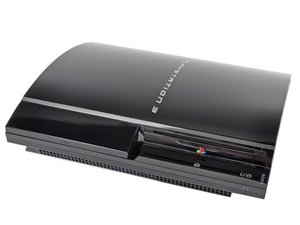
How do I fix error code 8002f14e?
i was updating to the newest update and when it went to install it is there a way to get it to stop trying to install or reformat it for my ps3 again
Is this a good question?
Score
5

Rep: 55
 3
3
 2
2
i was updating to the newest update and when it went to install it is there a way to get it to stop trying to install or reformat it for my ps3 again
Is this a good question?

Rep: 784.6k
1.1k
894
 2.3k
2.3k
I looks like you get this error due to a hardware fault, most common is the BR drive. Anyhow there is a great forum on Llamma's site and a couple of fixes are floating around on youtube give it a try and see what you come up with. Good Luck
Was this answer helpful?
+ I liked the youtube one using the axe
As we all know, sometimes you have to revert to extraordinary measures

Rep: 13
1
Mine 3.55 has that error but that thing that hold the ribbon cable contacts and it dont holds with tape :D any helps i will host all cod CLs if u give me a usefull help :D
Was this answer helpful?
same smh my ps3 is on 4.75.3 dex rebug and it just said file is corrupt

Rep: 13
1
Im having the same problem...as soon as my ps3 turns on it goes stright to a system update but every time at 43% it errors out every time...I cant even get into it to go to the settings any ideas???
Was this answer helpful?
omfg sameeeee i desperately need help

Do the update manually and here is how you do it.
1. Find a usb drive that is larger than 168 MB and format that drive to FAT32.
2. A computer.
3. Download the newest firmware from the computer (2).
4. Go inside the usb drive and make a new folder which you call PS3, and under that you make another which you name UPDATE. Under that folder is where you keep the firmware (3).
5. Plug the usb drive into the ps3 and power it.
6. In the XMB go to Settings ---> System Update ---> Update via Storage Media.
Source(s):
PS3 Firmware
Partition Wizard Home Edition
PS3 Manual - Update using a PC
XMB
Was this answer helpful?

Past 24 Hours: 4
Past 7 Days: 18
Past 30 Days: 108
All Time: 17,061

1 Comment
How to fix 8002f14E
by Vertiis