
0
Score
Stranga
1
Asked
How do you remove screen completely off?
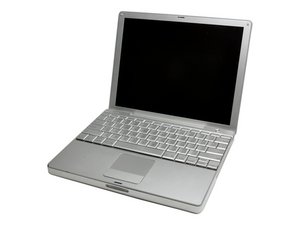
PowerBook G4 Aluminum 12inch 1.33 GHz
I have a powerbook g4 12 inch with a broken lcd screen, now I wanted to know if anyone knows how to remove the screen completely off so that I can then plug a monitor to it?
2
Score
mayer
121.8k
Answered
There's a monitor port on your machine that you can connect to. For directions on replacing the screen, please go here and identify your Book. There is a number on the back that looks like Axxx. Let us know which one you have and we can direct you: http://www.ifixit.com/Info/ID-your-Mac/2...
Here's how to remove the display: Installing PowerBook G4 Aluminum 12" 1-1.5 GHz Display
2
Score
Matt Barnes
6.6k
Answered
Like Mayer said you only need a Mini DVI to DVI adapter or a Mini DVI to VGA adapter, then you can plug in an external monitor. As for removing the display, you can follow this guide.