
4

Score

Avatar
Kyle Wiens
7.9k

Asked

What is the best way to prevent keyboard marks?

History

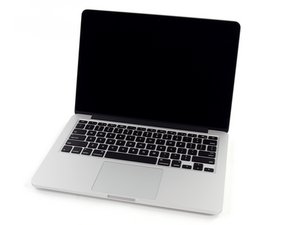
If you're not careful, over time keyboard rub marks (particularly on the center row) can render a display almost unusable. This issue was particularly pronounced for me when I carry my MacBook Pro around with me in a backpack with lots of equipment.

I've used a piece of paper in between the keyboard and screen, and that gets the job done but isn't terribly elegant. What works best for you?

Edited by: Sterling Hirsh ( )

Post Answer

6

Score

Avatar
Demon
211

Answered

Accepted Answer

PermalinkHistory

Well on my white MacBook, I've been using the thin sheet of perforated material that the laptop shipped with.

If that doesn't work out for you, I would try one of the many third part alternatives such as

http://www.radtech.us/Products/NotebookS...

Hope that helps

5

Score

Avatar
robert
61

Answered

PermalinkHistory

Another possibility; look for an optical cleaning cloth (often found at opticians or camera shops) of the necessary size (or trim accordingly). Use this between the keyboard and screen (nice and thin) and doubles as ...a cleaning cloth. Much cheaper than some of the commercial options.

I use a fine piece of leather, which also can be used as a mouse pad on rough/reflective surfaces.

1

Score

Avatar
bmalam
31

Answered

PermalinkHistory

Get a screen protector from OWC. Been using them for years and they work flawlessly.

http://eshop.macsales.com/item/Other%20W...

Do you think they're better than the Radtech screen protectors? I like those because I can use them as a screen cleaning cloth, too.

Kyle Wiens,

1

Score

Avatar
iPod Fix It
27

Answered

PermalinkHistory

It seems mine collects a lot of dust so I keep a microfiber cloth (think Billy Mays) over the keyboard and when I'm ready to use the Mac I dust everything off and as a bonus, if I wet it a tiny bit I can even clean of my grubby fingerprints. This is also the least expansive of the tips

Edited by: iPod Fix It ( ) , Nat Welch ( )

1

Score

Avatar
gege2005
13

Answered

PermalinkHistory

Check if the little plastic pads on each top side of the screen are still here and not cut. They serve to keep a small distance when the screen is closed. You can increase distance with added thick adhesive tape.You can try to add two thin little pads on bottom of screen too. Check for the needed thickness with the screen closed to keep the hook grabbed on bottom part.

Eventually try to adjust the hinge height to increase distance to keyboard.

And never put big objects on screen size when you carry the Mac in backpack or use a sheet of hard material (metal, epoxy,..) as separator to avoid any pressure on the top cover.

1

Score

Avatar
lee4
13

Answered

PermalinkHistory

I have used for years a Kensington Micro fiber cloth - It looks like gray suede, exactly the right size to protect the entire screen... I carry my 15 everywhere and haven't treated it particularly gently, I don't think. The screen looks brand new.

0

Score

Avatar
machead3
21.3k

Answered

PermalinkHistory

I like Mareware http://www.marware.com/products/MacBook_... it includes a two-in-one microfiber keyboard cover & cleaning cloth. a Soft PVC leather hand rest, (provides protection to the top case sides that scratch/discolor), and a clear film track pad cover.

There's also a Silicone version of the hand rest and track pad protectioni, with cleaning cloth for keyboard and screen.

N.

0

Score

Avatar
MrJolly
79

Answered

PermalinkHistory

Clean your hands before you use the keyboard. Sure it can be a bit of a pain, but it will keep your keyboard clean. To make this a bit easier you keep a can of hand sanitizer next to your computer on your desk.

0

Score

Avatar
rab777hp
13.6k

Answered

PermalinkHistory

Any sort of skin/keyboard cover which cover's should work, but i'd advise a screen protector as well, as the keyboard cover itself could leave a mark

Add Your Answer