
0

Score

Avatar
oscarroro
1

Asked

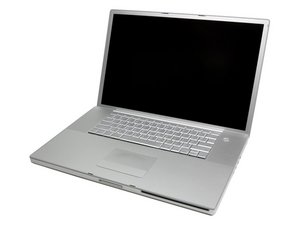
MacBook Pro A1151 17" 2.16GHz CD Logic Board 820-2023-A

History

Hi

Sorry my English it's not too good, by I'll try to explain my problem .

I've got a Macbook pro 17" with this generalized problem, distorted video and glitches.

http://torley.com/macbook-pro-with-a...v... --> explanation

Treated on this thread too --> http://discussions.info.apple.com/th...2...

I tried all that stuff, but no luck of resolving the problem at this moment.

I thought i could try get a new logic board and ind the case get a higher one,

but i don't know if will be possible swap the old one with a higher model.

My actual model is this one.

MacBook Pro 17" (Model A1151) 2.16 GHz Logic Board

And i would like to get one of those higher model's.

MacBook Pro 17" (Model A1229) 2.4 GHz Logic Board

MacBook Pro 17" (Model A1261) 2.6 GHz Logic Board

it's possible to swap the older model that I've got the first one that has a core duo processor with the latest ones with a core 2 duo and faster processor ?¿

The chip-set looks pretty similar in shape and size.

Thx in advance.

P.D: I have to practice more my English. I'm from Spain by the way.

Edited by

Product Image

MacBook Pro 17" (Model A1151) 2.16 GHz Logic Board

2.16 GHz Core Duo Motherboard / Ports: DVI Video Out, 1000BaseT Ethernet, Firewire 800, Firewire 400, USB 2.0 — 2 available at 499.95 each.

Product Image

MacBook Pro 17" (Model A1229) 2.4 GHz Logic Board

2.4 GHz Core 2 Duo Motherboard / Ports: DVI Video Out, 1000BaseT Ethernet, Firewire 800, Firewire 400, USB 2.0 — 1 available at 899.95 each.

Product Image

MacBook Pro 17" (Model A1261) 2.6 GHz Logic Board

2.6 GHz Core 2 Duo Motherboard / Ports: DVI Video Out, 1000BaseT Ethernet, Firewire 800, Firewire 400, USB 2.0 — Currently out of stock.

Post Answer

1

Score

Avatar
mayer
121.8k

Answered

PermalinkHistory

After looking at the prices on these boards $750-850, consider using someone like DT&T services. They will repair your logic board for $350. http://www.dttservice.com/macbookprosilv...

0

Score

Avatar
Charles Fisher
349

Answered

PermalinkHistory

Hi, I would like to offer you this suggestion but first I must ask you a questions; 1) have this unit ever had any type of a heating issue (been hot at some point in the past) and 2) have you or anyone been inside of the "top cover (in other words, have the top cover with the key pad been opened up)?" If so then it is possible that the screen cable may have some loose wire connections within that part that plugs into the logic board. This cable is on the right side of the board just below the fan towards the left (it have around 10-12 different color wires going into one connector).

You can remove that connector by pushing it out and lifting it up then hold the metal connector end with one hand and with the other, just grab the entire section of those wires and give them a slight twist (back and forth) and then PUSH the wires (with a very small amount of pressure) into the metal piece in your other hand. Now without DISTURBING that connector, lay it back down to the socket that it came from, line it up with that part on the logic board and push it in gently by the VERY outer edges ONLY. Place the top cover back down (don't screw anything down yet), turn it on and see what you get. If it looks okay, then just let it run while you try out your videos. If those old problems don't show up any more then you can celebrate and dance.

Add Your Answer

