
0
Score
Asked
Booting SSD drive from WallStreet.
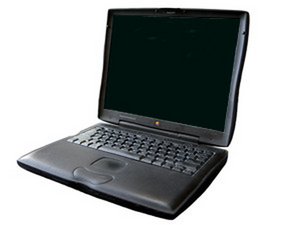
I got a 8 Gig, SLC, IDE SSD drive for my WallStreet model. I wasn't sure if it would work with the classic Mac OS, since I couldn't find any articles about anyone trying this. Imagine my surprise when the Mac OS 8.5 CD found the drive, partitioned and formatted it with no problem! I also had no problems installing 8.5. However, after the reboot, I just get the flashing question mark. I've tried making it one partition instead of three, and redoing it a couple of times, but no luck. Everything is smooth until it's boot time.
Does anyone have any OpenFirmware tricks to force this to boot?
1
Score
Chris Green
14.9k
Answered
0
Score
Answered
The option key @ startup DOES NOT WORK on a Wallstreet, but does on a Pismo G3 running Tiger. You will probably have to hook your 'old' drive up via a Firewire PCMIA card and a firewire enclosure containing your old drive to access your old hard drive. Or better yet, use the MacOs install disk and then Disk utility from there. How did you install the operating system on the SSD? Did you 'clone' it from your old or do a new install?? Are you able to boot to MacOs 9.2.2 ? Any MacOs X? Use the control panels in 9.2.2 to choose the startup disk. Or System Preferences and "Startup disk" from MacOs X... Then re-boot from your original Os and look at the SSD from there... The install CD should be able to install the system on the SSD, and a Clone ought to work, too...
SHartz40@yahoo.
0
Score
Answered
I was able to use an Addonics CF Hard Drive Adapter (AD44MIDECF) to attach a CF card within my Wallstreet to act as a hard drive with a Transcend CF card. Works ok, but a secure mounting so the adapter stays put is a problem.. Very fast and no noise at all. Search LowEndMac for info...
Steve
Hey, did you ever find a solution to this? I want to get an IDE SSD to revitalise my old pismo :)
James Vautin,

