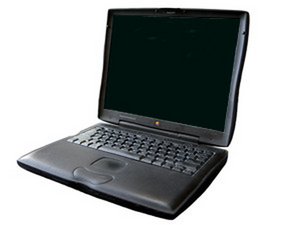
airport card for Pismo
I want to put an airport card into my 400 MHZ G3 Pismo. Is this possible? What kind of card and where can I find one?
Is this a good question?
Score
1

Rep: 13
 1
1
 1
1
I want to put an airport card into my 400 MHZ G3 Pismo. Is this possible? What kind of card and where can I find one?
Is this a good question?

Rep: 3.1k
20
26
 4
4
Here's the iFixit guide to adding an Airport card to the Pismo: PowerBook G3 Pismo Airport Card Replacement
And here's the recommended card: [linked product missing or disabled: IF143-010]
When I wanted to give my old Pismo wireless capabilities, I ended up buying a PCMCIA card instead of an Apple Airport card -- it was just much, much cheaper. The minus is that you have the end of the PCMCIA card jutting out of the side of the computer. The bonus is that it *might* get better reception than a card that's internally installed.
Was this answer helpful?

Rep: 1.6k
17
11
The Airport card is the most trouble-free solution, but they can be expensive and hard to find. I'm glad ifixit has them.
Alternatives are the PCMCIA card ones, as mister790 suggests; there are also USB/wireless adapters, but I dunno if they'd work with the system the Pismo is running. The USB solution (and some of the PCMCIA cards, I think) means dinking around with drivers and connection apps that are workable but a pain to use.
Was this answer helpful?
Pismo is USB 1.0 so the USB/wireless adapters would not be recommended but the PCMCIA cards work very well. I remember that I installed a Belkin card that used the broadcom shipset, the signal was pretty good and the card used the airport software just like the Apple original card.
Rep: 13
1
1
I placed an order, No. 129719 and now need to cancel it. Please cancel and notify me.
Thank you.
Mikekeable3@gmail.com
Was this answer helpful?
This probably isn't the best venue for that kind of communication. You should probably contact Customer Support in the Parts Store instead.
Past 24 Hours: 1
Past 7 Days: 6
Past 30 Days: 10
All Time: 2,559
