
1

Score

Avatar
gledix58
13

Asked

My Wii power light is red

History

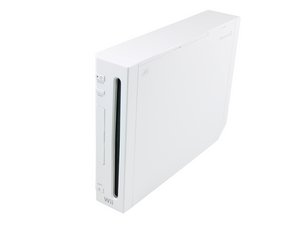
When I plug my Wii in the light shows red but when I push the power button the light goes out and the blue light where the disc flashes on for a second, then shows no power. I can unplug it and the red light will come back on but as soon as I hit the power or restart button it goes back out and shows no power. Can some one help me

Was the Wii modified at all? Modchips and the such?

Miroslav Djuric,

Post Answer

3

Score

Avatar
Miroslav Djuric
40.4k

Answered

PermalinkHistory

The Wii red light means that the console is completely off, whereas a yellow light would indicate standby mode. From a quick internet search:

Green light = Console power is on

Orange/yellow = Wiiconnect24 is on

Red = Wiiconnect24 is off

Wiiconnect24 is where your wii recieves data via wifi or lan while your console is on standby.

Your problem with the Wii powering on has nothing to do with the red light -- it's not like the Red Ring of Death on the Xbox 360...

The blue disc light should flash like it does. Try to [[Nintendo Wii Troubleshooting|troubleshoot the Wii]] and update your original post with more information if you can.

0

Score

Avatar
Tomas Riveros
1

Answered

PermalinkHistory

dude your bluetooth module is busted.

replace it with a part from dealextreme or similar and check the bluetooth guide in the wii page.

My Wii did the same thing as yours (power light went off, disc light flashed for a second, then off), replaced the bluetooth chip and all was well. You hve to resync your wiimotes afterwards, though

0

Score

Avatar
bushing
3.4k

Answered

PermalinkHistory

Your power supply is broken or there is an internal short inside the device; when you try to power it on, the power supply gets overloaded and the power LED goes out. It is unlikely to be the bluetooth module.

If you have soldered to the Wii, check for shorts near the area where you soldered. Otherwise, try a different power supply; if that doesn't fix it, take everything apart (including the metal shielding), put the main board on a non-conductive surface, and plug the power supply into it and try to turn it on. If that still fails in the same way, replace the main board. If it powers on to green, disconnect the power, start reassembling the device, and keep applying power until you identify the defective part.

Edited by

Product Image

Nintendo Wii Motherboard

Ports: GameCube Controllers, GameCube Memory Cards, Sensor Bar, SD Slot, USB Ports, Power In, A/V Out — Currently out of stock.

0

Score

Avatar
Doctor Ambient
1

Answered

PermalinkHistory

We had a similar problem. (Red light/blue light flash on button press.) Ours was a completely unmodded Wii. We had left it plugged in but unused for an extended period. What we ended up doing was an extended reboot. Unplug the power adapter from the Wii *and* the wall and let it sit for about 10 minutes. Then re-assemble the system and try starting it again. If, when you were trying to fix it, you didn't wait a long time then the console won't reset completely.

Found this similar description of the fix (there are a lot of ads, you'll have to go past some to see the process):

http://hubpages.com/hub/My-wii-wont-turn...

I figure the original poster is long since fixed, but this description sounds like something that comes up for a lot of people.

0

Score

Avatar
brian
1

Answered

PermalinkHistory

We have a Game Cube bongo drum that has some kind of short internally that causes exactly what is described in the original post. Unplugging the offending bongo controller fixes the problem.

So, this could be as simple as a defective peripheral plugged into your Wii. Always try unplugging everything from your Wii (even the sensor bar on the back) before jumping to to the conclusion that your Wii is dead.

Add Your Answer