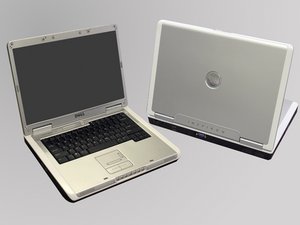
Forgot password and unable to log in to the laptop
Dell has a hardware lock, but I have forgotten the password for my login. Does anyone know how to bypass this?
Is this a good question?
Score
123

Rep: 971
 2
2
 2
2
 1
1
Dell has a hardware lock, but I have forgotten the password for my login. Does anyone know how to bypass this?
Is this a good question?

Rep: 88.9k
203
262
144
This sounds like a BIOS password to me. You are going to have to remove the CMOS battery or find the BIOS/ATMEL chip to remove the password.
There's going to be 3 ways you can do this. The first one is just to remove the CMOS battery, which will work on most pre 2010 laptops. The second is shorting the BIOS chip or some pads, which is common on circa 2010 laptops.
The third is you will have to short the ATMEL chip in the laptop and then boot it to clear the password. However, be warned this can potentially lock the laptop in tampered mode which may brick it. If it doesn't lock you out, it will let you know.
I would suggest the CMOS battery first. It's the least risky of the 3 options.
NOTE: If you are dealing with a ThinkPad, DO NOT REMOVE THE CMOS BATTERY! This will result in the notebook falling back to the SVP. If it has one YOU WILL LOCK YOURSELF OUT OF THE LAPTOP!
Older consumer grade machines typically use CMOS RAM in the BIOS flash chip, while newer machines (crica 2010) store it in the BIOS chip using battery backed CMOS RAM that lives in the BIOS module. This is why you need to mess with the BIOS chip in a lot of these newer laptops.
On the business models, they use ATMEL chips that are usually encrypted. It's been like this since the Dell C series and the ThinkPad 390E.
Here is a link on some master passwords. These are all fairly old, so they may not work. If the laptop is newer, the password is based off of a unique number that's tied to that machine via serial number/service tag rather then a single master password.
Note: I DO NOT ANSWER QUESTIONS ABOUT BIOS PASSWORD REMOVAL ANYMORE.
Was this answer helpful?
but it will try but not go to the safe mode also asking passwd
I need help I forgot my pass my dell laptop inspirion 1525 I cant even go on home screen i just see a white screen that says enter password
@Osmar Acosta If you find out please let me know. I have the same laptop and the same problem
hi, i forgot the password of my dell inspiron5030
How can I unlock my laptop

Rep: 169
3
2
2
If you forgot BIOS password, you can remove the CMOS battery or use a backdoor password. click here
If you forgot the system password, you can reset the password by creating a reset disk with third party software. click here
Was this answer helpful?
I think what people are missing here is that it is an Admin account that the password has been lost/forgotten. Without the original password, or a reset disk (that has to be made before you forget the password) you cannot change or create a new password or login method. But iSeePassword would work with you. It can create a bootable USB or DVD and recover forgotten windows 8 password.
I can not op en my dell vista laptop it locked me out and i foregot my password how do i fix that
You can reset forgotten laptop password without login. Just like the article tells, you can get Windows Password Genius Advanced to create password reset disk. Then you can remove or reset laptop forgotten password with it. At last, you can login your laptop without password.
This still have problem when I tried on my dell laptop. I gave a shot on other programs and here is the one that really works: http://goo.gl/GKLzrd
i really need to onluck my loptop

Rep: 145
1
1
1
try restarting the computer in safe mode and try resettings the password fo your admin account using command . if you have already setup a email account with you admin user account ( windows 8, 8.1, 10 )
than you can also log in using that email . for other steps visit FIX-how-to-reset-windows-password- . See if this works
Was this answer helpful?
How do i fix my loptop?...i set my loptop to safe mode ..it was successful and then told me to restart or do it later i decided to restart when that had finished i showed my e-mail account name abd i put in my password it told me it was wrong i never changed it i cant find the solution and when i try to reset it to factory it tells me that i need a password but it doesn't work and some one please help?

Rep: 78.2k
385
96
162
Try this. Ralph
Was this answer helpful?
more nice research +
Here is the info from Dell on how to remove the battery. Ralph
well my my daughtergave me her Dell lap-top he had for got her pass word i need help changing her account and to make it my lap-top
I will recommend Windows Password Genius Advanced, because laptop users can burn a password reset disk with it easily on another accessible computer, and then take the reset disk to remove or reset all Windows system password. Moreover, you can create new administrator for locked laptop when you are locked out of it.
Learn more about Windows Password Genius Advanced: http://www.isunshare.com/windows-passwor...

Rep: 37k
154
91
50
To reset the password in windows, you will first need to boot the computer into safe mode. Hold F8 as the computer boots (Before the OS loading screen) and select the "Safe Mode" option (Not "Safe Mode With Command Prompt" or "Safe Mode With Networking") The computer should then boot up, but there should be an additional "Administrator" account. Log in to this account (There shouldn't be a password, but if there is, try "admin") and navigate to the User account panel in control panel. From there, select your account name, and select the "Remove Password" option. This should clear the password for your account. Shut the computer down, and reboot like normal. Your account should have no password.
Was this answer helpful?

Rep: 1.3k
4
5
4
If you want to keep your OS and data safe then they best way to fix this issue by taking the motherboard backup battery out and put it back using following steps:
You need to open the lower black panel apart for this you can follow the online YouTube tutorials. Once panel is taken apart then you will see a small battery cell connected with 2 red and black wires via jack. Take this jack off to disconnect the battery for about 10 mins then put it back and try turning on your pc. This shall reset your BIOS passwords etc and then you would be able to login in to your PC.
Was this answer helpful?

Rep: 37
1
I had the same issue with my old Dell computer which I used it less frequently in last year. The funny thing is that I successfully reset the password with a bootable USB drive which had a GUI program burned into it. Then insert USB into my locked computer and set the admin password to blank.
Was this answer helpful?

Rep: 25
1
If you reset the computer and turn it off when trying to turn on. when you turn it on agen, a error message will pop up alowing you to mess with the fills. try net user(user name here) *. then you will be asked the password. press enter twice the go to login.even if you type in the correct password, it will not work. just press login or the arrow. Do not press enter! find and change the password when you can. it will not ask you for the password to change it. normaly it does. you shold change it because if you dont when you log out, you wil lhave to do all of this agen.
Was this answer helpful?
Does this work for a dell Inspiron 5220 , windows 8.1 as well ?
Rep: 1
2
1
Rep: 31
1
With high pressure nowadays, most people may meet password forgotten. So to create a complex and easy to remember for yourself can be important. But unfortunately for so many passwords we should to remember, we may forget our password with no reason. Take me as an example, last time, after a long trail, I found I was locked by my pc. Luckily, here are many ways or tools we can use to unlock. So I chose Anmosoft Windows Password Reset (http://www.resetwindowspassword.com) last time help me to unlock.
Was this answer helpful?
Rep: 25
1
open the case and remove the small battery for a minute. that should unlock your computer. Hope this helps
Was this answer helpful?
Where is the small batt

Rep: 19
1
Forgot laptop password? I think you can use a tool called SmartKey Windows Password Recovery 6.0. It is an excellent Windows password recovery prorgram I have seen and it has recovered my Windows password successfully.
Was this answer helpful?
i don't have a recovery disk and cant remember my bootup recovery password
I forgot my password

Rep: 19
1
I have ever reset my forgotten Dell password by using Windows Password Reset Tool.
Was this answer helpful?
i need help with my dell 7 computer may u please know the answer
Can u help me un do my password for my Dell it keeps saying go to accoynt.live. com
Rep: 32
9
8
1
no matter what laptop it is
there is software to reset passwords as standard
there are some article for different laptops on this website
http://www.forgotcomputerpassword.com/
maybe helpful
Was this answer helpful?
this helped me alot thanks!!!
Rep: 1
2
I will recommend Windows Password Genius Advanced, because laptop users can burn a password reset disk with it easily on another accessible computer, and then take the reset disk to remove or reset all Windows system password. Moreover, you can create new administrator for locked laptop when you are locked out of it.
Learn more about Windows Password Genius Advanced: http://www.isunshare.com/windows-passwor...
Was this answer helpful?

I found two laptops in an alley next to a dumpster. I was very happy and blessed. I'll start with one, a newer Dell, it needs a new screen. That said, I can connect a HDMI cable and use another moniter that I own. The issue is, upon boot up, two different user names pop up and both of them require passwords I do not have. It's running Windows 7. Can anyone help? My names Darrell.
Was this answer helpful?
Rep: 1
1
I have encountered the same issue in the past, then,i found a solutions on the Google , i used it to recover my forget password and i accomplish it, here,i offer a link ,you can click it to learn more,
Was this answer helpful?

Please help me out with my laptop after turning it on it will just boot to........ This laptop PC is owned by the ACCA (WC2A 3BP). if found please call +44(0)20 7059 5888. then it will request for the PC Password which i forget what can i do to regain it please?
Was this answer helpful?
Past 24 Hours: 0
Past 7 Days: 11
Past 30 Days: 55
All Time: 418,831

39 Comments
You need to put more information about what type of Dell computer you have and what program is installed. If you have Windows XP you have to do a clean install ... if you have Windows Vista thru Windows 8.1 all you need to do is a system recovery [ f 11] it will reinstall your computer to it's original start up mode. Then you can change your password ... I store all my personal passwords on my cell phone under memo's that way if I forget it there.
by azuladragoness92
a dell 7 school computer
by kennifinni23
how can you do a clean install when you're totally locked out?
by hhfrenchteach
this article mentions dell http://www.forgotcomputerpassword.com/re...
but its not possible for all dell laptop and wont work on all
by no way
HI
i am using DELL windows 8 laptop. i forgot my password to log in.
how can i get it.
please !&&* me to resolve the issue.
thanks
kumar
by kumar
Show 34 more comments