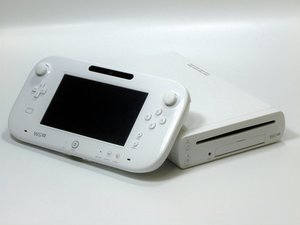
Common Nintendo Wii U console and GamePad problems
Diagnose and fix the most common problems plaguing your Nintendo Wii console and controller with these step-by-step DIY troubleshooting guides.
| 5 Solutions | Wii U Won't Turn On |
 | The Wii U console is not turning on. Potential causes include the AC adapter needing to be reset, a faulty wall outlet, a broken AC adapter, an overheating console, and a damaged motherboard. View all causes and solutions. |
| 5 Solutions | Wii U No Sound or Video from the TV |
 | There is no video or sound coming from the television or stereo. Potential causes include poor TV/Stereo connection, improper TV/Stereo settings, broken AV cables, dirty audio and video ports, and damaged audio and video ports. |
| 1 Solution | Wii U GamePad Won't Turn On |
 | The GamePad does not turn on. A potential cause is a dead controller battery. |
| 2 Solutions | Wii U GamePad Unresponsive or Sticky Analog Sticks |
 | The analog sticks on the GamePad are sticking or don't always respond. Potential causes include dirty analog sticks and faulty analog sticks. |
| 2 Solutions | Wii U GamePad Unresponsive or Sticky Buttons |
 | The buttons on the GamePad don't always respond. Potential causes include dirty buttons or faulty buttons. |
| 2 Solutions | Wii U Stuck Disk |
 | Pressing the eject button on the console does not eject the disk. Potential causes include a disconnected eject button or a disconnected CD drive. |
| 1 Solution | Wii U Console Does Not Recognize GamePad |
 | The Wii U is not recognizing the GamePad controller. A potential cause is an unsynchronized GamePad controller. |
| 4 Solutions | Wii U Freezes Unexpectedly |
 | The system freezes or crashes unexpectedly. Potential causes include a system malfunction, network problems, hard drive problems, and USB issues. |
| 3 Solutions | Wii U GamePad Not Syncing Correctly |
 | The Wii U GamePad will not sync or immediately loses sync after being synced. Potential causes include multiple Wii U consoles or GamePads in use, device interferences, and a general controller malfunction. |
| 3 Solutions | Wii U Gamepad Power or Charge Issues |
 | The GamePad will not hold a charge or will not power on. A potential cause is an AC adapter malfunction. |
| 2 Solutions | Wii U Won't Connect to the Internet |
 | The Wii U is unable to connect online via Wi-Fi. Potential causes include a system malfunction and out of date software. |
| 4 Solutions | Wii U Black Screen |
 | Inverted colors or a distorted display appear on the screen. Potential causes include a system malfunction, out of date software, poor HDMI connection, or improper TV settings. |
Didn't find your problem?
Check out the Answers forum for the Wii U console and GamePad if you need more troubleshooting help for your specific issue. Maybe someone has already solved the same issue you are experiencing.

Team

Cal Poly, Team 17-20, Forte Winter 2013 Member of Cal Poly, Team 17-20, Forte Winter 2013
CPSU-FORTE-W13S17G20
5 Members
96 Guides authored

93 Comments
So what if the HDMI port is broken? Would the mother board have to be replaced?
Marshall WahlstromHelgren - Reply Share
I have the same problem!
ben - Reply Share
I have a flickering problem. I play normally but sometimes the screen flickers and shows some green, and pink bars for like milliseconds. I've checked the connections, changed the ports, even the HDMI cable and the problem is still there. Any ideas? The GPU? The connector of the Wii U?
diego777699 - Reply Share
The same thing is happening to me did you find a way to fix it?
chowder810 - Reply Share
Maybe the CPU? ( Core Processor Unit)
Eli Hunt - Reply Share