
CD/DVD Drive
|
1 Answer 0 Score |
My desktop does not turn on and blink red colour |
|
2 Answers 0 Score |
PC Will not boot! |
|
1 Answer 0 Score |
will this ssd be suitable for these 2 machines? and what sata cable? |
|
2 Answers 0 Score |
cant enter the boot menu but can go windows normally (go online etc) |
These are some common tools used to work on this device. You might not need every tool for every procedure.
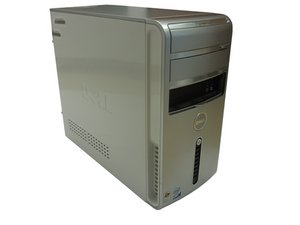
The Inspiron family generally only has laptops in its vast repertoire, but the Inspiron 530 was Dell's first desktop to use the name. Released in June 2006, the Dell Inspiron 530 comes in "tower form."
The Inspiron 530 can be identified by examining the color of the computer and looking for the Dell logo in the front of the device. All models are white with a black "strip" coming down from the logo in the front of the tower. They are all equipped with eight USB ports, four in front and four in back; a CD-ROM drive; and an Ethernet port.
Troubleshooting guides for the Dell Inspiron 530 can be found here.
Find useful resources at Dell's Support Website
Dell Inspiron 530 Series Manuel du propriétaire
Dell Inspiron 530 シリーズ オーナーズマニュアル
Dell Inspiron 530 Serie Benutzerhandbuch
Inspiron 530/531 Setup Instructions (EN, ZH, JA, KO)
Dell Inspiron 530-serien Brugerhåndbog
INSPIRON 530/531 Series Setting Up Your Computer (EN, EL, HU, TR, AR)
Dell Inspiron 530 سلسلة دليل المالك
Dell Inspiron 530-serie Eigenaarshandleiding
Серия Dell Inspiron 530 Руководство по эксплуатации
Dell Inspiron série 530 Manual do proprietário
Dell Inspiron 530 Serisi Kullanıcı El Kitabı
Dell Inspiron 530 Εγχειρίδιο κατόχου
Dell Inspiron 530/531 Setup Instructions (EN, FR, DE, IT, ES)
Dell Inspiron 530-sarja Omistajan opas
Dell Dimension Serie 530 Manuale del proprietario
Dell Inspiron 530-serien Ägarens handbok
Dell Inspiron 530-serien Brukerhåndbok
Dell Inspiron serie 530 Manual del propietario
CPSU-REGAN-F11S6G8
4 Members
72 Guides authored
Past 24 Hours: 3
Past 7 Days: 26
Past 30 Days: 105
All Time: 45,382



