
why! N650DU Processor

Felice Suglia and one other contributor
Last updated on Jan 18, 2021
Views: 692
View statistics:
- Past 24 Hours:
- 2
- Past 7 Days:
- 14
- Past 30 Days:
- 73
- All Time:
- 692
Comments: 0
No one has left comments on this guide. Will you be first?
Go to guide commentsCompleted: 0 1
No one has marked this guide "completed." Will you be the first?
1 person has marked this guide "completed." It's you — great job!
Favorites: 0 1
No one has favorited (and subscribed to) this guide. Will you be the first?
1 person has favorited (and subscribed to) this guide — and that's you!
Community-Contributed Guide
An awesome member of our community made this guide. It was not created by iFixit staff.
What you need

-
-
-
Unlock the button without spring.
-
Slide the battery up while unlocking the button with spring.
 Ask FixBot
-
-
-
-
-
Unscrew the two large screws circled in red.
-
Unscrew the two small screws circled in green.
-
Slide the plate down and lift it.
-
-
-
-
-
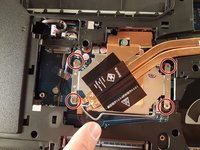
Unscrew the four screws circled in red
-
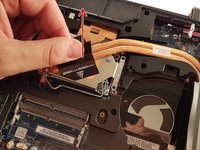
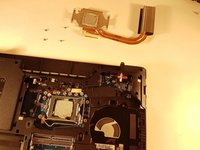
Lift the radiator with the black label
-
-
-
-
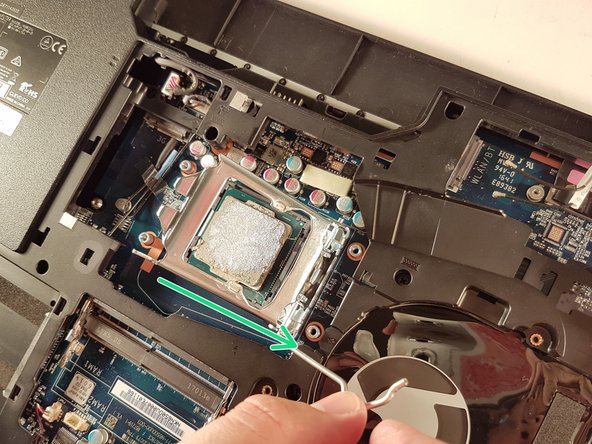
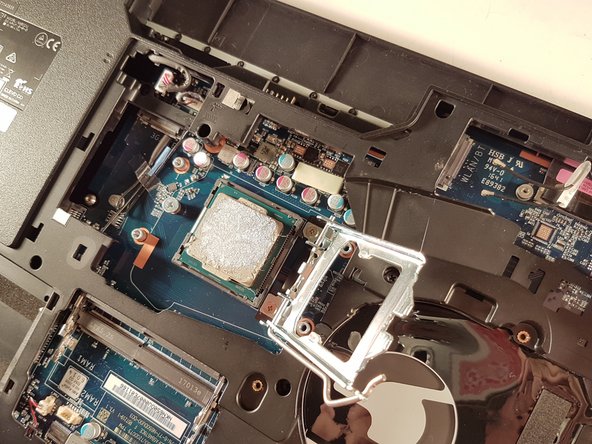
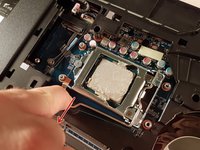
Push the lever in the direction of the red arrow while pushing it in
-
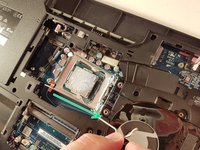
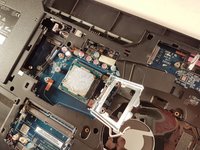
Lift the lever in the direction of the green arrow
-
Do not touch the bottom of the processor and take it by the sides
-
-



To reassemble your device, Follow these instructions in reverse order.
Special thanks to these translators:
100%

irlanda is helping us fix the world! Want to contribute?
Start translating ›

