Introduction
If your iRobot Roomba Essential Robot is experiencing reduced suction or is not picking up dirt effectively, the filter may need to be replaced and the dustbin may need to be cleaned. This guide will walk you through removing and replacing the filter, a straightforward process you can do at home using only your hands. Over time, dust and debris can accumulate in the filter, causing clogs and reducing the vacuum's efficiency. Replacing the filter and cleaning the dustbin will help restore your robot vacuum's cleaning performance.
Symptoms:
- Reduced suction power
- Poor dirt pickup during cleaning
For more information on diagnosing filter or dustbin issues, visit our troubleshooting page.
-
-
-
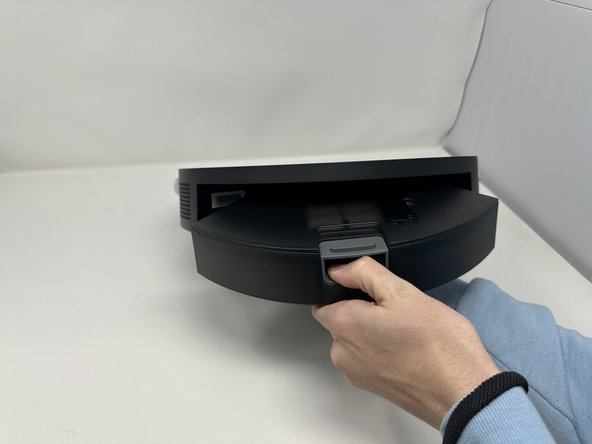
Press the grey button located towards the back of the Roomba Essential Robot.
-
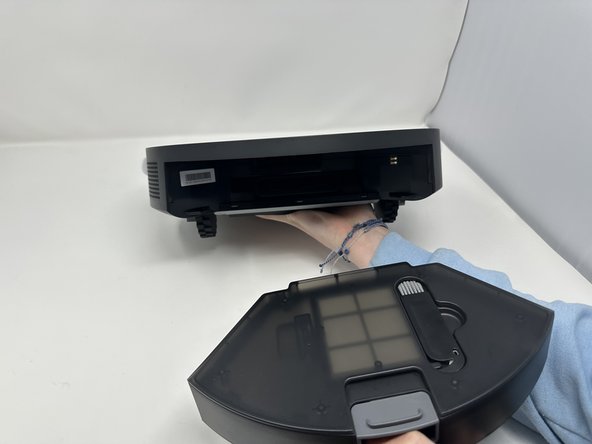
While the button is pressed, slide the dustbin out of the vacuum.
 Ask FixBot
-
-
-
-
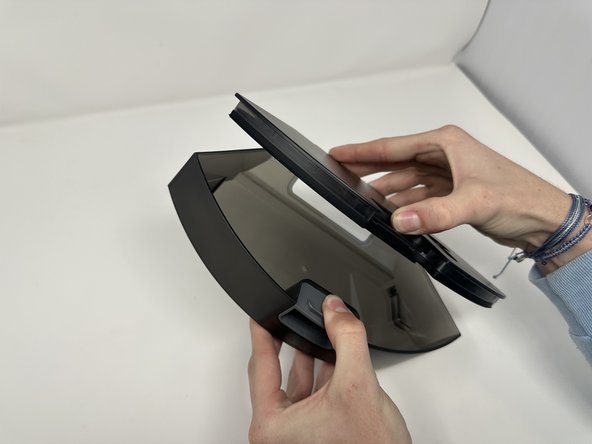
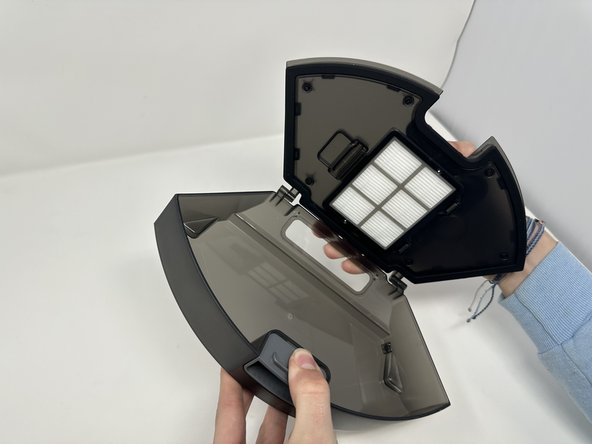
Press down on the grey button on the dustbin with your thumb.
-
While you are holding the button down, use your other thumb to open the lid.
-
-
-
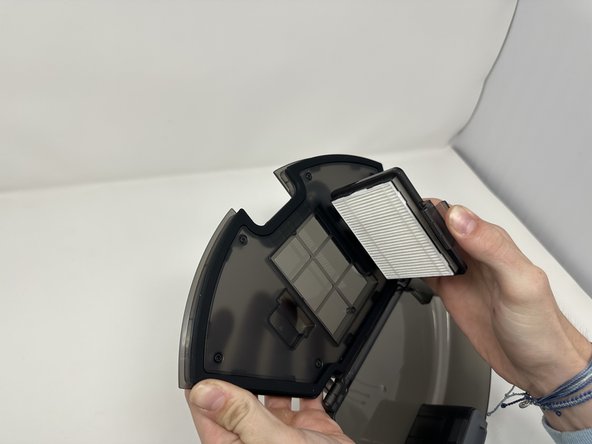
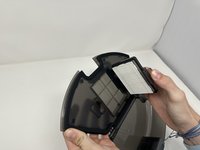
Put pressure on the latch directly to the side of the filter to open the filter compartment.
-
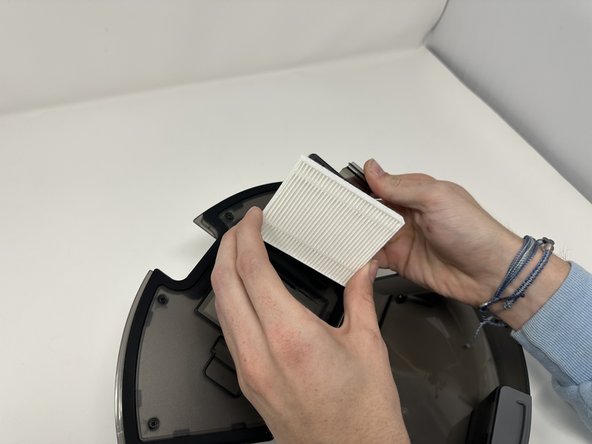
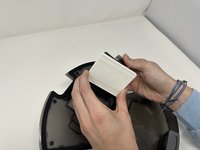
Remove the filter.
-
-





To reassemble your device, follow these instructions in reverse order.

Team

Utah Tech University, Team 1-7, Crenshaw Fall 2024 Member of Utah Tech University, Team 1-7, Crenshaw Fall 2024
UTAHTECH-CRENSHAW-F24S1G7
3 Members
48 Guides authored
