Free Shipping on Domestic Orders $75+

iRobot Roomba 891 Side Brush Motor Replacement

What you need

  1. iRobot Roomba 891 Side Brush Motor Replacement, Battery: step 1, image 1 of 2 iRobot Roomba 891 Side Brush Motor Replacement, Battery: step 1, image 2 of 2
    • Start by flipping your Roomba onto its back on a flat surface.

    • Be sure not to close the side brush bristles in the battery door during reassembly as shown by the handy warning in the second photo.

    Ask FixBot

    Add Comment

  2. iRobot Roomba 891 Side Brush Motor Replacement: step 2, image 1 of 1
    • Unscrew both the 11mm Phillips #2 screws from the battery cover and remove cover from the Roomba.

    • These captive screws are not intended to be removed from the cover.

    Ask FixBot

    Add Comment

  3. iRobot Roomba 891 Side Brush Motor Replacement: step 3, image 1 of 3 iRobot Roomba 891 Side Brush Motor Replacement: step 3, image 2 of 3 iRobot Roomba 891 Side Brush Motor Replacement: step 3, image 3 of 3
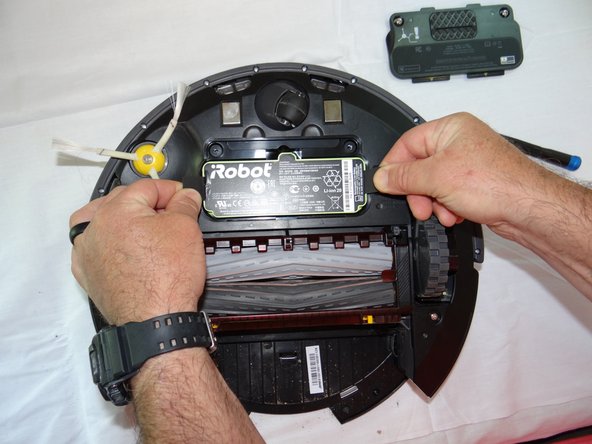
    • Grasp the tabs on either side of the battery.

    • Remove the battery by pulling up on the tabs.

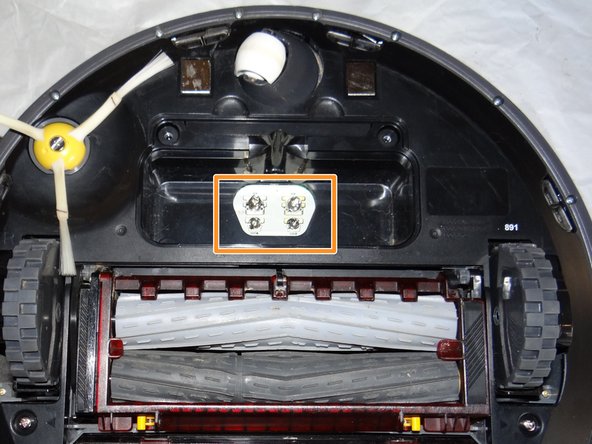
    • While you're here, check the battery contacts for corrosion or debris.

    Ask FixBot

    Add Comment

  4. iRobot Roomba 891 Side Brush Motor Replacement, Side Brush: step 4, image 1 of 2 iRobot Roomba 891 Side Brush Motor Replacement, Side Brush: step 4, image 2 of 2
    • Remove the 7.5mm flat head #4 screw from center of the side brush.

    Ask FixBot

    Add Comment

  5. iRobot Roomba 891 Side Brush Motor Replacement: step 5, image 1 of 1
    • Gently pull the side brush off of the motor hub.

    Ask FixBot

    Add Comment

  6. iRobot Roomba 891 Side Brush Motor Replacement, Side Brush Motor: step 6, image 1 of 1
    • Remove dustbin from Roomba.

    Ask FixBot

    Add Comment

  7. iRobot Roomba 891 Side Brush Motor Replacement: step 7, image 1 of 2 iRobot Roomba 891 Side Brush Motor Replacement: step 7, image 2 of 2
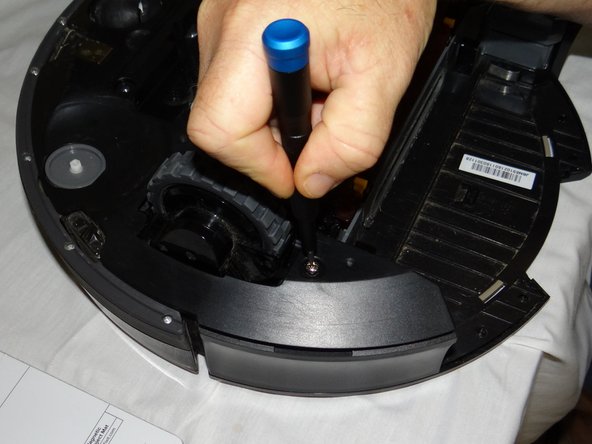
    • Unscrew 2 phillips #2 screws from the bottom cover.

    • Remove the bottom cover.

    Ask FixBot

    Add Comment

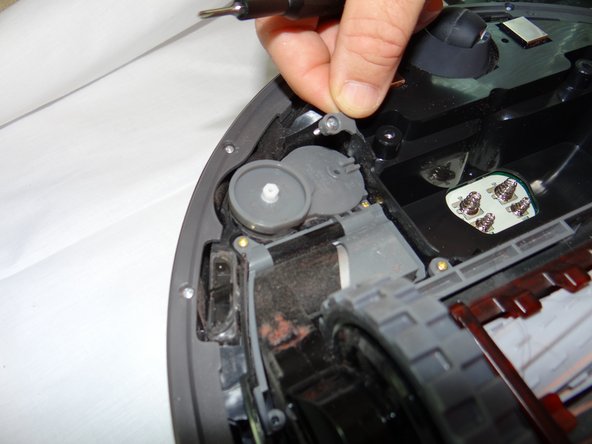
  8. iRobot Roomba 891 Side Brush Motor Replacement: step 8, image 1 of 3 iRobot Roomba 891 Side Brush Motor Replacement: step 8, image 2 of 3 iRobot Roomba 891 Side Brush Motor Replacement: step 8, image 3 of 3
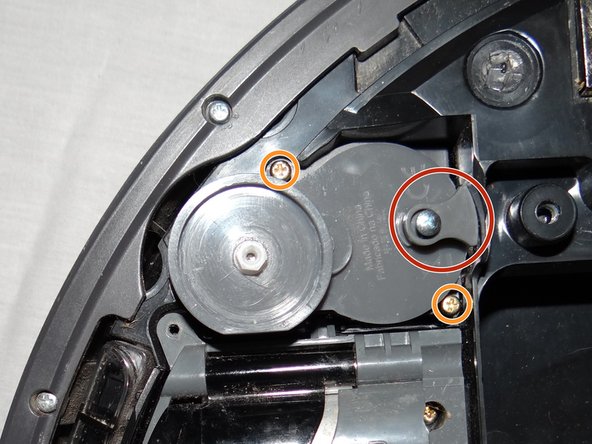
    • Unscrew and remove the single 13mm Tri-point Y1 screw and retaining tab.

    • Loosen two captive Phillips #00 16mm screws.

    Ask FixBot

    Add Comment

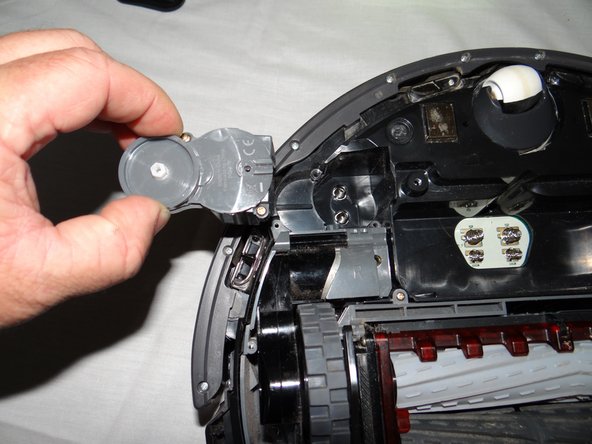
  9. iRobot Roomba 891 Side Brush Motor Replacement: step 9, image 1 of 2 iRobot Roomba 891 Side Brush Motor Replacement: step 9, image 2 of 2
    • Grasp motor module and remove from roomba.

    Ask FixBot

    Add Comment

Conclusion

To reassemble your device, follow these instructions in reverse order.

Cancel: I did not complete this guide.

1 Guide Comment

We did this whole process and it still doesn’t turn :0(

jeanne.curnuck - Reply Share

Add Comment

View Statistics:

Past 24 Hours: 0

Past 7 Days: 1

Past 30 Days: 10

All Time: 639