Introduction
If your iPod Nano 7th Generation is no longer charging, it might be time to replace the battery. This guide will walk you through the steps to remove and replace the old battery with a new one, restoring your device to its former glory. The procedure involves disassembling the device, removing the old battery, and soldering a new one in place. Before you begin, ensure you have all the necessary tools and follow the instructions carefully to avoid damaging your iPod.
What you need
-
-
-
Lay the iOpener over the plastic tab to loosen the adhesive. Let the bag sit on the device for approximately 90 seconds before attempting to open the panel.
 Ask FixBot
-
-
-
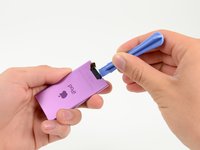
Use a plastic opening tool to pull the rear plastic cover away from the device until there is enough room to insert a spudger.
-
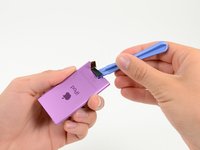
Insert a spudger under the cover, then pry it up and away from the device.
-
Remove the rear plastic cover from the iPod.
-
-
-
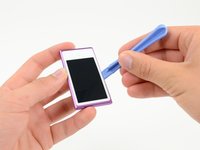
Insert a plastic opening tool into the seam between the white plastic front panel and the rear case.
-
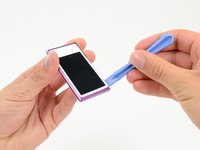
Slide the opening tool along the edge of the front panel to free it from clips and adhesive.
-
-
-
-
Use a metal spudger to carefully pry near the Lightning connector and under all parts of the front panel assembly: the front glass/digitizer, the LCD display and the metal midframe.
-
-
-
Continue prying along the edges under the front panel assembly, releasing the clips and adhesive along the sides of the device.
-
-
-
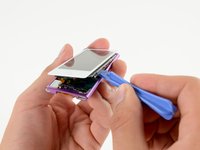
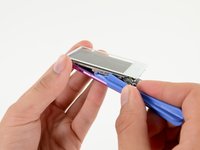
Pull the front panel assembly slightly down and partially out of the device.
-
-
-
Use a spudger to release the digitizer cable and display data cable connectors.
-
-
-
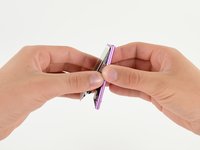
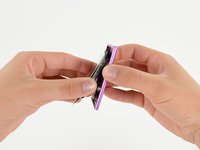
Gently unfold the two halves of the device to access the internal components.
-
-
-
-
-
Use a cotton swab or Q-tip to remove any dust or lint on both sides of the iPod.
-
-
-
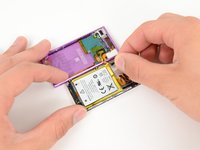
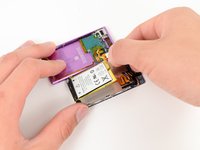
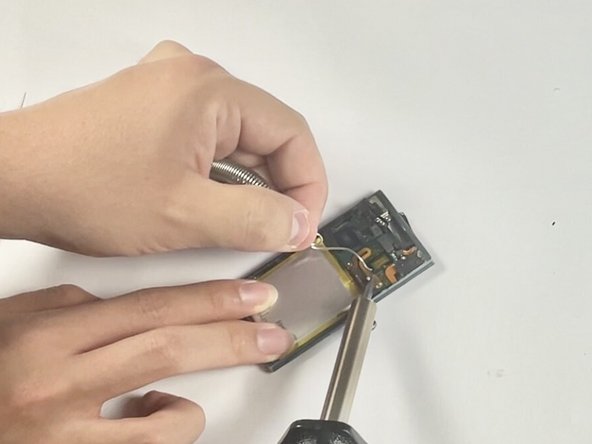
Heat your soldering iron. Place the soldering iron on the solder joints of the battery connections to melt the solder.
-
Carefully pull the old battery away from the motherboard as the solder melts.
-
-
-
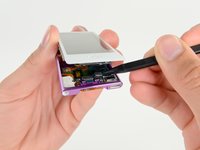
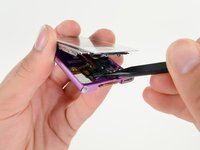
Using the iFixit opening pick, carefully pry open the device. Start from the edges and work your way around to separate the screen from the back cover.
-
Gently lift the screen to reveal the internal components.
-
Use the iFixit opening pick to disconnect the screen cable from the motherboard gently.
-
-
-
Reconnect the screen cable to the motherboard.
-
Carefully place the screen back into the casing.
-
Press the screen and back cover together until they click into place.
-
-
















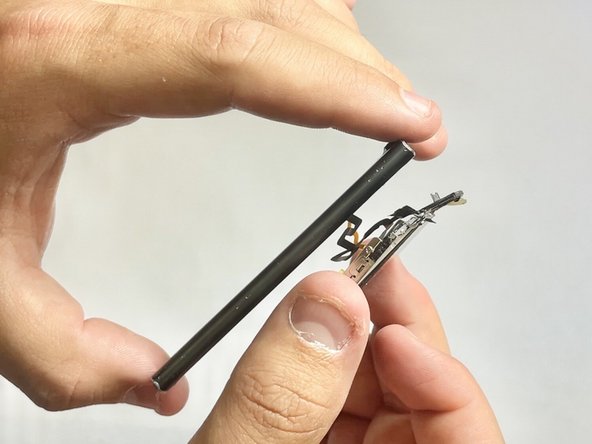


To reassemble your device, follow these instructions in reverse order.
Cancel: I did not complete this guide.
10 other people completed this guide.

Team

UC Davis, Team 2-2, Whithaus Spring 2024 Member of UC Davis, Team 2-2, Whithaus Spring 2024
UCD-WHITHAUS-S24S2G2
3 Members
7 Guides authored
6 Guide Comments
Que tipo de batería usa el ipod nano 7a.generacion??☝️ Cómo comprar??
I also tried this and almost immediately destroyed the screen. I removed the first three screws and heated the adhesive around the screen, but whilst prying it away from the body it cracked very easily. BEWARE - unless you are very experienced with phone screen removal/replacement, I WOULD NOT recommend trying this. Better to leave this one to the professionals. :-(
Even if you are experienced, do not recommend. My shop turns them down every time. Buy a new one. Everything that makes Apple's repair philosophy horrible was magnified 3x with the design of these abominations.
