Free Shipping on Domestic Orders $75+

Sony Cyber-Shot DSC-H1 Lens Replacement

What you need

    1. Sony Cyber-Shot DSC-H1 Lens Replacement, Back Panel: step 1, image 1 of 1
      • Power down the camera and remove the batteries.

      Ask FixBot

      Add Comment

    2. Sony Cyber-Shot DSC-H1 Lens Replacement: step 2, image 1 of 3 Sony Cyber-Shot DSC-H1 Lens Replacement: step 2, image 2 of 3 Sony Cyber-Shot DSC-H1 Lens Replacement: step 2, image 3 of 3
      • Using a Phillips #0 screwdriver, remove all of the screws from the back panel casing.

      • There are six 5.22mm long, 3.00mm head diameter screws total.

      • The left side is not shown but there should be 1 screw on that side.

      Ask FixBot

      Add Comment

    3. Sony Cyber-Shot DSC-H1 Lens Replacement: step 3, image 1 of 2 Sony Cyber-Shot DSC-H1 Lens Replacement: step 3, image 2 of 2
      • Remove the back casing.

      • The casing itself is sturdy so don't be afraid to remove it forcefully.

      Ask FixBot
      Add Comment

    1. Sony Cyber-Shot DSC-H1 Lens Replacement, LCD Screen: step 4, image 1 of 1
      • Take a hold of the right side of the LCD screen and lift it towards the left.

      • The screen is held firm and will require a bit of force to ease it from its housing.

      Ask FixBot
      Add Comment

    2. Sony Cyber-Shot DSC-H1 Lens Replacement: step 5, image 1 of 1
      • Unplug the large conductive tape attached to the screen.

      • Remove the LCD from the device.

      Ask FixBot

      Add Comment

    1. Sony Cyber-Shot DSC-H1 Lens Replacement, Lens: step 6, image 1 of 2 Sony Cyber-Shot DSC-H1 Lens Replacement, Lens: step 6, image 2 of 2
      • Unscrew and remove the gray backing behind the LCD screen.

      Ask FixBot

      Add Comment

    2. Sony Cyber-Shot DSC-H1 Lens Replacement: step 7, image 1 of 3 Sony Cyber-Shot DSC-H1 Lens Replacement: step 7, image 2 of 3 Sony Cyber-Shot DSC-H1 Lens Replacement: step 7, image 3 of 3
      Tool used on this step:
      Tweezers
      $4.99
      Buy
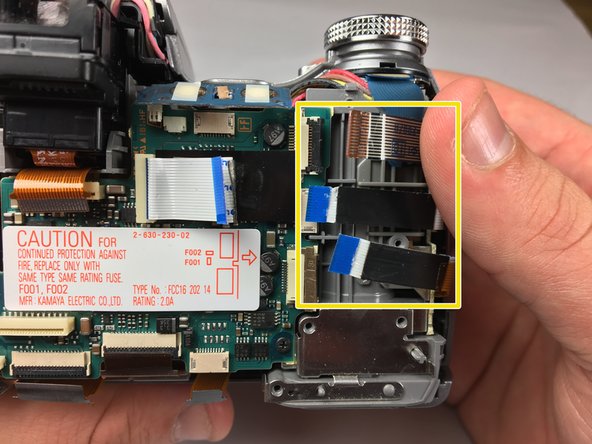
      • Using a Phillips #0 screwdriver, unscrew the four 4.24 mm black screws off the blue panel on the right side.

      • Disconnect the white conductive tape.

      • Remove the blue panel.

      • Use tweezers to remove the three conductive tape strips on the right side.

      Ask FixBot

      Add Comment

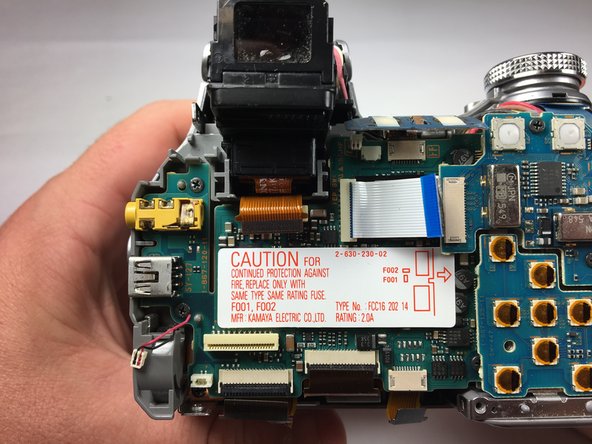
    3. Sony Cyber-Shot DSC-H1 Lens Replacement: step 8, image 1 of 2 Sony Cyber-Shot DSC-H1 Lens Replacement: step 8, image 2 of 2
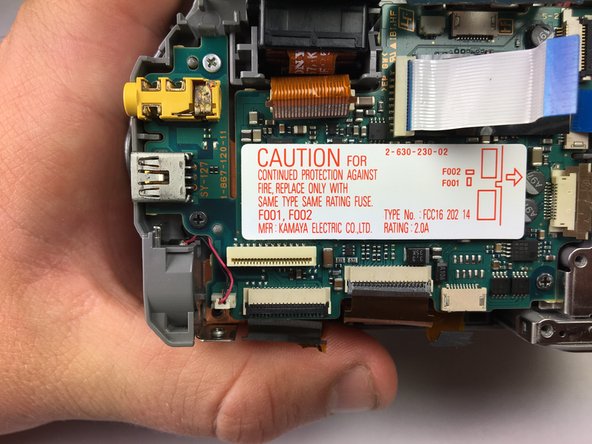
      • Use tweezers to remove the orange conductive tape located below the shutter.

      • Unplug the three ZIF connectors from the motherboard.

      Ask FixBot

      Add Comment

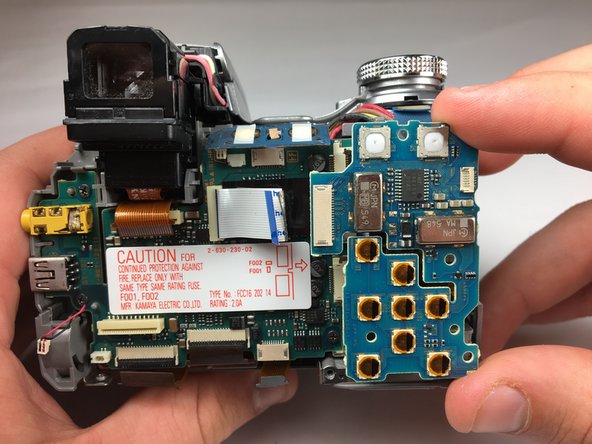
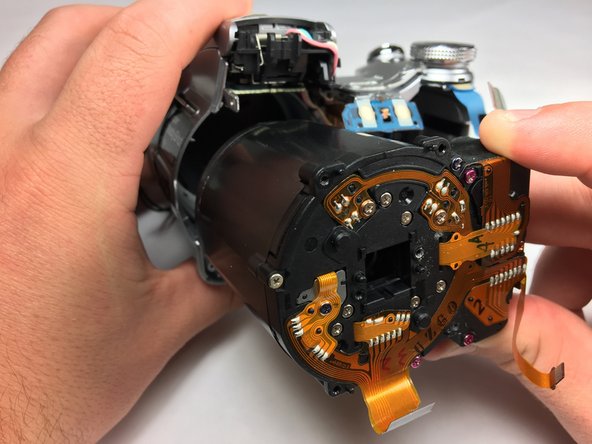
    4. Sony Cyber-Shot DSC-H1 Lens Replacement: step 9, image 1 of 1
      • Flip up the blue overlapping board at the top.

      • Use tweezers to disconnect the remaining connectors.

      Ask FixBot
      Add Comment

    5. Sony Cyber-Shot DSC-H1 Lens Replacement: step 10, image 1 of 1
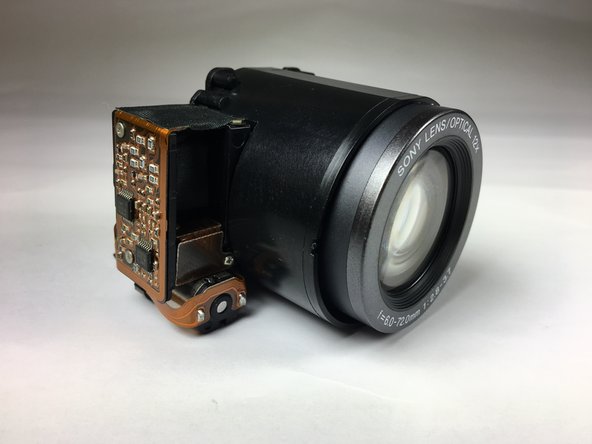
      • Remove the motherboard and battery pack unit.

      Ask FixBot

      Add Comment

    6. Sony Cyber-Shot DSC-H1 Lens Replacement: step 11, image 1 of 3 Sony Cyber-Shot DSC-H1 Lens Replacement: step 11, image 2 of 3 Sony Cyber-Shot DSC-H1 Lens Replacement: step 11, image 3 of 3
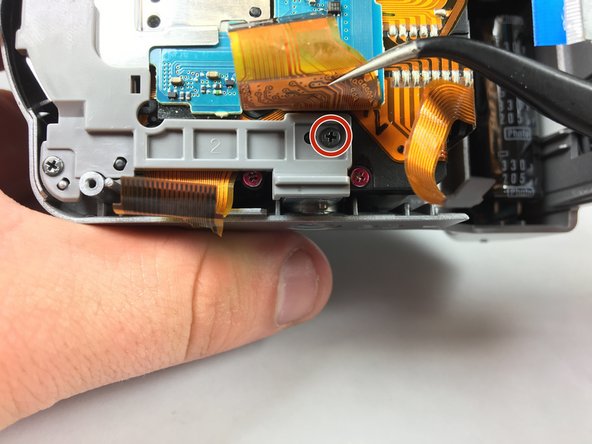
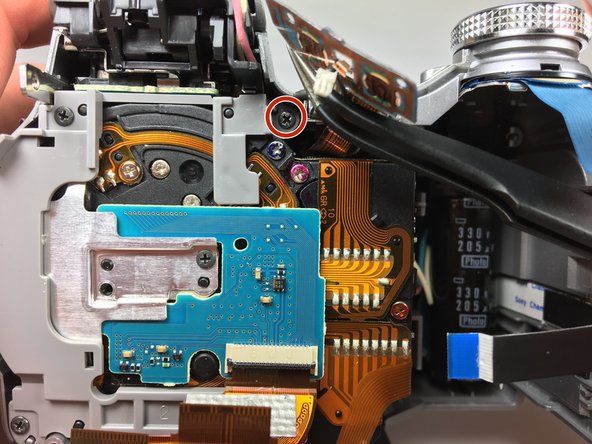
      • Use a screwdriver to remove 5 screws on plastic panel.

      • Remove the single screw on the silver panel in the center.

      Ask FixBot

      Add Comment

    7. Sony Cyber-Shot DSC-H1 Lens Replacement: step 12, image 1 of 3 Sony Cyber-Shot DSC-H1 Lens Replacement: step 12, image 2 of 3 Sony Cyber-Shot DSC-H1 Lens Replacement: step 12, image 3 of 3
      • Use tweezers to remove the blue control panel.

      • Remove the lens from the camera.

      Ask FixBot

      Add Comment

Conclusion

To reassemble your device, follow these instructions in reverse order.

Cancel: I did not complete this guide.

4 other people completed this guide.

Charlie Pugeda

Member since: 03/19/18

547 Reputation

3 Guides authored

Team

Baylor, Team S5-G4, Williams Spring 2018 Member of Baylor, Team S5-G4, Williams Spring 2018

BU-WILLIAMS-S18S5G4

3 Members

55 Guides authored

0 Guide Comments

Add Comment

View Statistics:

Past 24 Hours: 3

Past 7 Days: 17

Past 30 Days: 58

All Time: 2,606