Introduction
The Lenovo Ideatab A1107 Battery Replacement guide will show users how to safely remove the battery from the Lenovo Ideatab A1107. Included in the guide are the proper tools needed to complete the replacement, as well as photos with mark-ups.
What you need
-
-
Insert a plastic opener in-between the black back panel and the silver body of the tablet.
-
Use the plastic opener to pry the back panel off by moving the plastic opener around the outside edge of the device.
 Ask FixBot
-
-
-
Tool used on this step:Tweezers$4.99
-
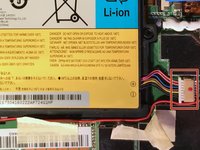
Use tweezers to remove the tape covering the battery's wiring.
-
-
-
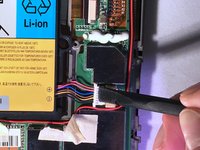
Use a plastic spudger tool to push the battery's wire harness and disconnect it from the device.
-
-
-
Wedge a plastic opening tool in between the battery and the internal components of the device.
-
Use the plastic opener tool to remove the battery from its casing.
-



To reassemble your device, follow these instructions in reverse order.
Cancel: I did not complete this guide.
One other person completed this guide.

Team

Eastern Washington University, Team 2-2, Crane Winter 2017 Member of Eastern Washington University, Team 2-2, Crane Winter 2017
EWU-CRANE-W17S2G2
3 Members
10 Guides authored
