Free Shipping on Domestic Orders $75+

iPhone 6 Plus Antenna Assembly Replacement

Prerequisite Only
This is a prerequisite-only guide! This guide is part of another procedure and isn’t meant to be used alone.

What you need

    1. iPhone 6 Plus Antenna Assembly Replacement, Antenna Assembly: step 1, image 1 of 1
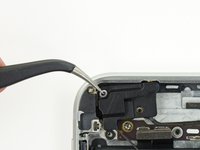
      • Remove the following screws securing the antenna bracket to the rear case:

      • One 1.5 mm Phillips #00 screw

      • One 2.8 mm Phillips #00 screw

      Ask FixBot

      Add Comment

    2. iPhone 6 Plus Antenna Assembly Replacement: step 2, image 1 of 1
      Tool used on this step:
      Tweezers
      $4.99
      Buy
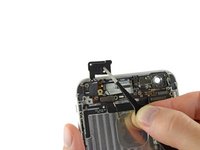
      • Grasp the antenna bracket with a pair of tweezers and lift it off the iPhone.

      Ask FixBot

      Add Comment

    3. iPhone 6 Plus Antenna Assembly Replacement: step 3, image 1 of 1
      • Carefully pry the antenna connector up off the logic board with a plastic opening tool.

      Ask FixBot

      Add Comment

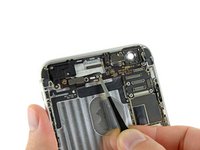
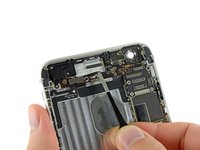
    4. iPhone 6 Plus Antenna Assembly Replacement: step 4, image 1 of 2 iPhone 6 Plus Antenna Assembly Replacement: step 4, image 2 of 2
      • Grasp the antenna connector with a pair of tweezers and gently lift it from its retaining clip on the logic board.

      Ask FixBot

      Add Comment

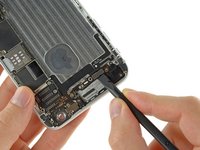
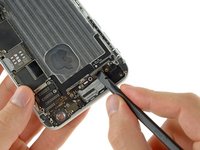
    5. iPhone 6 Plus Antenna Assembly Replacement: step 5, image 1 of 2 iPhone 6 Plus Antenna Assembly Replacement: step 5, image 2 of 2
      • The two connectors may be coupled by a single adhesive tab. If this is the case, then they may detach as a pair.

      • Disconnect the power button cable and audio control cable connectors from their respective sockets on the logic board.

      Ask FixBot

      Add Comment

    6. iPhone 6 Plus Antenna Assembly Replacement: step 6, image 1 of 1
      • Remove the following screws securing the top cellular antenna to the rear case:

      • One 2.8 mm Phillips #00 screw

      • Two 1.6 mm Phillips #00 screws

      Ask FixBot

      Add Comment

    7. iPhone 6 Plus Antenna Assembly Replacement: step 7, image 1 of 2 iPhone 6 Plus Antenna Assembly Replacement: step 7, image 2 of 2
      • Use a pair of tweezers to grasp and remove the top cellular antenna out of the iPhone.

      • During reassembly, make sure to place the small washer in the top left corner of the antenna assembly.

      Ask FixBot

      Add Comment

Conclusion

To reassemble your device, follow these instructions in reverse order.

Cancel: I did not complete this guide.

0 Guide Comments

Add Comment

View Statistics:

Past 24 Hours: 1

Past 7 Days: 4

Past 30 Days: 17

All Time: 1,004