iPhone 5s Display Assembly Replacement

Fausto Lebron and 2 other contributors
Last updated on Jul 18, 2019
Views: 33K
View statistics:
- Past 24 Hours:
- 0
- Past 7 Days:
- 5
- Past 30 Days:
- 26
- All Time:
- 32,992
Comments: 0
No one has left comments on this guide. Will you be first?
Go to guide commentsCompleted: 57 58
57 people have marked this guide "completed." Will you be next?
58 people have marked this guide "completed." Including you — great job!
Favorites: 277 278
277 people have favorited (and subscribed to) this guide. Will you be next?
278 people have favorited (and subscribed to) this guide — including you!
Community-Contributed Guide
An awesome member of our community made this guide. It was not created by iFixit staff.
Better Introduction
Improve this guide by completing or revising its introduction.
What you need
Tools


-
-
-
-
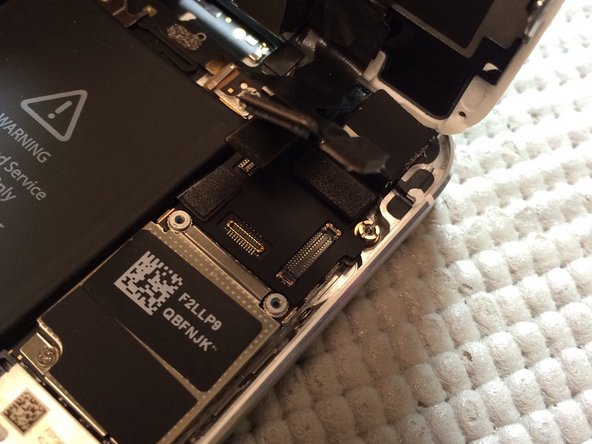
Disconnect battery before screen removal by removing 2 screws from shield. Once shield is removed, disconnect battery using nylon spudger. (DO NOT USE METAL TOOLS)
-
-
-
Remove four screws from shield covering display assembly connectors. Lift connectors using nylon spudger.
-

 Ask FixBot


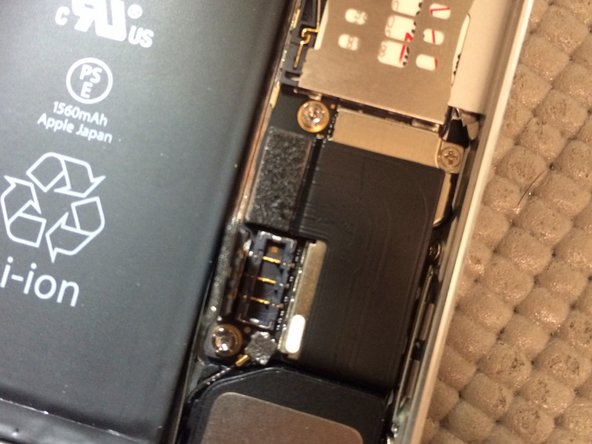

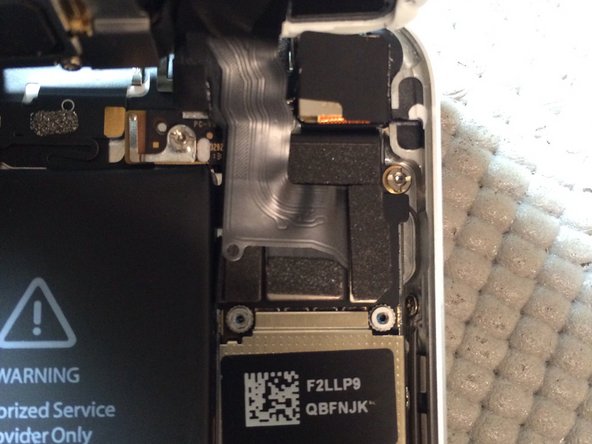
Swap all parts from old display assembly to new assembly. Do not remove all at once, replace components one at a time. To reassemble your device, follow these instructions in reverse order.
Cancel: I did not complete this guide.
57 other people completed this guide.