Free Shipping on Domestic Orders $75+

iPhone 4S Battery Replacement

What you need

  1. iPhone 4S Battery Replacement, Pentalobe Screws: step 1, image 1 of 1
    • Remove the two bottom Pentalobe screws next to the 30-Pin connector.

    • It is recommended that you use a small 5-Point screwdriver for this process.

    • Remember to make sure your iPhone is fully turned off before commencing this process, to prevent serious injury to the phone.

    Ask FixBot

    Add Comment

  2. iPhone 4S Battery Replacement, Back Panel Removal: step 2, image 1 of 2 iPhone 4S Battery Replacement, Back Panel Removal: step 2, image 2 of 2
    • Push the back panel towards the top of the iPhone. Doing this should allow the back panel to slide off safely.

    • Do not apply too much pressure to the back. Especially if your phone has a cracked back panel.

    • Do not rush it! Time is key.

    Ask FixBot

    Add Comment

  3. iPhone 4S Battery Replacement, Battery Screws: step 3, image 1 of 1
    • Remove these two screws that are securing the battery connector to the Logic Board.

    • Beware of unscrewing the battery connector, as your screwdriver does have the possibility to slip and pierce the battery.

    • For the bottom screws, it is recommended that you use a 1.5 mm screw bit, and a 1.7 mm for the top screw.

    Ask FixBot

    Add Comment

  4. iPhone 4S Battery Replacement, Battery Strip: step 4, image 1 of 1
    • Locate and pull the plastic tab to pull out the battery. Make sure to pry up on the outside of the battery on all sides.

    • Do not pull on the plastic tab too hard, as it can easily rip, making the battery removal process harder.

    Ask FixBot

    Add Comment

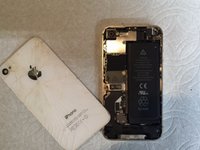
  5. iPhone 4S Battery Replacement, Battery Removal: step 5, image 1 of 1
    • Carefully remove the battery.

    • Remember, if you are replacing your battery, remember to preform a hard reset on your iPhone by holding on both the home and power button for a few seconds once the repair is all finished.

    Ask FixBot

    Add Comment

Conclusion

To reassemble your device, follow these instructions in reverse order.

Cancel: I did not complete this guide.

64 other people completed this guide.

Cole Anello

Member since: 11/01/16

2,070 Reputation

1 Guide authored

1 Guide Comment

la olum bunu benim 1 yaşında kızım da biliyo

ahmetceylanbm - Reply Share

Add Comment

View Statistics:

Past 24 Hours: 5

Past 7 Days: 51

Past 30 Days: 200

All Time: 25,839