
TiVo Series 2 TCD24008A Motherboard Replacement

Cody Hunter and 5 other contributors
Last updated on Jan 28, 2014
Views: 1.6K
View statistics:
- Past 24 Hours:
- 2
- Past 7 Days:
- 15
- Past 30 Days:
- 85
- All Time:
- 1,597
Comments: 0
No one has left comments on this guide. Will you be first?
Go to guide commentsCompleted: 1 2
1 person has marked this guide "completed." Will you be next?
2 people have marked this guide "completed." Including you — great job!
Favorites: 1 2
1 person has favorited (and subscribed to) this guide. Will you be next?
2 people have favorited (and subscribed to) this guide — including you!
Introduction
Go to step 1 ↓The Motherboard contains all the 'brains' of the device. In case this component needs to be replaced, this guide will walk you through the installation of the motherboard.
What you need
Tools


-
-
-
Slide the cover towards the back until it is no longer under the front cover.
-
-
-
-
Unscrew the 0.31 inch T-9 size screw on the back panel
-
Unscrew the two 0.59 inch T-8 size screws on the back panel
-
-
-
Unplug the ribbon attaching the front panel sensor by pulling it upwards gently.
-
-
-
Unplug the ribbon connecting the hard drive to the motherboard by pulling straight up on the ribbon. This may require some gentle wiggling.
-
-
-
Unplug the ribbon connecting the power supply to the motherboard by pulling upwards on this ribbon.
-
-
-
-
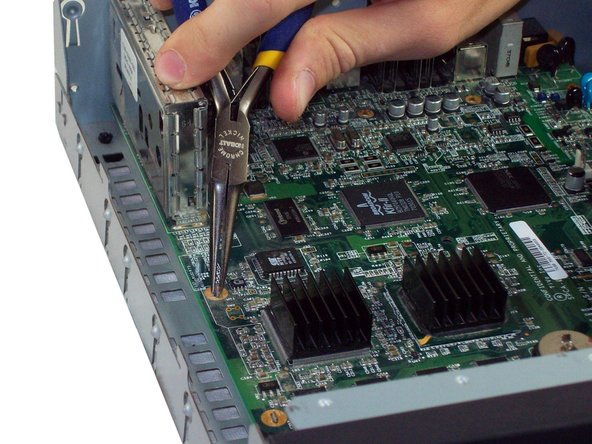
Locate the four metal tabs on the motherboard.
-
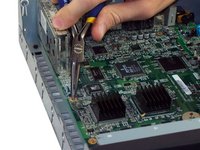
Using Pliers, bend each of the tabs until they align straight with the holes underneath them.
-
-
-
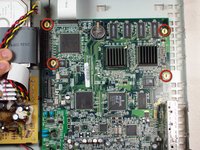
Locate and remove the four 0.31 inch T-9 size screws at the front of the motherboard.
-
-
-
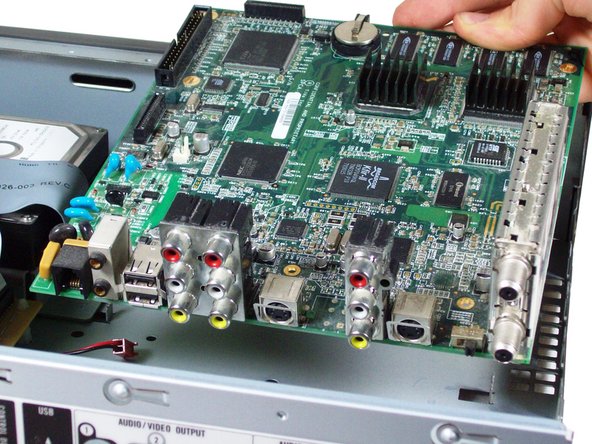
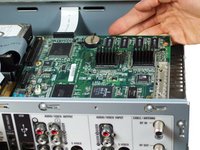
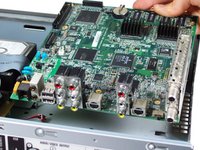
Pull directly up on the motherboard so that it slips over the four golden metal tabs.
-
Pull up and away from the back panel so all of the cable inputs slip through the casing.
-
-

 Ask FixBot




To reassemble your device, follow these instructions in reverse order.
Cancel: I did not complete this guide.
One other person completed this guide.

Team

Cal Poly, Team 5-33, Amido Fall 2011 Member of Cal Poly, Team 5-33, Amido Fall 2011
CPSU-AMIDO-F11S5G33
4 Members
84 Guides authored
