
Motorola V551 Circuit Board Replacement

gregatron and
Last updated on Jun 29, 2021
Views: 3.9K
View statistics:
- Past 24 Hours:
- 3
- Past 7 Days:
- 17
- Past 30 Days:
- 83
- All Time:
- 3,893
Comments: 1
1 comment on steps.
Completed: 3 4
3 people have marked this guide "completed." Will you be next?
4 people have marked this guide "completed." Including you — great job!
Favorites: 0 1
No one has favorited (and subscribed to) this guide. Will you be the first?
1 person has favorited (and subscribed to) this guide — and that's you!
Better Introduction
Improve this guide by completing or revising its introduction.
Introduction
Go to step 1 ↓Use this guide to take a Motorola V551 apart and replace its circuit board.
What you need
Tools
-
Spudger4.9
-


-
-
-
Press down on the chrome button on the bottom of the chassis. Simultaneously slide the back cover down, away from the phone.
 Ask FixBot
-
-
-
Lever the battery out by pressing upwards on the bottom corners of the battery.
-
-
-
-
-
Remove the rubber screw covers using a plastic spudger.
-
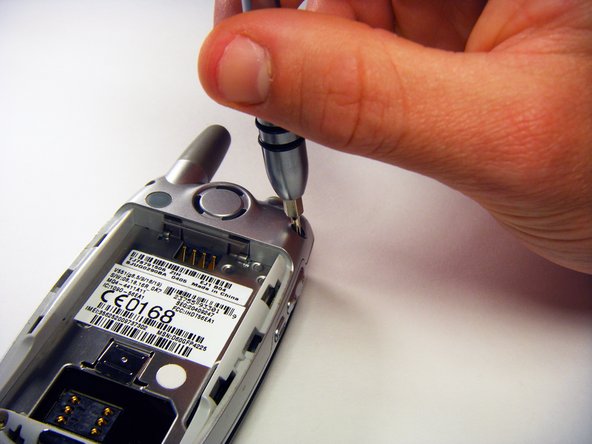
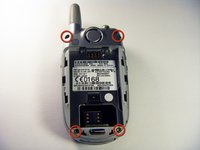
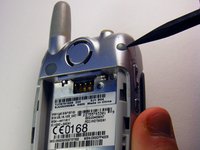
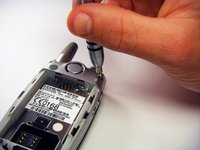
Use a T6 Torx screwdriver to remove the screws underneath the rubber screw covers.
-
-
-
-
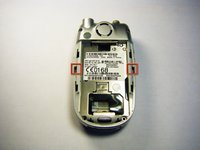
Gently release the two latches using an opening tool.
-
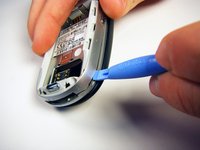
Pry off the back panel by wedging an opening tool into the crevice between the back panel and the circuit board.
-
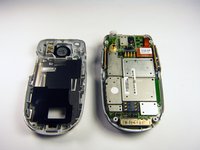
Lift the back panel off of the phone.
-
-
-
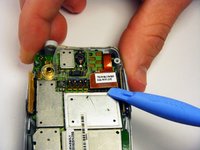
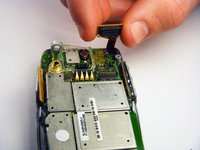
Loosen the copper circuit board connection with an opening tool.
-
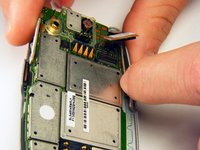
Gently lift the copper connection.
-
-
-
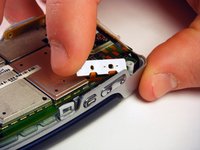
Lift up and pull out the pressure pad from under the buttons on the side of the chassis.
-
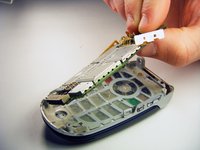
Gently lift the motherboard off of the front panel.
-
-








To reassemble your device, follow these instructions in reverse order.
Cancel: I did not complete this guide.
3 other people completed this guide.

Team

Cal Poly, Team 6-6, Maness Fall 2009 Member of Cal Poly, Team 6-6, Maness Fall 2009
CPSU-MANESS-F09S6G6
4 Members
72 Guides authored
