Shop the Holiday Gift Guide
Free Shipping on Domestic Orders $75+

iPhone 16e Rear Camera Assembly Installation

Views: 160

View statistics:

Past 24 Hours:
1
Past 7 Days:
6
Past 30 Days:
10
All Time:
160
Comments: 0

No one has left comments on this guide. Will you be first?

Go to guide comments
Completed: 0

No one has marked this guide "completed." Will you be the first?

Favorites: 0

No one has favorited (and subscribed to) this guide. Will you be the first?

Time Required: No estimate
Difficulty: Moderate
Prerequisite Only

This is a prerequisite-only guide! This guide is part of another procedure and isn’t meant to be used alone.

iPhone 16e Rear Camera Assembly Installation
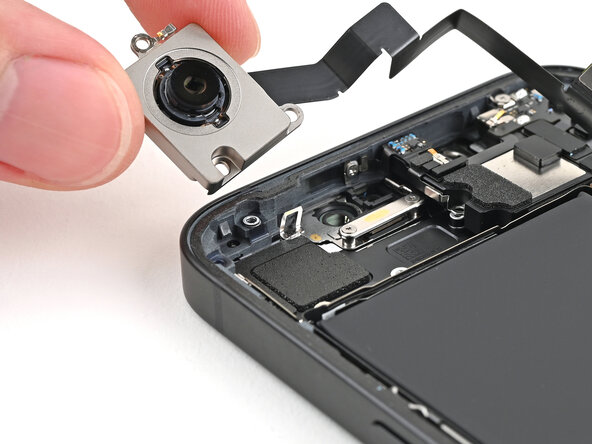
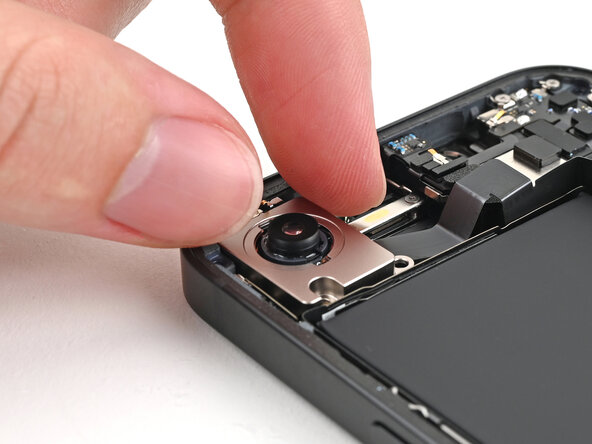
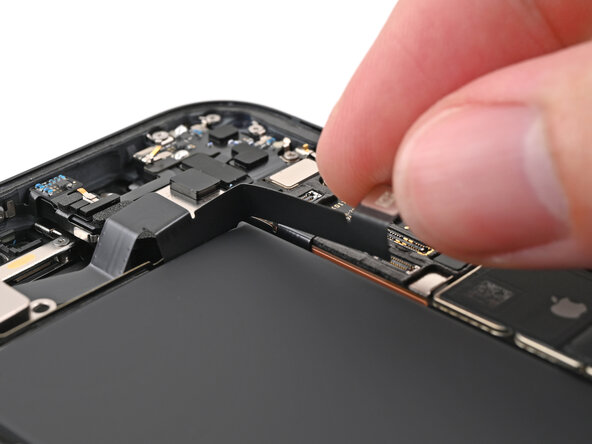
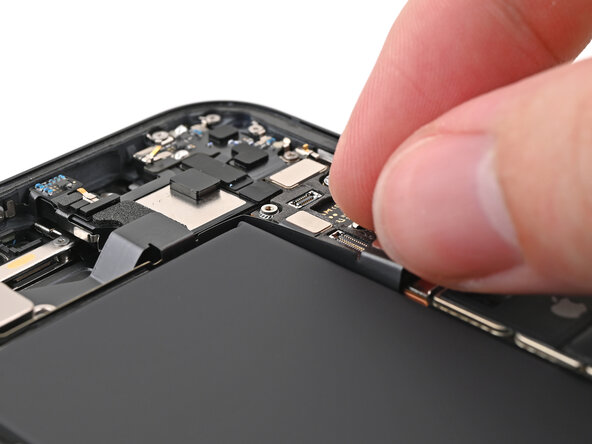
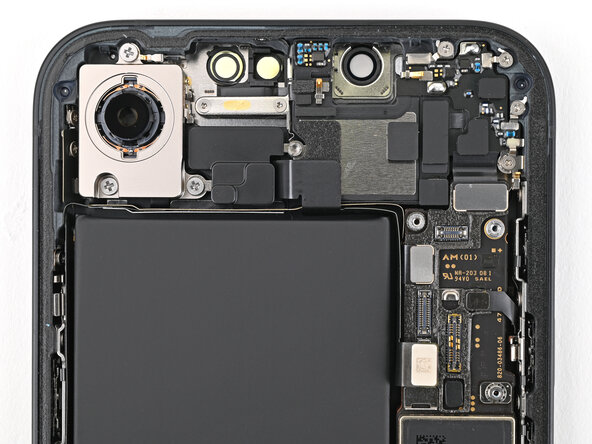
    1. iPhone 16e Rear Camera Assembly Installation, Place the rear camera assembly: step 1, image 1 of 2 iPhone 16e Rear Camera Assembly Installation, Place the rear camera assembly: step 1, image 2 of 2
      • Place the rear camera assembly into its recess in the frame.

      Ask FixBot

      Add Comment

    2. iPhone 16e Rear Camera Assembly Installation: step 2, image 1 of 2 iPhone 16e Rear Camera Assembly Installation: step 2, image 2 of 2
      • Slide the rear camera assembly cable back into its slot along the battery.

      Ask FixBot

      Add Comment

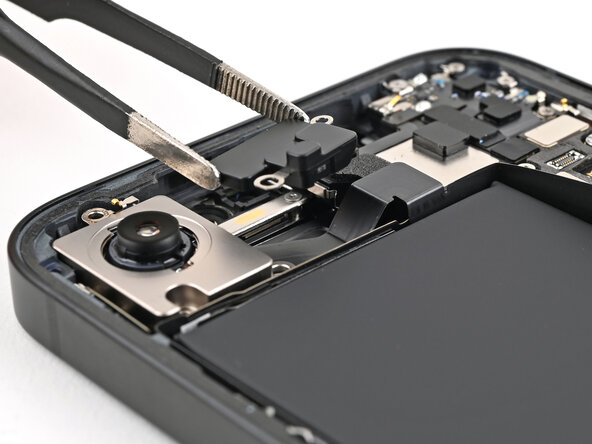
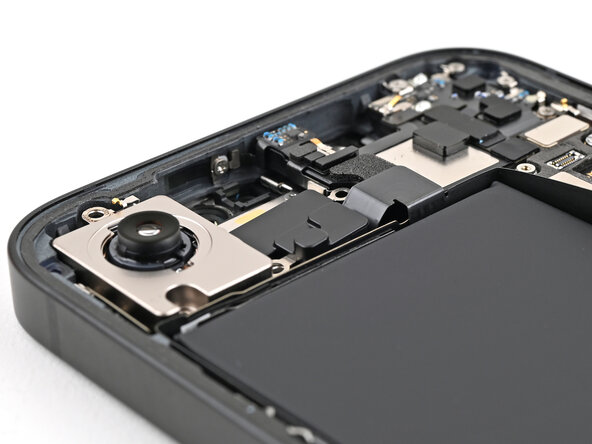
    3. iPhone 16e Rear Camera Assembly Installation, Place the camera spacer: step 3, image 1 of 2 iPhone 16e Rear Camera Assembly Installation, Place the camera spacer: step 3, image 2 of 2
      • Place the camera spacer into its slot in the frame.

      Ask FixBot

      Add Comment

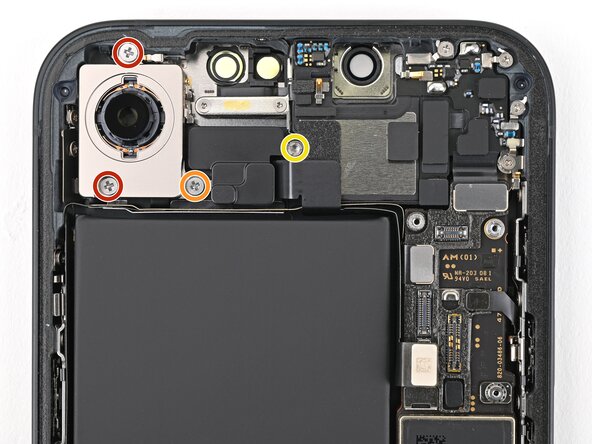
    4. iPhone 16e Rear Camera Assembly Installation, Install the rear camera assembly screws: step 4, image 1 of 2 iPhone 16e Rear Camera Assembly Installation, Install the rear camera assembly screws: step 4, image 2 of 2
      • Use a Phillips screwdriver to install the three screws securing the rear camera assembly:

      • Two 2.3 mm‑long screws

      • One 2.5 mm‑long screw

      • Use a standoff screwdriver to install the 2.4 mm‑long screw securing the camera spacer.

      Ask FixBot

      Add Comment

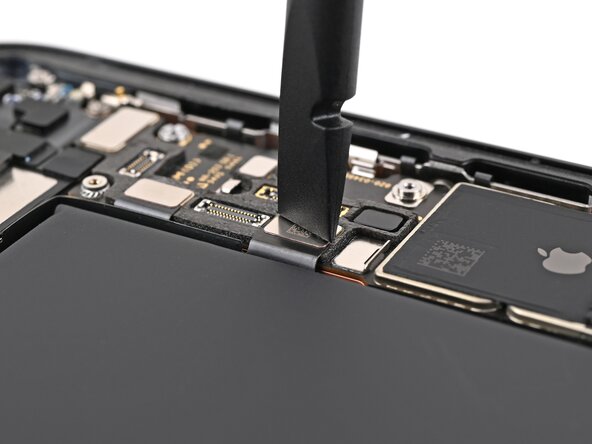
    5. iPhone 16e Rear Camera Assembly Installation, Connect the rear camera assembly: step 5, image 1 of 1
      • Use a spudger or your fingers to connect the rear camera assembly press connector.

      Ask FixBot

      Add Comment

Conclusion

To reassemble your device, follow these instructions in reverse order.

Cancel: I did not complete this guide.

Alex Diaz-Kokaisl

Member since: 01/16/22

252,809 Reputation

1,200 Guides authored

Team

Guide Team Member of Guide Team

Staff

10 Members

62,189 Guides authored

0 Guide Comments

Add Comment

View Statistics:

Past 24 Hours: 1

Past 7 Days: 6

Past 30 Days: 10

All Time: 160