Free Shipping on Domestic Orders $75+

iPhone 16e Microphone Removal

Prerequisite Only
This is a prerequisite-only guide! This guide is part of another procedure and isn’t meant to be used alone.
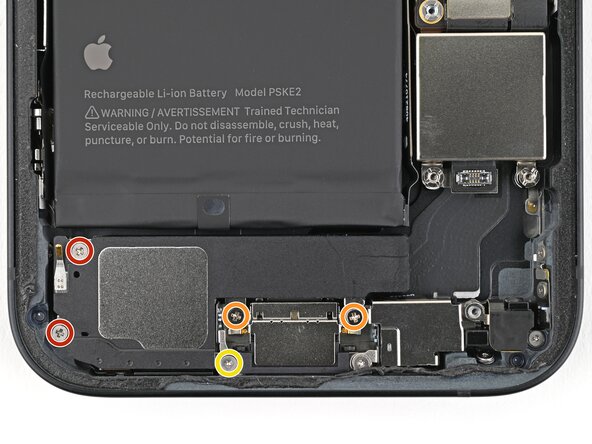
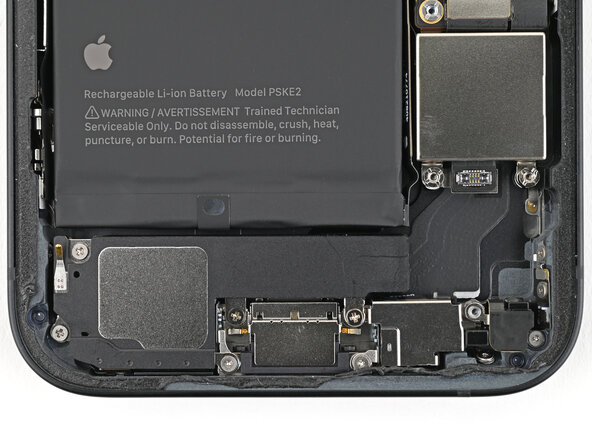
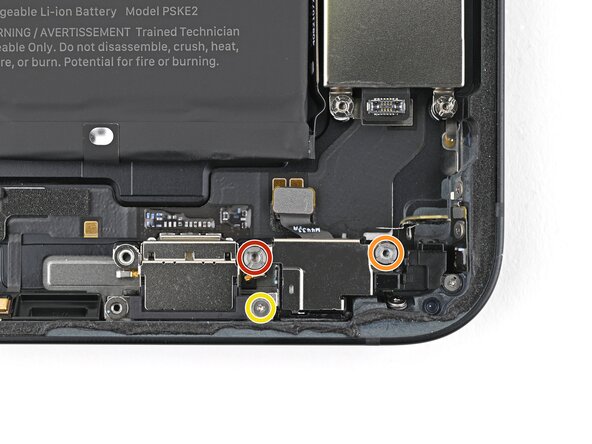
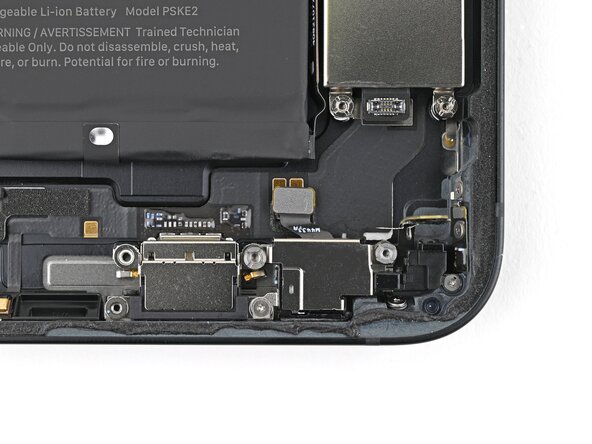
    1. iPhone 16e Microphone Removal, Remove the loudspeaker screws: step 1, image 1 of 2 iPhone 16e Microphone Removal, Remove the loudspeaker screws: step 1, image 2 of 2
      • Use a Phillips screwdriver to remove the four screws securing the loudspeaker:

      • Two 1.4 mm‑long screws

      • Two 1.7 mm‑long screws

      • Use a tri-point Y000 screwdriver to remove the 1.3 mm‑long screw.

      Ask FixBot

      Add Comment

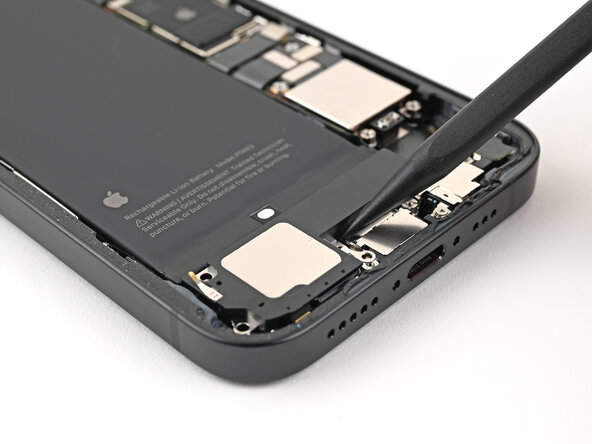
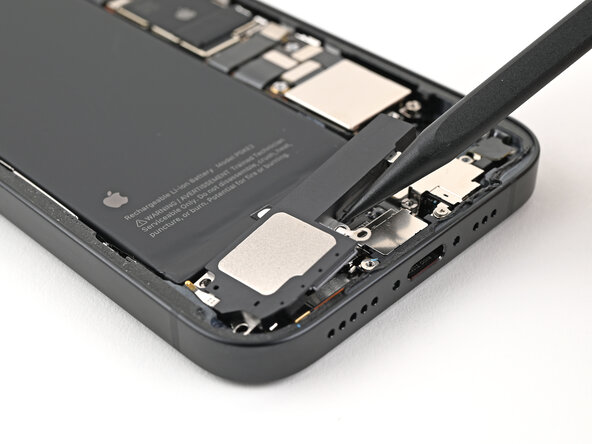
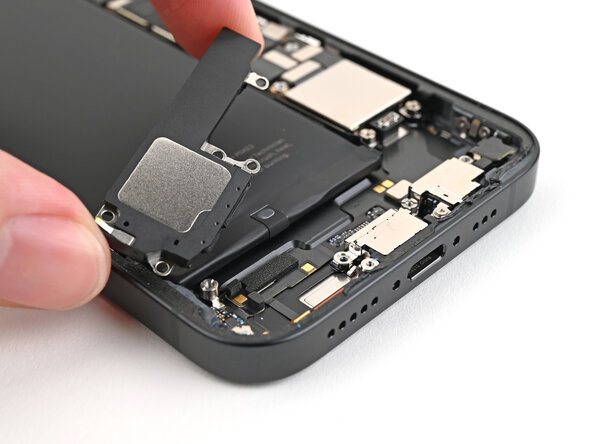
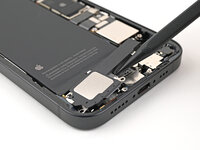
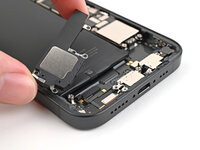
    2. iPhone 16e Microphone Removal, Remove the loudspeaker: step 2, image 1 of 3 iPhone 16e Microphone Removal, Remove the loudspeaker: step 2, image 2 of 3 iPhone 16e Microphone Removal, Remove the loudspeaker: step 2, image 3 of 3
      • Use the point of the spudger to lift the loudspeaker out of the frame and remove it.

      Ask FixBot

      Add Comment

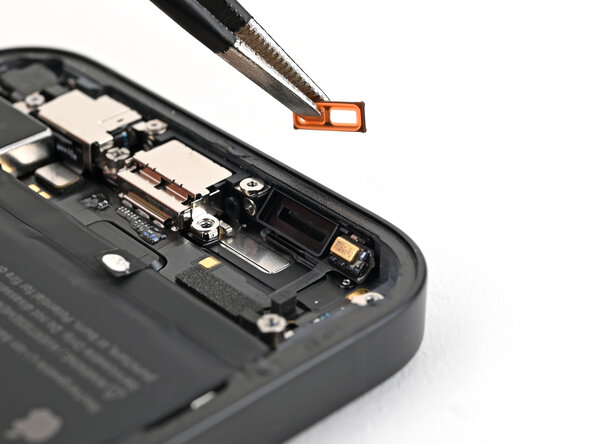
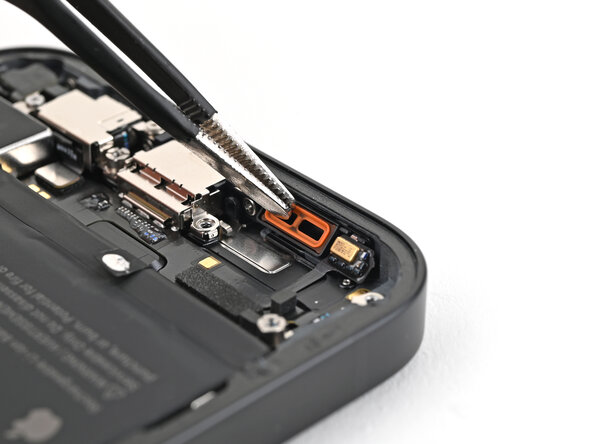
    3. iPhone 16e Microphone Removal, Loudspeaker gasket information: step 3, image 1 of 2 iPhone 16e Microphone Removal, Loudspeaker gasket information: step 3, image 2 of 2
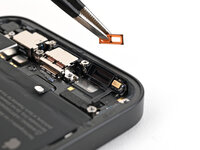
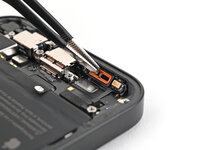
      • If the orange loudspeaker gasket fell out during disassembly, use tweezers to place it back into the sound channel.

      Ask FixBot

      Add Comment

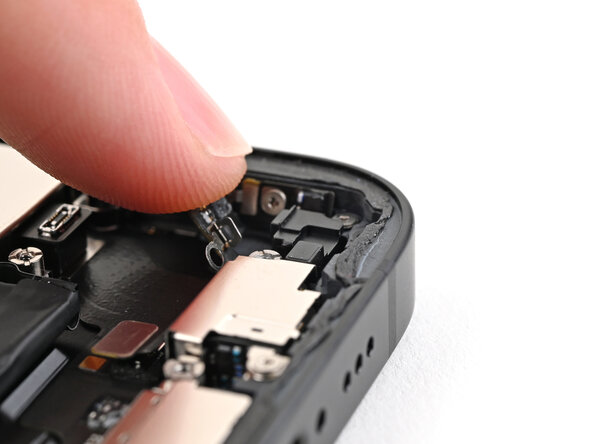
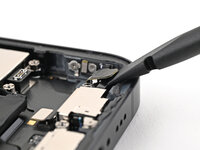
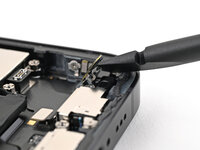
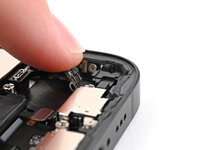
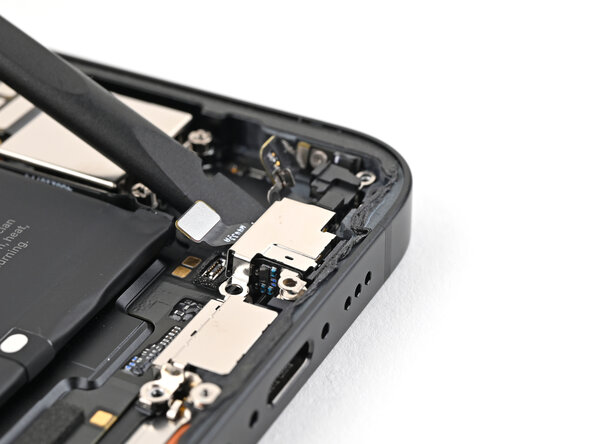
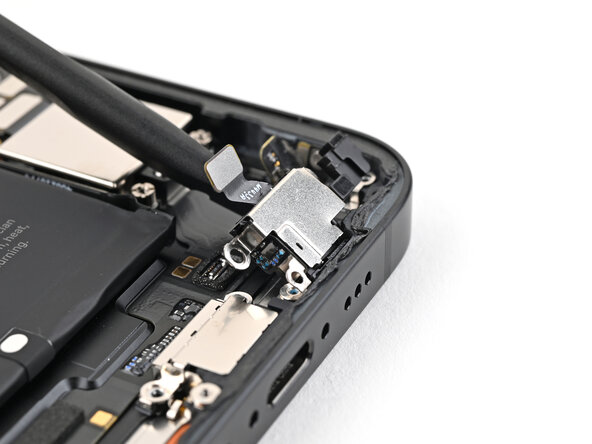
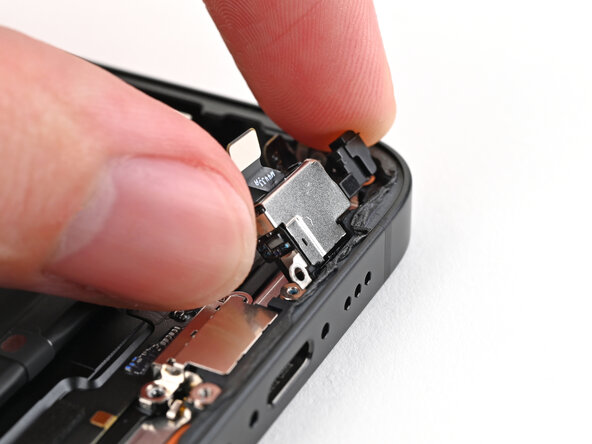
    4. iPhone 16e Microphone Removal, Lift the screw cover: step 4, image 1 of 3 iPhone 16e Microphone Removal, Lift the screw cover: step 4, image 2 of 3 iPhone 16e Microphone Removal, Lift the screw cover: step 4, image 3 of 3
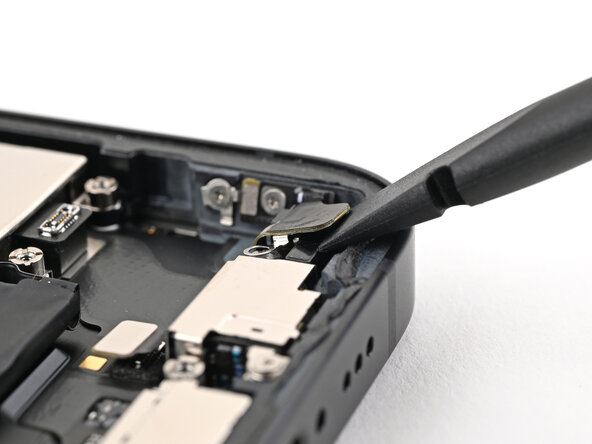
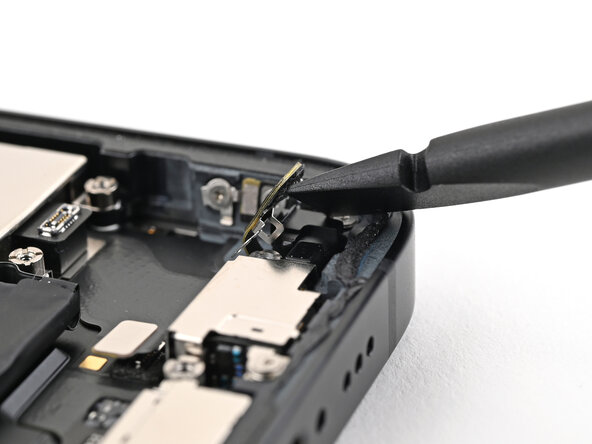
      • Insert the flat end of a spudger between the screw cover and the microphone.

      • Twist the spudger to separate the adhesive under the cover and release its metal clip.

      • Use your finger to gently bend the cover toward the top of the phone and reveal the remaining standoff screw.

      Ask FixBot

      Add Comment

    5. iPhone 16e Microphone Removal, Remove the microphone screws: step 5, image 1 of 2 iPhone 16e Microphone Removal, Remove the microphone screws: step 5, image 2 of 2
      • Use a standoff screwdriver to remove two screws securing the microphone:

      • One 3.0 mm‑long screw

      • One 2.8 mm‑long screw

      • Use a tri-point Y000 screwdriver to remove the 1.3 mm‑long screw securing the microphone.

      Ask FixBot

      Add Comment

    6. iPhone 16e Microphone Removal, Remove the microphone: step 6, image 1 of 3 iPhone 16e Microphone Removal, Remove the microphone: step 6, image 2 of 3 iPhone 16e Microphone Removal, Remove the microphone: step 6, image 3 of 3
      • Use the flat end of a spudger to lift the microphone enough to grip it with your fingers.

      Ask FixBot

      Add Comment

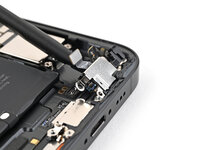
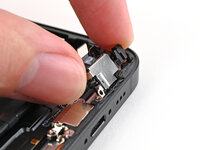
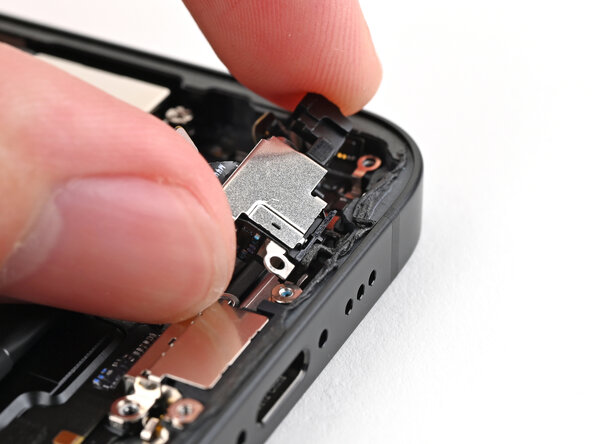
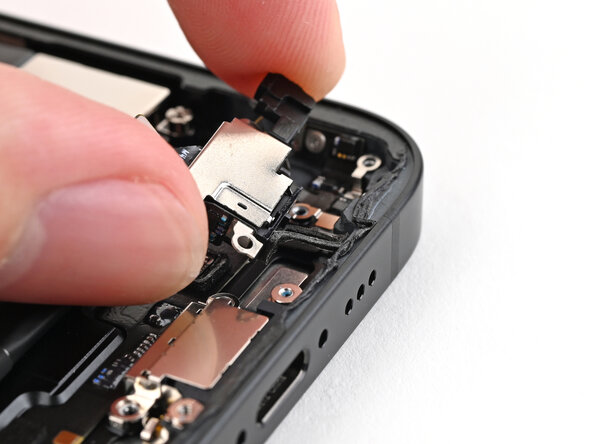
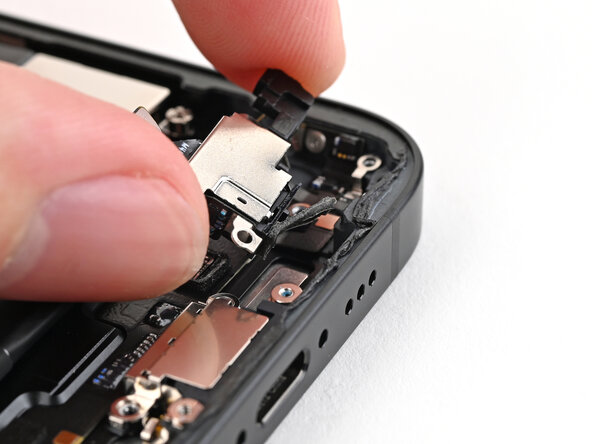
    7. iPhone 16e Microphone Removal: step 7, image 1 of 3 iPhone 16e Microphone Removal: step 7, image 2 of 3 iPhone 16e Microphone Removal: step 7, image 3 of 3
      • Pull the microphone away from the frame to separate the adhesive.

      • Remove the microphone.

      Ask FixBot

      Add Comment

Conclusion

To reassemble your device, follow these instructions in reverse order.

Cancel: I did not complete this guide.

Alex Diaz-Kokaisl

Member since: 01/16/22

250,018 Reputation

1,203 Guides authored

Team

Guide Team Member of Guide Team

Staff

10 Members

61,630 Guides authored

0 Guide Comments

Add Comment

View Statistics:

Past 24 Hours: 1

Past 7 Days: 3

Past 30 Days: 13

All Time: 152