
Belkin WeMo Light Switch Replacement

Kevin Ho and 3 other contributors
Last updated on Jun 17, 2021
Views: 2K
View statistics:
- Past 24 Hours:
- 2
- Past 7 Days:
- 15
- Past 30 Days:
- 85
- All Time:
- 1,991
Comments: 0
No one has left comments on this guide. Will you be first?
Go to guide commentsCompleted: 0 1
No one has marked this guide "completed." Will you be the first?
1 person has marked this guide "completed." It's you — great job!
Favorites: 0 1
No one has favorited (and subscribed to) this guide. Will you be the first?
1 person has favorited (and subscribed to) this guide — and that's you!
Introduction
Go to step 1 ↓While a smart switch is a convenient installation that allows users to control lights from anywhere in their homes, it is still susceptible to malfunctions/errors. If your switch no longer functions, you may need to replace it. This guide will tell a user how to remove and replace their WeMo Light Switch.
What you need
Tools


-
-
-
Open up your breaker box.
-
Turn off the breaker that corresponds to the circuit your WeMo Light Switch is connected to.
 Ask FixBot
-
-
-
Remove the faceplate of the light switch by prying it off with a flathead screwdriver. The plate should come off if lightly pried.
-
-
-
Using a Phillips #0 screwdriver, remove the two screws on the top and bottom of the switch.
-
Pull out the switch from the wall to reveal its connections.
-
-
-
Remove the caps from the light switch's connected wires, and detach the switch from the wall.
-
The green ground wire may be held in place by a screw. Use your flathead screwdriver to loosen the screw and remove the wire.
-
-
-

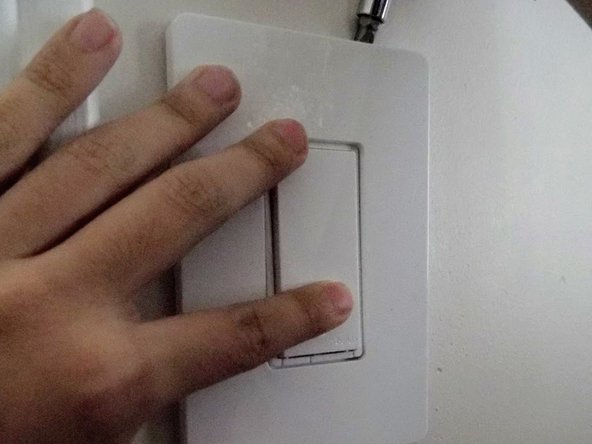


To reassemble your device, follow these instructions in reverse order.

Team

York University, Team S16-G4, Turner Winter 2021 Member of York University, Team S16-G4, Turner Winter 2021
YORK-TURNER-W21S16G4
3 Members
12 Guides authored
