
ACER Aspire 7750G-6645 Optical Drive Replacement

Shania Webb and 2 other contributors
Last updated on Jan 8, 2020
Views: 570
View statistics:
- Past 24 Hours:
- 2
- Past 7 Days:
- 14
- Past 30 Days:
- 56
- All Time:
- 570
Comments: 0
No one has left comments on this guide. Will you be first?
Go to guide commentsCompleted: 0 1
No one has marked this guide "completed." Will you be the first?
1 person has marked this guide "completed." It's you — great job!
Favorites: 0 1
No one has favorited (and subscribed to) this guide. Will you be the first?
1 person has favorited (and subscribed to) this guide — and that's you!
Needs Better Images
Better photos will improve this guide. Help out by taking, editing, or uploading new ones!
Introduction
Go to step 1 ↓This is a guide for replacing the optical drive in an ACER Aspire 7750G-6645 laptop.
Are you experiencing :
- Strange noises such as clicking or humming from the drive.
- Repeated program crashes or disk errors.
- Frequent error messages while running software
These are clear indications that the optical drive is in failure mode. This guide entails directions on how to remove an optical drive from this device in order to replace with a new drive. Good luck!
What you need
Tools

-
-
-
Remove the three 2.5mm Phillips #0 screws from the back of the laptop.
-
Remove the back cover.
 Ask FixBot
-
-
-
-
Push the orange lock to the left to unlock the battery.
-
The battery should pop up out of place.
-
Remove the battery.
-
-


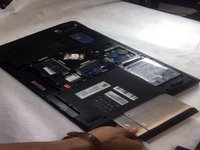
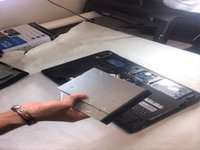
To reassemble your device, follow these instructions in reverse order.

Team

IUPUI, Team S2-G3, Harley Fall 2019 Member of IUPUI, Team S2-G3, Harley Fall 2019
IUPUI-HARLEY-F19S2G3
3 Members
24 Guides authored
