Free Shipping on Domestic Orders $75+

iPad Pro 11" Screen Cable Replacement

Prerequisite Only
This is a prerequisite-only guide! This guide is part of another procedure and isn’t meant to be used alone.

What you need

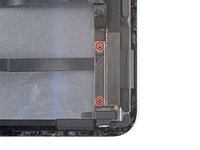
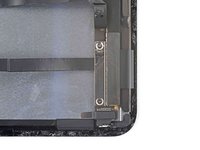
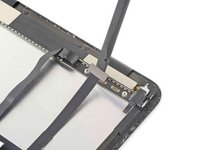
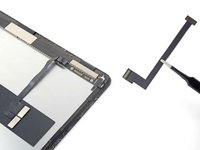
    1. iPad Pro 11" Screen Cable Replacement, Display cable information: step 1, image 1 of 2 iPad Pro 11" Screen Cable Replacement, Display cable information: step 1, image 2 of 2
      • If your replacement screen didn't come with the two removable display cables, follow the next six steps to remove and transfer these cables.

      • The display cable connectors are located under a bracket near the bottom right corner of the screen.

      Ask FixBot

      Add Comment

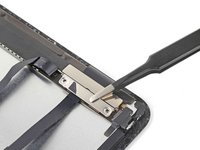
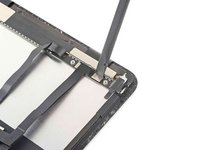
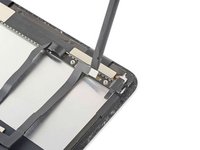
    2. iPad Pro 11" Screen Cable Replacement, Separate the non-removable display cable: step 2, image 1 of 3 iPad Pro 11" Screen Cable Replacement, Separate the non-removable display cable: step 2, image 2 of 3 iPad Pro 11" Screen Cable Replacement, Separate the non-removable display cable: step 2, image 3 of 3
      • Slide an opening pick under the non-removable display cable to loosen it from the bracket.

      Ask FixBot

      Add Comment

    3. iPad Pro 11" Screen Cable Replacement, Unfasten the display cable bracket: step 3, image 1 of 2 iPad Pro 11" Screen Cable Replacement, Unfasten the display cable bracket: step 3, image 2 of 2
      • Use a Phillips screwdriver to remove the two 1.2 mm screws securing the display cable bracket.

      Ask FixBot

      Add Comment

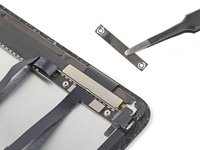
    4. iPad Pro 11" Screen Cable Replacement, Remove the display cable bracket: step 4, image 1 of 2 iPad Pro 11" Screen Cable Replacement, Remove the display cable bracket: step 4, image 2 of 2
      • Remove the display cable bracket.

      Ask FixBot

      Add Comment

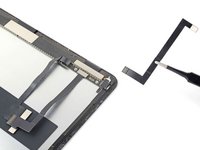
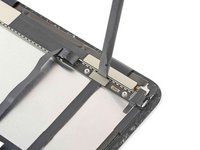
    5. iPad Pro 11" Screen Cable Replacement, Disconnect and remove the display cables: step 5, image 1 of 3 iPad Pro 11" Screen Cable Replacement, Disconnect and remove the display cables: step 5, image 2 of 3 iPad Pro 11" Screen Cable Replacement, Disconnect and remove the display cables: step 5, image 3 of 3
      • Use the flat end of a spudger to pry up and disconnect the narrow display cable.

      • Remove the narrow display cable. Set it aside for reassembly.

      Ask FixBot

      Add Comment

    6. iPad Pro 11" Screen Cable Replacement: step 6, image 1 of 3 iPad Pro 11" Screen Cable Replacement: step 6, image 2 of 3 iPad Pro 11" Screen Cable Replacement: step 6, image 3 of 3
      • Disconnect and remove the wide display cable. Set it aside for reassembly.

      Ask FixBot

      Add Comment

Conclusion

To reassemble your device, follow these instructions in reverse order.

Cancel: I did not complete this guide.

Chayton Ritter

Member since: 08/21/20

27,635 Reputation

105 Guides authored

Team

Guide Team Member of Guide Team

Staff

10 Members

61,630 Guides authored

0 Guide Comments

Add Comment

View Statistics:

Past 24 Hours: 1

Past 7 Days: 4

Past 30 Days: 10

All Time: 234