Free Shipping on Domestic Orders $75+

iPad Mini CDMA Front Facing Camera Cable Replacement

Prerequisite Only
This is a prerequisite-only guide! This guide is part of another procedure and isn’t meant to be used alone.

What you need

    1. iPad Mini CDMA Front Facing Camera Cable Replacement, Front Facing Camera Cable: step 1, image 1 of 2 iPad Mini CDMA Front Facing Camera Cable Replacement, Front Facing Camera Cable: step 1, image 2 of 2
      Tool used on this step:
      Tweezers
      $4.99
      Buy
      • Use a pair of tweezers to peel up and remove the small piece of tape covering the front-facing camera cable connector.

      Ask FixBot

      Add Comment

    2. iPad Mini CDMA Front Facing Camera Cable Replacement: step 2, image 1 of 1
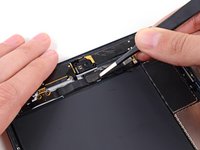
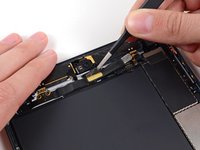
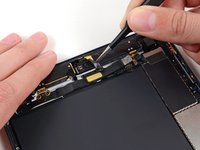
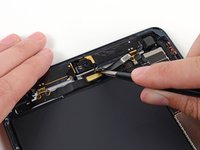
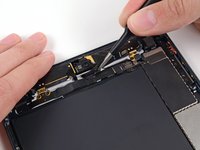
      • The front-facing camera cable connector is secured with pieces of tape that wrap up around the sides of the cable and are fastened to two small metal plates.

      • In the next two steps, you will be prying the two metal plates up and out from the center of the cable.

      Ask FixBot

      Add Comment

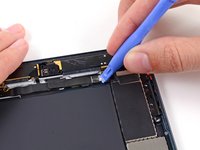
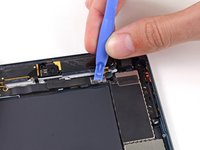
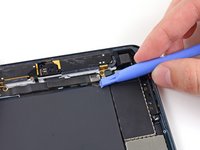
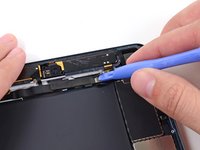
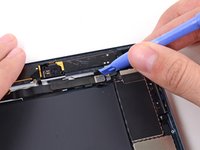
    3. iPad Mini CDMA Front Facing Camera Cable Replacement: step 3, image 1 of 3 iPad Mini CDMA Front Facing Camera Cable Replacement: step 3, image 2 of 3 iPad Mini CDMA Front Facing Camera Cable Replacement: step 3, image 3 of 3
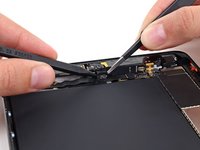
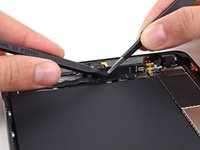
      • Use a plastic opening tool to gently pry the lower metal plate up from the front-facing camera cable connector.

      • Being careful not to break the plate or the tape attached to it, pry it up and fold it away from the front-facing camera cable connector.

      Ask FixBot

      Add Comment

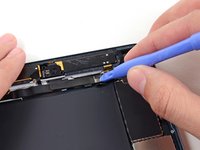
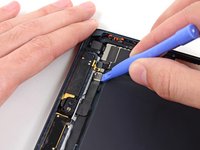
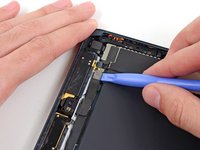
    4. iPad Mini CDMA Front Facing Camera Cable Replacement: step 4, image 1 of 3 iPad Mini CDMA Front Facing Camera Cable Replacement: step 4, image 2 of 3 iPad Mini CDMA Front Facing Camera Cable Replacement: step 4, image 3 of 3
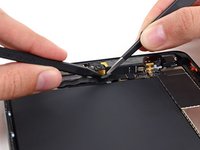
      • Gently pry the second metal plate up from the front-facing camera cable connector.

      • Again, carefully pry the plate up and away from the front-facing camera cable connector.

      Ask FixBot

      Add Comment

    5. iPad Mini CDMA Front Facing Camera Cable Replacement: step 5, image 1 of 2 iPad Mini CDMA Front Facing Camera Cable Replacement: step 5, image 2 of 2
      • Use a plastic opening tool to pry the front-facing camera cable's connector up from its socket on the logic board.

      Ask FixBot

      Add Comment

    6. iPad Mini CDMA Front Facing Camera Cable Replacement: step 6, image 1 of 3 iPad Mini CDMA Front Facing Camera Cable Replacement: step 6, image 2 of 3 iPad Mini CDMA Front Facing Camera Cable Replacement: step 6, image 3 of 3
      • Use a pair of tweezers to peel up the top of the rectangular piece of tape covering the bend in the front-facing camera cable.

      • Do not try to remove the tape, as it is connected below the cable.

      • Bend the tape up out of the way of the front-facing camera cable.

      Ask FixBot

      Add Comment

    7. iPad Mini CDMA Front Facing Camera Cable Replacement: step 7, image 1 of 2 iPad Mini CDMA Front Facing Camera Cable Replacement: step 7, image 2 of 2
      • Gently fold the front-facing camera cable upwards (roughly at a 90-degree angle), exposing the bottom side of it.

      Ask FixBot

      Add Comment

    8. iPad Mini CDMA Front Facing Camera Cable Replacement: step 8, image 1 of 3 iPad Mini CDMA Front Facing Camera Cable Replacement: step 8, image 2 of 3 iPad Mini CDMA Front Facing Camera Cable Replacement: step 8, image 3 of 3
      • While holding the front-facing camera cable up, use the tip of a spudger to separate the piece of tape adhered to the bottom side of the corner of the cable.

      • The tape is folded in half to attach to both the underside of the front-facing camera cable and the top side of the cable directly beneath it (headphone jack cable).

      Ask FixBot

      Add Comment

Conclusion

To reassemble your device, follow these instructions in reverse order.

Cancel: I did not complete this guide.

0 Guide Comments

Add Comment

View Statistics:

Past 24 Hours: 1

Past 7 Days: 5

Past 30 Days: 14

All Time: 962