
iHome iM71SC Battery Replacement

Sarah Brown and
Last updated on Aug 9, 2019
Views: 702
View statistics:
- Past 24 Hours:
- 4
- Past 7 Days:
- 20
- Past 30 Days:
- 73
- All Time:
- 702
Comments: 0
No one has left comments on this guide. Will you be first?
Go to guide commentsCompleted: 0 1
No one has marked this guide "completed." Will you be the first?
1 person has marked this guide "completed." It's you — great job!
Favorites: 0 1
No one has favorited (and subscribed to) this guide. Will you be the first?
1 person has favorited (and subscribed to) this guide — and that's you!
Introduction
Go to step 1 ↓This guide will walk you through replacing the rechargeable battery in the speaker.
What you need
Tools


-
-
-
Push down and turn the top of the speaker clockwise. This will release the clips and expand the speaker.
 Ask FixBot
-
-
-
Use a #000 Phillips screwdriver to remove the four 1 mm screws from the bottom half of the speaker.
-
-
-
-
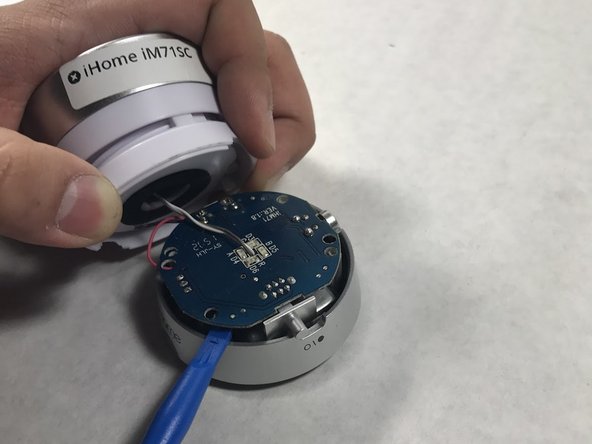
Flip the speaker over and use a #000 Phillips screwdriver to remove three 1mm screws . Unscrew these to unfasten the top.
-
-
-
-
-
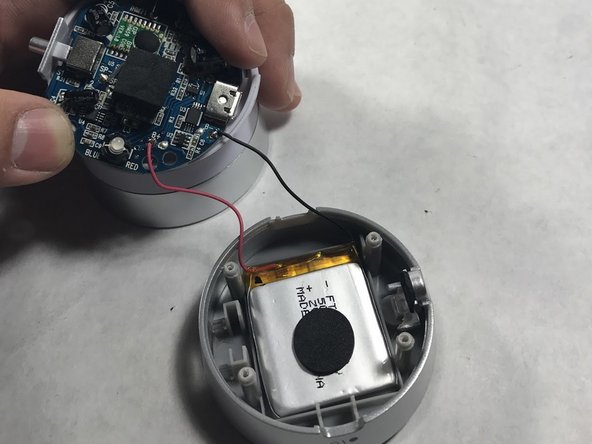
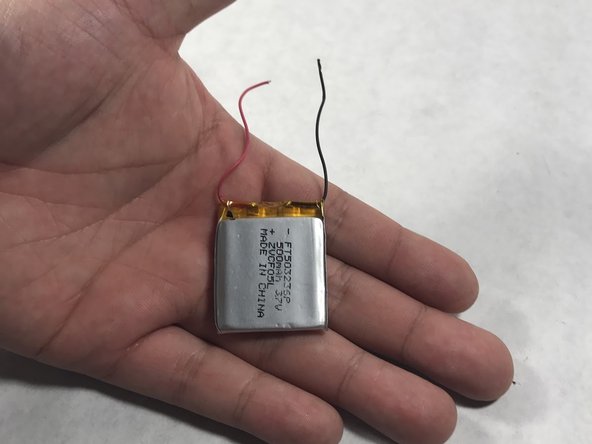
Unsolder the batterie's wires from the circuit board to remove the old battery.
-






To reassemble your device, follow Steps 1-4 in reverse order.

Team

UMass Dartmouth, Team S7-G5, Julie Spring 2017 Member of UMass Dartmouth, Team S7-G5, Julie Spring 2017
UMASSD-JULIE-S17S7G5
5 Members
48 Guides authored
