
iFixit Screwdriver Grip Replacement

Anthony Kouttron and 6 other contributors
Last updated on Aug 20, 2024
Views: 3.9K
View statistics:
- Past 24 Hours:
- 3
- Past 7 Days:
- 39
- Past 30 Days:
- 153
- All Time:
- 3,886
Comments: 2
2 guide comments.
Go to guide commentsCompleted: 8 9
8 people have marked this guide "completed." Will you be next?
9 people have marked this guide "completed." Including you — great job!
Favorites: 2 3
2 people have favorited (and subscribed to) this guide. Will you be next?
3 people have favorited (and subscribed to) this guide — including you!
Community-Contributed Guide
An awesome member of our community made this guide. It was not created by iFixit staff.
Introduction
Go to step 1 ↓This is a guide to repair the original iFixit screwdriver which was included in the 54 Bit Driver Kit. The rubber grip rings wear out over time and this guide sheds some light on how to get a new grip on your old screwdriver.
What you need
Parts

Tools

-
-
-
Your iFixit screwdriver has seen better days. Its been in one to many tight places and its mated with far too many screw faces. Its been a part of so many fixes that it seriously would appreciate some down time.
-
But no, you want to keep using this driver. You want it to weather the next fix. It's just not performing like it used to in its glory days.
-
So what is this anyway? A guide to fix a screwdriver? You bet.
 Ask FixBot
-
-
-
If you're an owner of the original iFixit screwdriver included in the 54 Bit Driver Kit, you've probably noticed that the rubber grip rings on the screw driver wear out over time, develop small tears and fall off.
-
Regardless if they wear from over-torquing or the build up of oils from your hands, it's quite frustrating to lose the grip on a prised screwdriver.
-
-
-
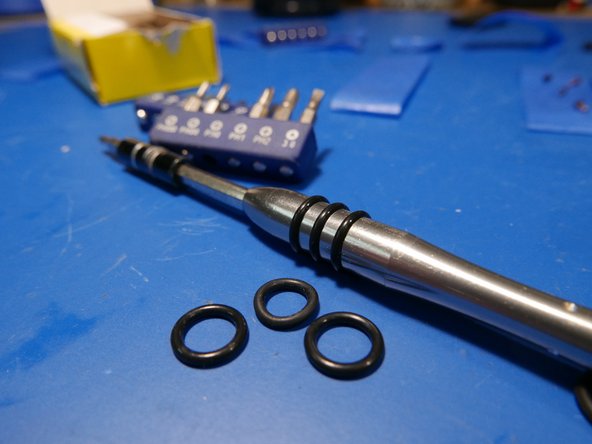
Here's the solution: throw some o-rings on it.
-
1/16in thick, 7/16 OD, 5/16 ID work wonders.
-
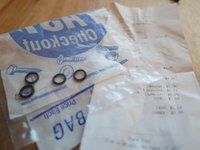
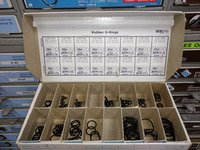
I picked up a bunch from my local hardware store. They are manufactured by Midwest Fastner. They cost $0.31 USD each.
-
-
-
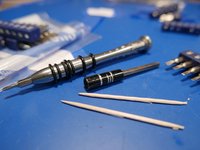
So how do you remove the old grip? Simple, use your fingernails!
-
Otherwise, use toothpicks!
-
Remember the mohs scale? Wood won't carelessly scratch your metal tool!
-
-
-
-
That's it. If your grip's gone, shower your screwdriver in o-rings.
-
Enjoy that new, glistening rubber grip on your screwdriver.
-
-




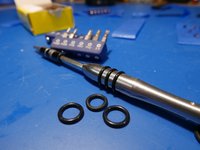
To reassemble your screwdriver, follow these instructions in reverse order.
Cancel: I did not complete this guide.
8 other people completed this guide.

2 Guide Comments
Worked like a charm.
Now all I need is to get instructions on how to assemble a replacement 54-bit driver kit case….
