
Xbox 360 S Panel removal

Jack Sweet and 3 other contributors
Last updated on Aug 1, 2024
Views: 4.3K
View statistics:
- Past 24 Hours:
- 5
- Past 7 Days:
- 34
- Past 30 Days:
- 173
- All Time:
- 4,277
Comments: 0
No one has left comments on this guide. Will you be first?
Go to guide commentsCompleted: 5 6
5 people have marked this guide "completed." Will you be next?
6 people have marked this guide "completed." Including you — great job!
Favorites: 4 5
4 people have favorited (and subscribed to) this guide. Will you be next?
5 people have favorited (and subscribed to) this guide — including you!
Community-Contributed Guide
An awesome member of our community made this guide. It was not created by iFixit staff.
Introduction
Go to step 1 ↓This guide will explain how to remove the Hard Drive, take apart the Bottom Panel, and the Top Panel.
What you need
Tools
-
-
×10


-
-
-
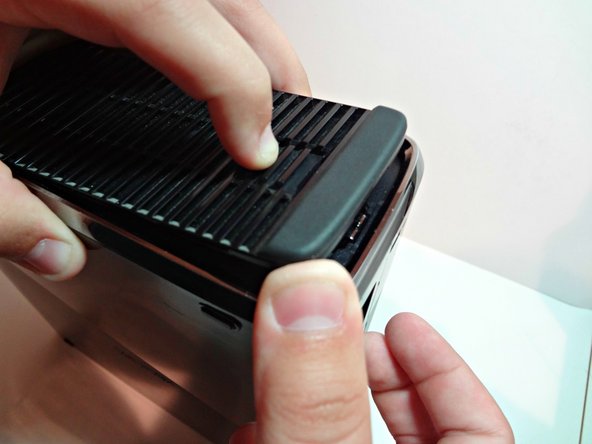
Flip the Xbox over and you will see three separate prongs. Pull those back and pull up, then you will see the hard drive. Pull the rectangle fabric piece up.
-
The hard drive should be removed.
 Ask FixBot
-
-
-
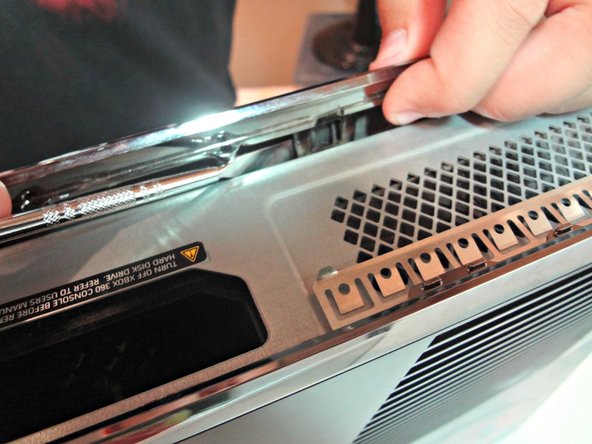
Move the Xbox with the hard drive facing toward the right.
-
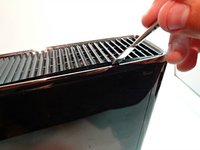
Then insert your Metal Spudger in between the silver ring and the vent. You should here a pop noise which is the clip popping out.
-
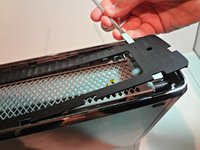
Rotate the tool away from the Xbox prying open the bottom plate. Continue that step for all the remaining clips.
-
-
-
-
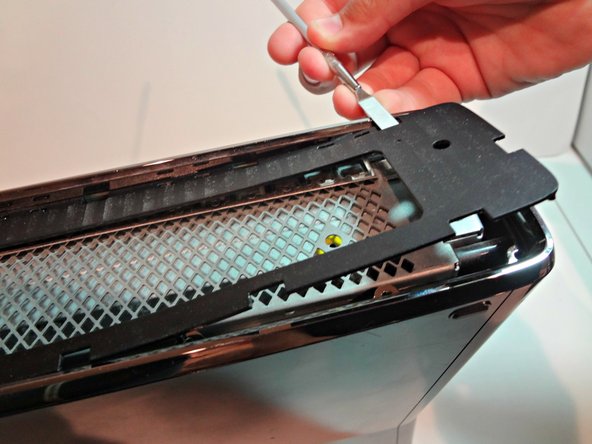
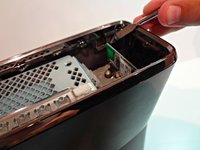
The top panel is very similar to the bottom panel removal. There will be thirteen clips you need to undo.
-
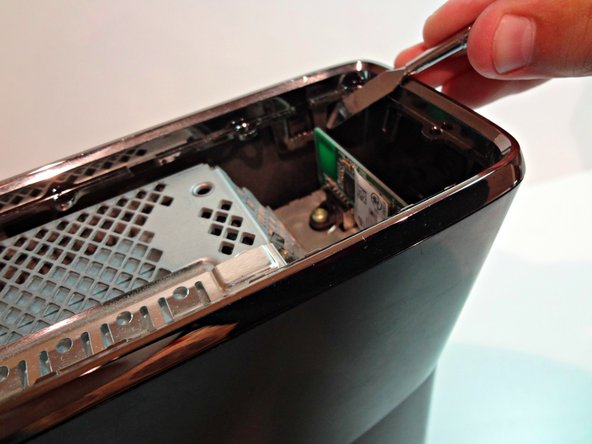
Make sure the front of the Xbox is facing towards the left. Then use the tool undo the clips just like you did on the bottom panel.
-
DO NOT BREAK ANY OF THE CLIPS.
-
-





Cancel: I did not complete this guide.
5 other people completed this guide.

