Introduction
This guide shows how to reattach the loose sensor cover on a Withings ScanWatch after the watch has been opened.
What you need
-
-
-
The watch is held together by friction and a thin black gasket. There are no screws or glue.
-
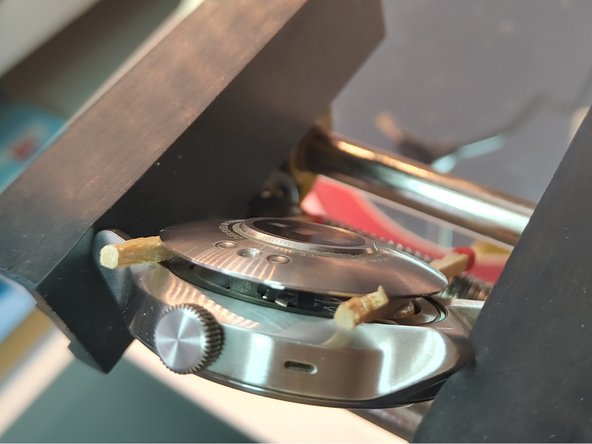
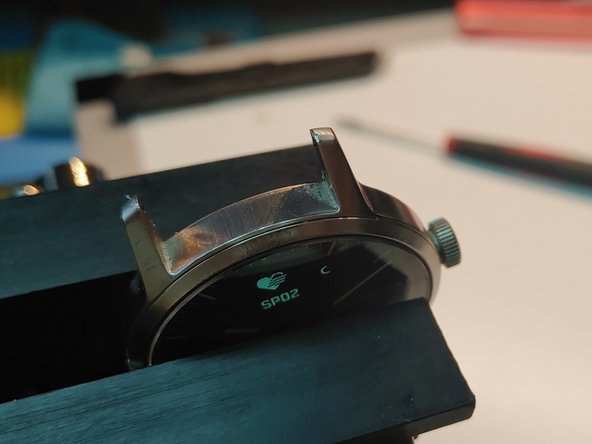
Place a thin metal smartphone opening tool between the metal case and the glass/display side of the watch, not on the sensor side.
-
Work your way around the watch carefully to release the gasket.
 Ask FixBot
-
-
-
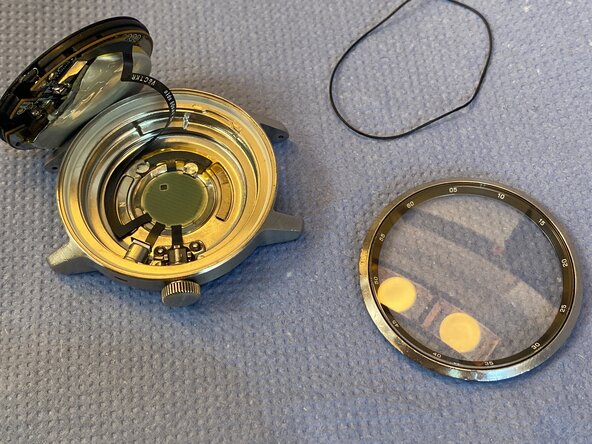
Once the watch is open, you can see the movement and a small cable connecting the sensor to it.
-
The cable has an iPhone-like connector and can be released with a plastic spudger.
-
Carefully pry the connector straight up to avoid damage.
-
-
-
-
-
-
Remove any old adhesive residue from the case and sensor cover.
-
Clean both surfaces with isopropyl alcohol and a cotton swab.
-
-
-
Apply a thin, even layer of adhesive around the edge.
-
Keep adhesive away from the sensor opening and the crown.
-
-
-
Set the sensor cover straight into the case.
-
Press it evenly until it sits flush.
-
Check that the crown still moves freely.
-
-
-
Hold the watch with light pressure until the adhesive sets.
-
Let the repair cure completely.
-
Check the crown and sensors after curing.
-
-




Let the adhesive fully cure, then reassemble the watch. If the back case keeps coming loose or you see moisture inside the watch, check the Withings exchange program for affected ScanWatch HWA09 devices: Withings exchange program. If you have more questions, ask our Answers community.
Cancel: I did not complete this guide.
3 other people completed this guide.
Special thanks to these translators:
100%


These translators are helping us fix the world! Want to contribute?
Start translating ›

2 Guide Comments
Ich hab es ähnlich gemacht. Mittlerweile den 3. Versuch.
1. Versuch mit Sekundenkleber nur von außen
2. Auch von Außen mit einem Dauerelastischen Kleber
3. Versuch von innen mit KFZ Gehäusedichtmasse
Alle Versuche von außen waren leider erfolglos, da auf dem polierten Edelstahlgehäuse kein Kleber ordentlich hällt.
Mit der Dichtmasse hält bis jetzt am längsten.
The markers, three of them, on my Withings came loose when I dropped the watch. No issues with the crystal. Withings won't fix it or suggest repair facility. Their solution, 25% discount on the next watch purchase and recycle the item. I was like, 'but it still works! It just three markers the came unglued!' Bye.
