Repair Guides
Learn how to fix just about anything with our step-by-step guides.
App
Your pocket repair helper.
FixBot
The friendly AI repair assistant.
Repairability
Learn why fixable products make sense.
Teardowns
Get a sneak peek inside the latest gadgets.
Answers Forum
Share solutions and get help from a friend.
Find Your Community
Find teams, events, and fellow fixers.
Help Out
Help make repair knowledge free and accessible for everyone.
Right to Repair
Learn about the Right to Repair movement and how to be an advocate.
Featured
Quality parts and tools backed by our lifetime guarantee.
Tools
Shop our wide selection of precision tools.
Parts
Shop parts backed by our quality guarantee.
iPhone Batteries
Batteries tested and guaranteed plus a kit with everything you need.
Free Shipping on Domestic Orders $75+
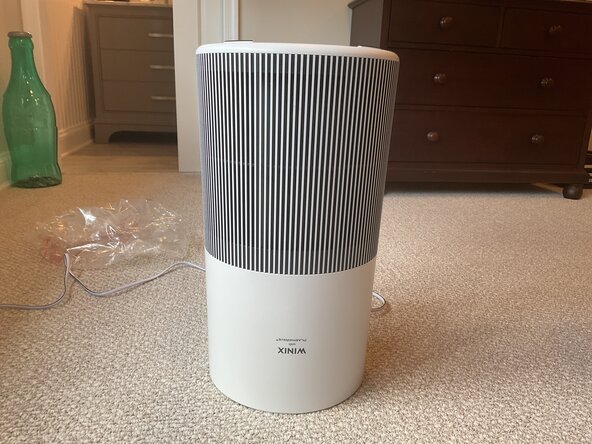
Unplug the device
Flip the machine upside down
Turn the base counterclockwise all the way
Pull up to remove the filter base
Turn the white cap counterclockwise until it comes off
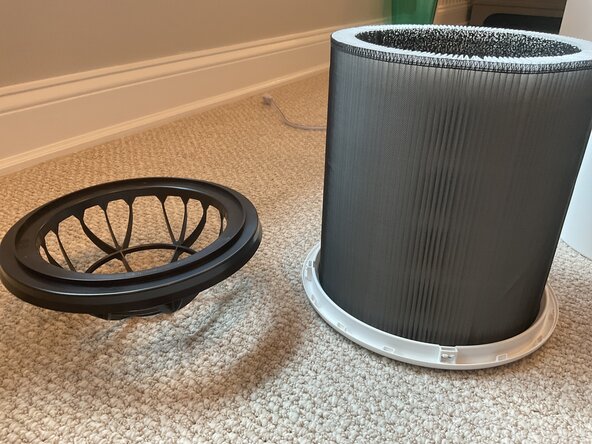
Takeoff the black top by lifting it
Remove the filter by pulling up
Insert the new filter
Reassemble the device by flowing steps 1-6 in reverse order
Hold down the filter reset button for five seconds
Your Done!
Cancel: I did not complete this guide.
Member since: 08/14/25
870 Reputation
6 Guides authored
Badges: 19
+16 more badges
Past 24 Hours: 2
Past 7 Days: 16
Past 30 Days: 80
All Time: 172

 Ask FixBot