
Winix C545 Filter Replacement

Kyle Lam and 2 other contributors
Last updated on Jun 5, 2024
Views: 3.1K
View statistics:
- Past 24 Hours:
- 8
- Past 7 Days:
- 77
- Past 30 Days:
- 240
- All Time:
- 3,118
Comments: 0
No one has left comments on this guide. Will you be first?
Go to guide commentsCompleted: 3 4
3 people have marked this guide "completed." Will you be next?
4 people have marked this guide "completed." Including you — great job!
Favorites: 0 1
No one has favorited (and subscribed to) this guide. Will you be the first?
1 person has favorited (and subscribed to) this guide — and that's you!
Featured Student Guide
This guide has been the hard work of our awesome students and is found to be exceptionally cool by the iFixit staff.
Introduction
Go to step 1 ↓Use this guide to replace the True HEPA air filter and carbon-activated pre-filter in the Winix C545 Air purifier and reset the filter replacement warning light.
The filters allow the air purifier to effectively remove specific contaminants such as dust, mold, or pet dander. They also aid in filtering out smoke or unpleasant orders.
What you need
Parts
Tools

-
-
-
Ensure that the Winix C545 Air Purifier is unplugged from any electrical outlets.
 Ask FixBot
-
-
-
Remove the front panel by grasping its outer upper edge and gently pulling forward.
-
-
-
Remove the pre-filter (metal screen), by unclasping the two clips on the top.
-
Place this aside.
-
-
-
Pull out the True HEPA filter using only the tab on the top of the filter and set it aside.
-
-
-


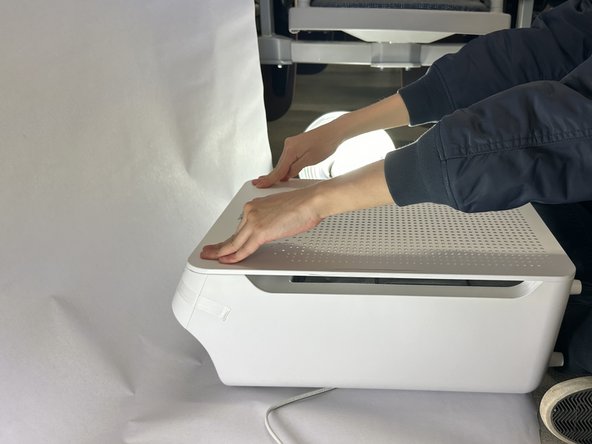


The Air Purifier is now in working order. Enjoy the fresh air!
Cancel: I did not complete this guide.
3 other people completed this guide.

Team

UC Davis, Team 2-5, Morris Spring 2024 Member of UC Davis, Team 2-5, Morris Spring 2024
UCD-MORRIS-S24S2G5
3 Members
12 Guides authored
