Free Shipping on Domestic Orders $75+

Westcott iPoint Evolution Outer Casing Replacement

Views: 14K

View statistics:

Past 24 Hours:
3
Past 7 Days:
49
Past 30 Days:
162
All Time:
13,547
Comments: 2

2 comments on steps.

Completed: 3

3 people have marked this guide "completed." Will you be next?

Favorites: 0

No one has favorited (and subscribed to) this guide. Will you be the first?

Time Required: 10 - 20 minutes
Difficulty: Easy
Westcott iPoint Evolution Outer Casing Replacement

Introduction

Go to step 1 ↓

In this guide, you will learn how to remove the outer casing of the Westcott iPoint Evolution pencil sharpener. Use this guide to replace the casing or to access the sharpener's internal components.

What you need

Tools

    1. Westcott iPoint Evolution Outer Casing Replacement, Outer Casing: step 1, image 1 of 1
      • Step 1: Start with the back of the pencil sharpener facing you.

      • This allows you to locate the power source.

      Ask FixBot

      Add Comment

    2. Westcott iPoint Evolution Outer Casing Replacement: step 2, image 1 of 1
      • Step 2: Grab the end of the plug located at the bottom of the sharpener and pull it out gently.

      Ask FixBot

      Add Comment

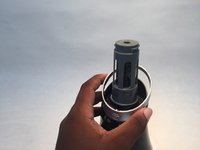
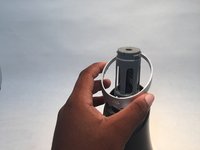
    3. Westcott iPoint Evolution Outer Casing Replacement: step 3, image 1 of 2 Westcott iPoint Evolution Outer Casing Replacement: step 3, image 2 of 2
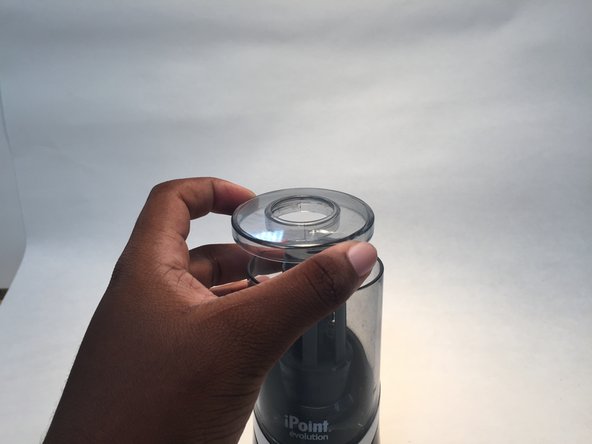
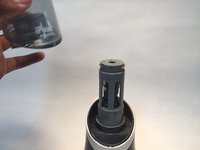
      • There are three parts of the sharpener.

      • Step 3: Grab the very top of the sharpener, twist it to the right and lift it up to remove it.

      Ask FixBot

      Add Comment

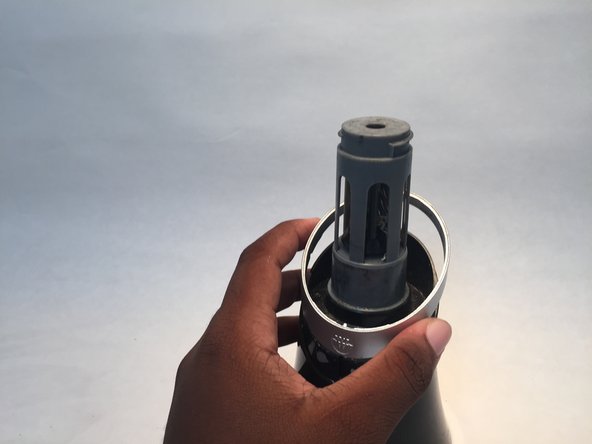
    4. Westcott iPoint Evolution Outer Casing Replacement: step 4, image 1 of 3 Westcott iPoint Evolution Outer Casing Replacement: step 4, image 2 of 3 Westcott iPoint Evolution Outer Casing Replacement: step 4, image 3 of 3
      • Step 4: Grab the center of the sharpener and lift it up to remove the piece.

      Ask FixBot

      Add Comment

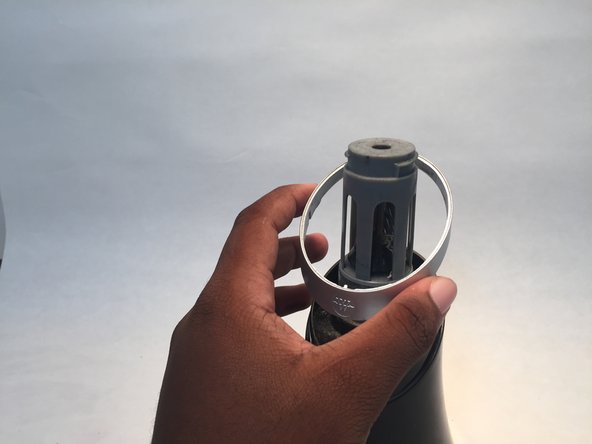
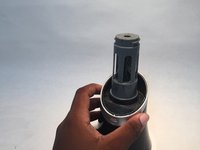
    5. Westcott iPoint Evolution Outer Casing Replacement: step 5, image 1 of 3 Westcott iPoint Evolution Outer Casing Replacement: step 5, image 2 of 3 Westcott iPoint Evolution Outer Casing Replacement: step 5, image 3 of 3
      • Step 5: Remove the small ring that is around the sharpener.

      • This piece is below the center of the sharpener that you just removed.

      Ask FixBot

      Add Comment

    6. Westcott iPoint Evolution Outer Casing Replacement: step 6, image 1 of 1
      • Step 6: Flip the pencil sharpener upside down.

      • Locate the four screws on the bottom of the sharpener.

      Ask FixBot

      Add Comment

    7. Westcott iPoint Evolution Outer Casing Replacement: step 7, image 1 of 1
      • Step 7: Take a screwdriver and unscrew all of the screws on the bottom.

      Ask FixBot

      Add Comment

    8. Westcott iPoint Evolution Outer Casing Replacement: step 8, image 1 of 1
      • Step 8: After all the screws are removed gently take off the bottom of the sharpener.

      Ask FixBot

      Add Comment

    9. Westcott iPoint Evolution Outer Casing Replacement: step 9, image 1 of 1
      • Step 9: Carefully lift the lid off of the sharpener.

      Ask FixBot

      Add Comment

Conclusion

To reassemble your device, follow these instructions in reverse order.

Cancel: I did not complete this guide.

3 other people completed this guide.

0 Guide Comments

Add Comment

View Statistics:

Past 24 Hours: 3

Past 7 Days: 49

Past 30 Days: 162

All Time: 13,547