
Vtech InnoTab 3S Microphone Replacement

taweewatchulikavit and 5 other contributors
Last updated on Jan 21, 2025
Views: 708
View statistics:
- Past 24 Hours:
- 5
- Past 7 Days:
- 21
- Past 30 Days:
- 80
- All Time:
- 708
Comments: 0
No one has left comments on this guide. Will you be first?
Go to guide commentsCompleted: 0 1
No one has marked this guide "completed." Will you be the first?
1 person has marked this guide "completed." It's you — great job!
Favorites: 0 1
No one has favorited (and subscribed to) this guide. Will you be the first?
1 person has favorited (and subscribed to) this guide — and that's you!
Markup Mishap
This guide needs better markups. Help out by correcting or making some markup annotations.
Better Introduction
Improve this guide by completing or revising its introduction.
Introduction
Go to step 1 ↓Is the microphone not working properly on your childs tablet? This guide will walk you through replacing the microphone on the Vtech InnoTab 3s.
What you need
Tools


-
-
-
While holding the battery compartment locks down, slide the two battery doors outwards from the sides of the device.
-
Remove the batteries from the device.
 Ask FixBot
-
-
-
Remove six 7 mm screws from the interior of the battery compartment using a Phillips #1 screwdriver.
-
-
-
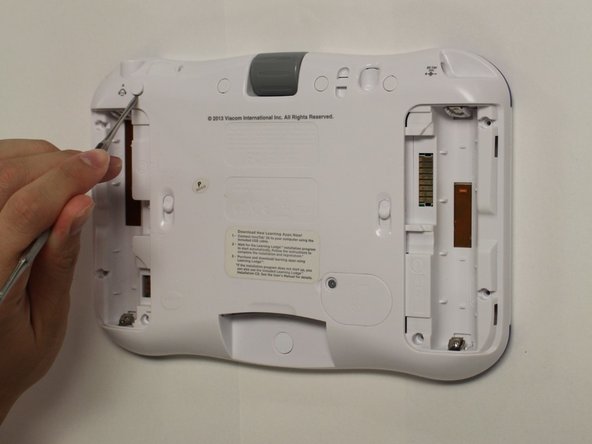
Using a nylon spudger, remove the five caps that hide the screws.
-
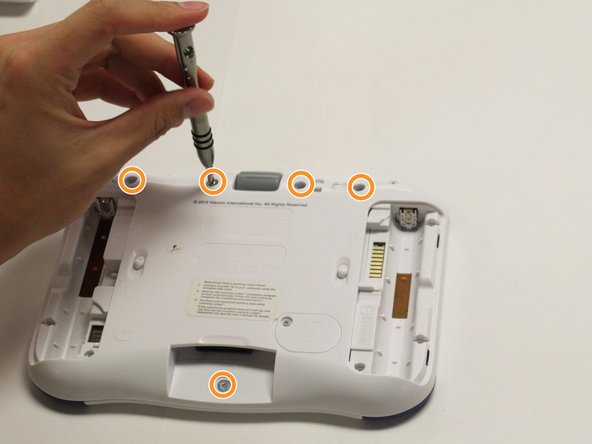
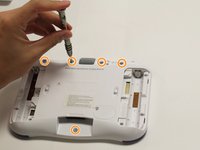
Remove the five 5 mm Phillips #1 screws from the rear panel of the device.
-
-
-
-
-
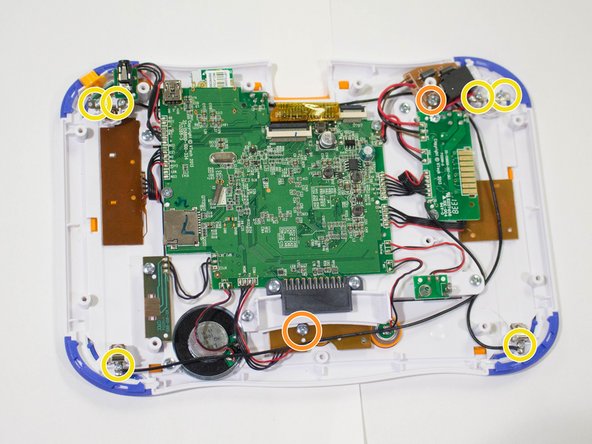
Remove the six screws that secure the motherboard to the front panel of the device using a Phillips #1 screwdriver.
-
Remove the other 5mm screws that secure the charger port and the buttons to the inside of the front panel.
-
Remove the six 3 mm screws securing the battery clip.
-
-
-
Tool used on this step:Tweezers$4.99
-
Using the tweezers, remove one battery clip from each corner (four total) of the Vtech InnoTab 3s.
-
With the tweezers, unsecure the charging port, headphone port, and the light switch button from the front panel of the device.
-
-
-
-
Tool used on this step:Tweezers$4.99
-
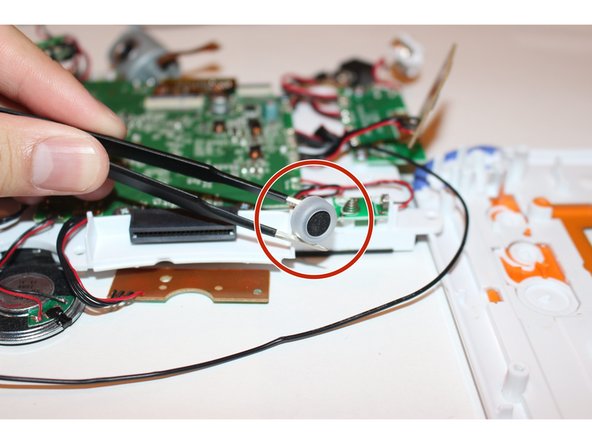
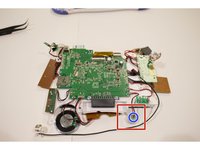
Solder the prongs to unsecure the microphone from the device.
-
Using the tweezers carefully remove the microphone from the device.
-
-






To reassemble your device, follow these instructions in reverse order.

Team

USF Tampa, Team 8-2, Eyestone Fall 2015 Member of USF Tampa, Team 8-2, Eyestone Fall 2015
USFT-EYESTONE-F15S8G2
4 Members
108 Guides authored
