Free Shipping on Domestic Orders $75+

Vodafone Smart V8 Display Replacement

What you need

    1. Vodafone Smart V8 Display Replacement, Display: step 1, image 1 of 3 Vodafone Smart V8 Display Replacement, Display: step 1, image 2 of 3 Vodafone Smart V8 Display Replacement, Display: step 1, image 3 of 3
      • To open the device you need do apply pressure at the bottom and up to get rid of the glued mini covers.

      Ask FixBot

      Add Comment

    2. Vodafone Smart V8 Display Replacement: step 2, image 1 of 3 Vodafone Smart V8 Display Replacement: step 2, image 2 of 3 Vodafone Smart V8 Display Replacement: step 2, image 3 of 3
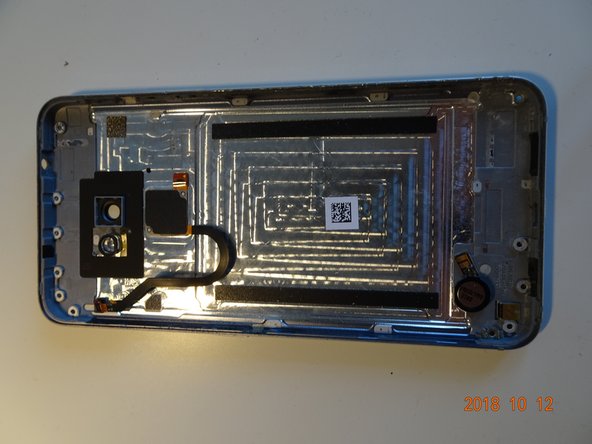
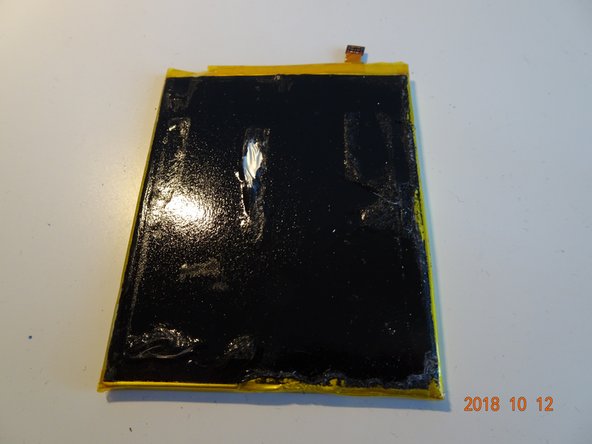
      • Put the back cover gently away - remove the finger sensor cable gently from the motherboard. Also put away gently battery and digitizer gently pull the cables from the glue as well the battery is well glued (you might demage it-very tight).

      Ask FixBot

      Add Comment

    3. Vodafone Smart V8 Display Replacement: step 3, image 1 of 1
      • this was a complete teardown of the device - you can replace virtually anything.

      Ask FixBot

      Add Comment

Conclusion

To reassemble your device, follow these instructions in reverse order.

Cancel: I did not complete this guide.

One other person completed this guide.

brejzek

Member since: 09/11/18

97 Reputation

1 Guide authored

2 Guide Comments

Where can i buy the lte antenna sticker? I demaged mine while removing the plastick covers.

xlochman - Reply Share

Try Aliexpress I found there battery and display.

brejzek - Reply Share

Add Comment

View Statistics:

Past 24 Hours: 1

Past 7 Days: 10

Past 30 Days: 58

All Time: 943