Free Shipping on Domestic Orders $75+

Vizio Tablet Micro USB Charging Port Replacement

What you need

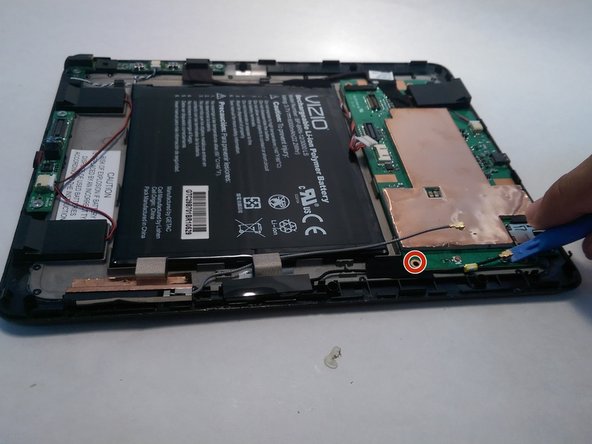
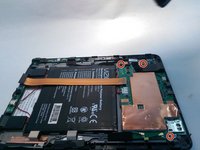
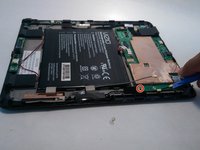
    1. Vizio Tablet Micro USB Charging Port Replacement, Micro USB Charging Port: step 1, image 1 of 3 Vizio Tablet Micro USB Charging Port Replacement, Micro USB Charging Port: step 1, image 2 of 3 Vizio Tablet Micro USB Charging Port Replacement, Micro USB Charging Port: step 1, image 3 of 3
      • Begin by using the plastic opening tool to take off the back of the tablet.

      • Starting from the sides can make the process easier.

      Ask FixBot

      Add Comment

    2. Vizio Tablet Micro USB Charging Port Replacement: step 2, image 1 of 1
      • Use the plastic opening tool to disconnect the LCD screen.

      Ask FixBot

      Add Comment

    3. Vizio Tablet Micro USB Charging Port Replacement: step 3, image 1 of 1
      • Use the plastic opening tool to disconnect the camera.

      Ask FixBot

      Add Comment

    4. Vizio Tablet Micro USB Charging Port Replacement: step 4, image 1 of 1
      • Use the plastic opening tool to disconnect both of the volume buttons.

      Ask FixBot

      Add Comment

    5. Vizio Tablet Micro USB Charging Port Replacement: step 5, image 1 of 2 Vizio Tablet Micro USB Charging Port Replacement: step 5, image 2 of 2
      • Then, remove all four of the 2.3 mm Phillips screws.

      Ask FixBot

      Add Comment

    6. Vizio Tablet Micro USB Charging Port Replacement: step 6, image 1 of 1
      • Remove the circuit board from the platform.

      Ask FixBot

      Add Comment

    7. Vizio Tablet Micro USB Charging Port Replacement: step 7, image 1 of 1
      • Remove the USB port from the circuit board.

      Ask FixBot

      Add Comment

    8. Vizio Tablet Micro USB Charging Port Replacement: step 8, image 1 of 1
      • Insert the new USB port onto the circuit board.

      Ask FixBot

      Add Comment

    9. Vizio Tablet Micro USB Charging Port Replacement: step 9, image 1 of 1
      • Lastly, fuse the USB port back onto the circuit board.

      Ask FixBot

      Add Comment

Conclusion

To reassemble your device, follow these instructions in reverse order.

Cancel: I did not complete this guide.

One other person completed this guide.

Jose

Member since: 05/31/16

125 Reputation

1 Guide authored

1 Guide Comment

Thank you it was very helpful simple and straight to the point

sirhc89chris - Reply Share

Add Comment

View Statistics:

Past 24 Hours: 0

Past 7 Days: 9

Past 30 Days: 17

All Time: 1,167