Introduction
This repair guide will show the reader how to fix the Scroll Wheel on a VicTsing wireless mouse.
What you need
-
-
-
Remove the battery cover, and batteries from the compartment. Then use the metal spudger to peel back the adhesives.
 Ask FixBot
-
-
-
-
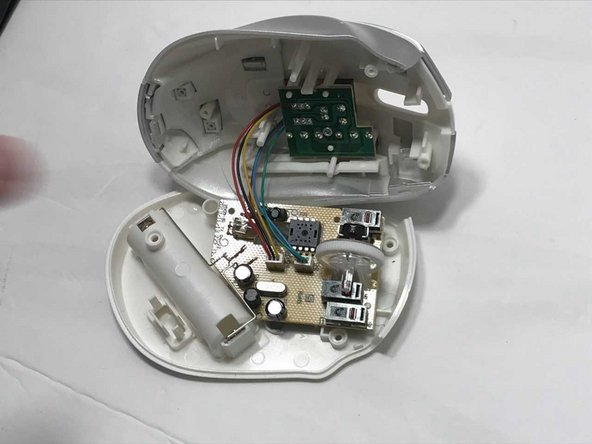
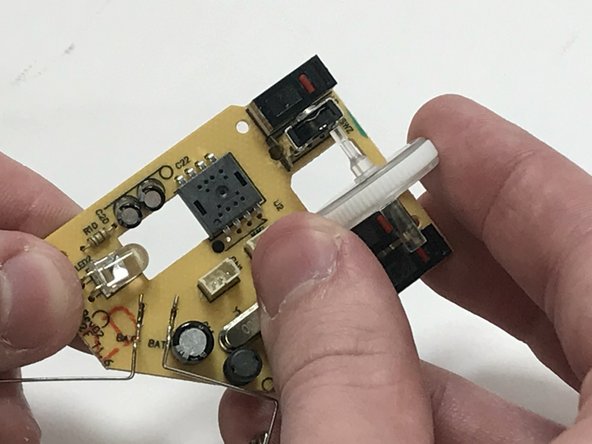
Remove the two connected wire ports so that you can separate the top casing from the base .
-
-
Tool used on this step:Tweezers$4.99
-
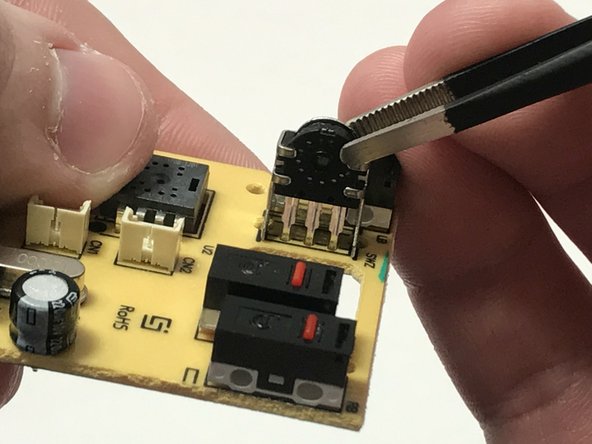
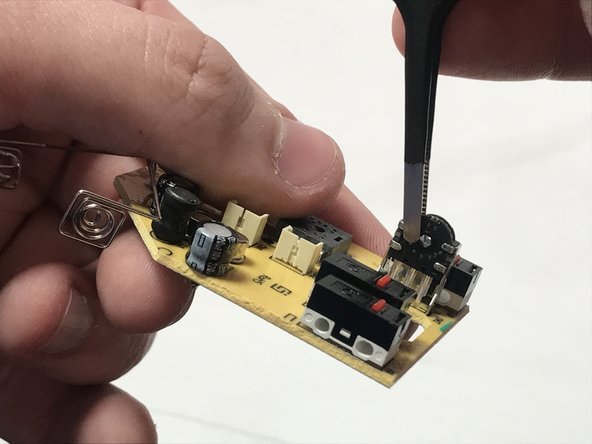
Use tweezers to squeeze the rotary encoder. Do this in multiple spots.
-
-






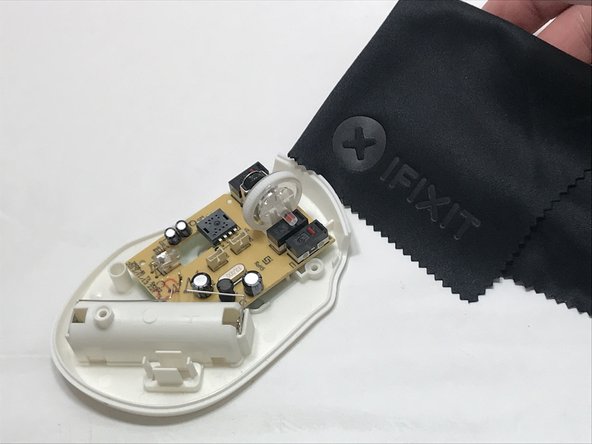
To reassemble your device, follow these instructions in reverse order.
Cancel: I did not complete this guide.
16 other people completed this guide.

Team

University of Memphis, Team S4-G4, Baddour Spring 2018 Member of University of Memphis, Team S4-G4, Baddour Spring 2018
UM-BADDOUR-S18S4G4
2 Members
12 Guides authored
16 Guide Comments
Very detailed repair guide!!!
THANK YOU! Saved me from spending another $10 on a mouse after 6 months. Those screws under the adhesives are pretty hidden…
Thanks! I was thinking to buy another but it is fixed! It works on the model VicTsing CA32-es2 too, that’s mine.
Excellent guide, thanks! I have a Victsing PC134A vertical mouse. The assembly is different, so I ended up removing about 12 screws, only to then realize that I could easily access the “rotary encoder” part with zero screw removal. :) For Victsing PC134A, just pop off the the left-right click cover, and tweeze as suggested in this guide. It worked!
That’s crazy! Why does squeezing the rotary encoder fix it? Thank you so much for the guide!
