
Unbranded UB-15MS10 Back Camera Replacement

Jordan Turk and 3 other contributors
Last updated on Dec 19, 2016
Views: 952
View statistics:
- Past 24 Hours:
- 2
- Past 7 Days:
- 13
- Past 30 Days:
- 32
- All Time:
- 952
Comments: 4
4 comments on steps.
Completed: 4 5
4 people have marked this guide "completed." Will you be next?
5 people have marked this guide "completed." Including you — great job!
Favorites: 0 1
No one has favorited (and subscribed to) this guide. Will you be the first?
1 person has favorited (and subscribed to) this guide — and that's you!
Needs Better Images
Better photos will improve this guide. Help out by taking, editing, or uploading new ones!
Action Shots
Be an action hero! This guide needs images that better demonstrate how to perform specific actions.
Needs More Images
A few more images would make this guide's procedures crystal clear.
Missing Steps
Oops! This guide is currently missing one or more important steps.
Missing Details
Some of this guide's details are missing. Help users by adding tools, difficulty, or time.
Introduction
Go to step 1 ↓This guide explains how to replace the back camera on the Unbranded Tablet.
What you need
Tools
-
-
-
Spudger4.9


-
-
-
Remove the cover over the Micro SD outlet by using a plastic opening tool to pry open and push out the cover panel.
 Ask FixBot
-
-
-
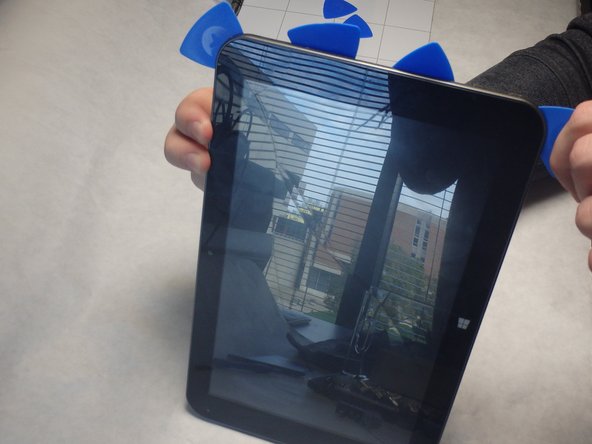
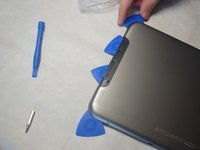
Insert blue guitar picks in the crease between the top and bottom panels starting on the same end as the Micro SD slot.
-
-
-
Insert the black spudger between the guitar picks in order to pry open gaps between the blue guitar picks.
-
As the gaps open, slide the guitar picks along the sides to separate the panels.
-
-
-
Pry all four sides apart using the blue guitar picks and the black spudger until they can easily be pried apart by hand.
-
-
-
-
-
-
To finish removing the camera, disconnect the camera ribbon from the white ZIF connector on the motherboard.
-




To reassemble your device, follow these instructions in reverse order.
Cancel: I did not complete this guide.
4 other people completed this guide.

Team

IUPUI, Team 2-1, Baechle Fall 2015 Member of IUPUI, Team 2-1, Baechle Fall 2015
IUPUI-BAECHLE-F15S2G1
3 Members
36 Guides authored
