Free Shipping on Domestic Orders $75+

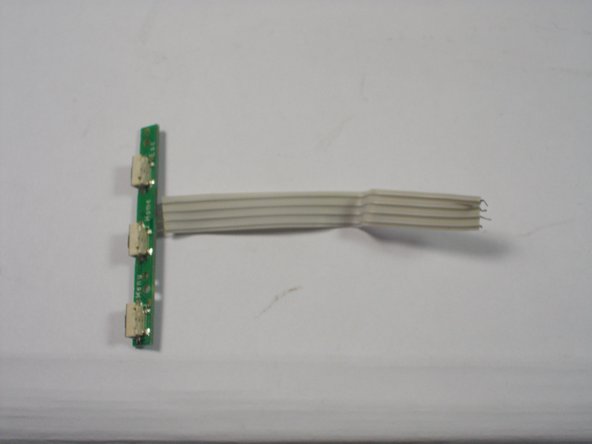
Trio Stealth Pro 9.7" Volume Button Replacement

What you need

    1. Trio Stealth Pro 9.7" Volume Button Replacement, Volume Button: step 1, image 1 of 1
      • Remove 2 black 4 cm Phillips screws on either side of the bottom of the device.

      Ask FixBot

      Add Comment

    2. Trio Stealth Pro 9.7" Volume Button Replacement: step 2, image 1 of 2 Trio Stealth Pro 9.7" Volume Button Replacement: step 2, image 2 of 2
      • Use the plastic opening tools and the spudger around the outside of silver metal back plate on the device to pry off the back plate.

      Ask FixBot

      Add Comment

    3. Trio Stealth Pro 9.7" Volume Button Replacement: step 3, image 1 of 1
      • Remove 2 silver 4 cm Phillips screws in the top right side of the device.

      Ask FixBot

      Add Comment

    4. Trio Stealth Pro 9.7" Volume Button Replacement: step 4, image 1 of 2 Trio Stealth Pro 9.7" Volume Button Replacement: step 4, image 2 of 2
      • Cut 4 wire flex cable connecting the motherboard to the volume controls.

      • Remove volume control buttons.

      Ask FixBot

      Add Comment

Conclusion

To reassemble your device, follow these instructions in reverse order.

Cancel: I did not complete this guide.

One other person completed this guide.

Edward Insogna

Member since: 03/23/15

626 Reputation

5 Guides authored

Team

0 Guide Comments

Add Comment

View Statistics:

Past 24 Hours: 2

Past 7 Days: 18

Past 30 Days: 96

All Time: 563