15% Off Selected iFixit Tools — Limited Time
Free Shipping on Domestic Orders $75+

Triace A310 Brake Cable Replacement

What you need

  1. Triace A310 Brake Cable Replacement, Brake Cable: step 1, image 1 of 2 Triace A310 Brake Cable Replacement, Brake Cable: step 1, image 2 of 2
    • WARNING: Be sure to follow each step carefully. Failure to do so may result in serious injury or death.

    • Unscrew the screw holding the brake cable in place with a 5mm allen wrench and pull out the cable.

    Ask FixBot

    Add Comment

  2. Triace A310 Brake Cable Replacement: step 2, image 1 of 3 Triace A310 Brake Cable Replacement: step 2, image 2 of 3 Triace A310 Brake Cable Replacement: step 2, image 3 of 3
    • Unscrew the slotted brake cable cap on the rear tire and pull out the cable. Remove the cap from the cable.

    Ask FixBot

    Add Comment

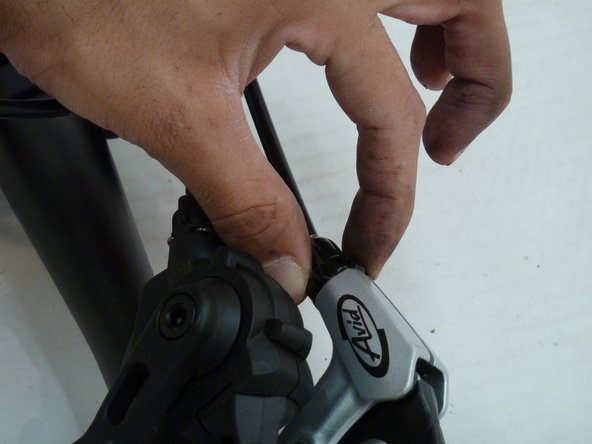
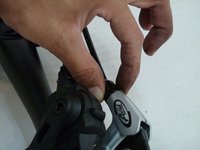
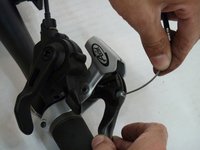
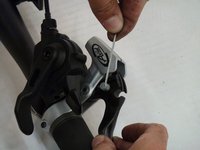
  3. Triace A310 Brake Cable Replacement: step 3, image 1 of 2 Triace A310 Brake Cable Replacement: step 3, image 2 of 2
    • Unscrew the cap next to the brake handle and remove it from the cable.

    Ask FixBot

    Add Comment

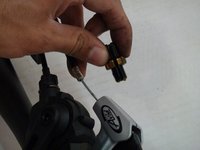
  4. Triace A310 Brake Cable Replacement: step 4, image 1 of 3 Triace A310 Brake Cable Replacement: step 4, image 2 of 3 Triace A310 Brake Cable Replacement: step 4, image 3 of 3
    • Pull up and out on the cable to remove the barrel nipple (the small cylinder at the end of the cable).

    Ask FixBot

    Add Comment

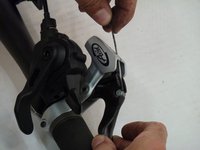
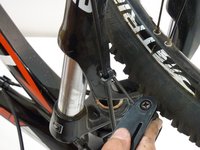
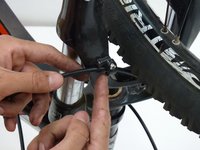
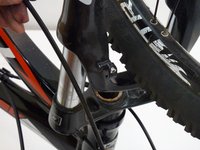
  5. Triace A310 Brake Cable Replacement: step 5, image 1 of 3 Triace A310 Brake Cable Replacement: step 5, image 2 of 3 Triace A310 Brake Cable Replacement: step 5, image 3 of 3
    • Unscrew the bracket located on the front tire with a 3mm allen wrench.

    • Rotate the bracket 90 degrees or until the opening is large enough for the cable. Remove the cable.

    • Note that if removing cable for rear brake, rather than unscrewing a bracket, you will unclip several "spring" clips. Keep track of clips.

    • Test your brakes in a low-speed environment to ensure that they work.

    Ask FixBot

    Add Comment

Conclusion

To place the new cable, follow these instructions in reverse order.

Cancel: I did not complete this guide.

Ben Hartinger

Member since: 01/27/14

340 Reputation

3 Guides authored

Team

Cal Poly, Team 1-37, Maness Winter 2014 Member of Cal Poly, Team 1-37, Maness Winter 2014

CPSU-MANESS-W14S1G37

4 Members

11 Guides authored

0 Guide Comments

Add Comment

View Statistics:

Past 24 Hours: 0

Past 7 Days: 6

Past 30 Days: 24

All Time: 577