Free Shipping on Domestic Orders $75+

Traxx LED Metallic Selfie Ring 114728-00 Batteries Replacement

Views: 1K

View statistics:

Past 24 Hours:
2
Past 7 Days:
28
Past 30 Days:
96
All Time:
1,037
Comments: 0

No one has left comments on this guide. Will you be first?

Go to guide comments
Completed: 0

No one has marked this guide "completed." Will you be the first?

Favorites: 0

No one has favorited (and subscribed to) this guide. Will you be the first?

Time Required: 5 - 10 minutes
Difficulty: Easy
Better Introduction

Improve this guide by completing or revising its introduction.

Traxx LED Metallic Selfie Ring 114728-00 Batteries Replacement

Introduction

Go to step 1 ↓

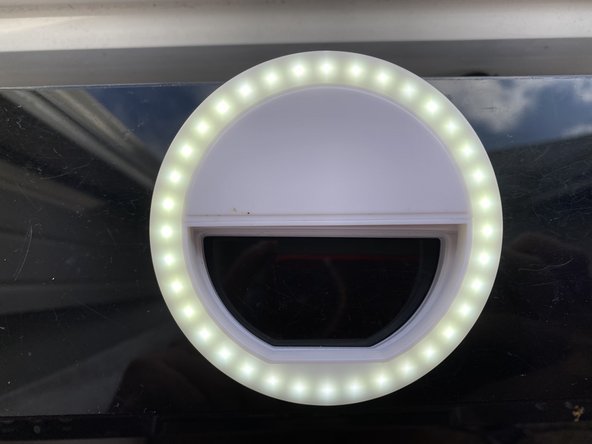
This guide is for the Traxx LED Metallic Selfie Ring. Selfie rings are used as additional lighting for taking photos with a phone. This guide will walk you through the steps of removing the old batteries and replacing new batteries in your selfie ring. It will show you which end of the battery is positive and which end is negative and which way to insert these into the battery slots.

What you need

Parts

    1. Traxx LED Metallic Selfie Ring 114728-00 Batteries Replacement, Batteries: step 1, image 1 of 1
      • Begin with the selfie ring face down on a flat surface.

      Ask FixBot

      Add Comment

    2. Traxx LED Metallic Selfie Ring 114728-00 Batteries Replacement: step 2, image 1 of 1
      • Remove the bottom battery by using your nail to lift and push toward the spring. Once the battery is lifted, remove it and set aside.

      Ask FixBot

      Add Comment

    3. Traxx LED Metallic Selfie Ring 114728-00 Batteries Replacement: step 3, image 1 of 1
      • Remove the top battery in the same manner, using your nail to lift the end that is not against the spring, and push against the spring with the battery until battery is able to be lifted and pulled out.

      Ask FixBot

      Add Comment

    4. Traxx LED Metallic Selfie Ring 114728-00 Batteries Replacement: step 4, image 1 of 2 Traxx LED Metallic Selfie Ring 114728-00 Batteries Replacement: step 4, image 2 of 2
      • Using your new batteries, identify which end is positive and which end is negative.

      • The positive end will have a raised piece.

      • The negative end will have a flat end as well as a slight indent.

      Ask FixBot

      Add Comment

    5. Traxx LED Metallic Selfie Ring 114728-00 Batteries Replacement: step 5, image 1 of 1
      • Insert the first new battery on an angle with the negative end first so that it is pressed up against the spring. This will allow you to push the spring until it is flattened, and then push the positive end downward into position.

      Ask FixBot

      Add Comment

    6. Traxx LED Metallic Selfie Ring 114728-00 Batteries Replacement: step 6, image 1 of 1
      • Insert the second battery by following the same instructions in step 5.

      • For your convenience , the positive end of the top battery should be in correspondence with the negative end of the bottom battery. In other words, they will be placed in opposite directions.

      Ask FixBot

      Add Comment

    7. Traxx LED Metallic Selfie Ring 114728-00 Batteries Replacement: step 7, image 1 of 2 Traxx LED Metallic Selfie Ring 114728-00 Batteries Replacement: step 7, image 2 of 2
      • Check to make sure the batteries are properly inserted by clicking the button located along the rim of the selfie ring.

      • If the product lights up, then the batteries are properly inserted and your selfie ring is ready for use!

      Ask FixBot

      Add Comment

Conclusion

To reassemble your device, follow the instructions in reverse order.

Cancel: I did not complete this guide.

0 Guide Comments

Add Comment

View Statistics:

Past 24 Hours: 2

Past 7 Days: 28

Past 30 Days: 96

All Time: 1,037