Trackpad Cable Detachment

Spencer Day and
Last updated on May 14, 2024
Views: 206
View statistics:
- Past 24 Hours:
- 1
- Past 7 Days:
- 5
- Past 30 Days:
- 11
- All Time:
- 206
Comments: 0
No one has left comments on this guide. Will you be first?
Go to guide commentsCompleted: 0 1
No one has marked this guide "completed." Will you be the first?
1 person has marked this guide "completed." It's you — great job!
Favorites: 0 1
No one has favorited (and subscribed to) this guide. Will you be the first?
1 person has favorited (and subscribed to) this guide — and that's you!
Prerequisite Only
This is a prerequisite-only guide! This guide is part of another procedure and isn’t meant to be used alone.
Introduction
Go to step 1 ↓This is a prerequisite-only guide! This guide is part of another procedure and isn't meant to be used alone.
What you need
Parts

-
-
-
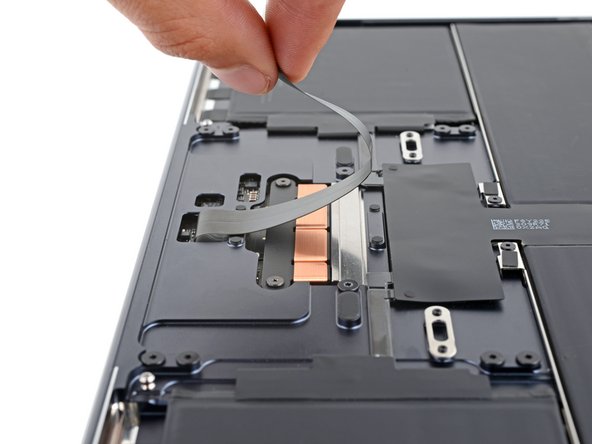
Gently pull up to detach the trackpad cable from the frame.
 Ask FixBot
-
-
-



To reassemble your device, follow these instructions in reverse order.