Thrustmaster T3PA Cable Replacement

What you need

  1. Thrustmaster T3PA Cable Replacement, Cable: step 1, image 1 of 3 Thrustmaster T3PA Cable Replacement, Cable: step 1, image 2 of 3 Thrustmaster T3PA Cable Replacement, Cable: step 1, image 3 of 3
    • Start by flipping it over, rest it on the pedals. make sure the wire is pointing towards the bottom. remove the 14 Screws on the back with a PH2 Phillips head screwdriver and carefully pop it off.

    • (DO NOT COMPLETELY PULL IT OFF BECAUSE OF WIRES.)

  2. Thrustmaster T3PA Cable Replacement: step 2, image 1 of 2 Thrustmaster T3PA Cable Replacement: step 2, image 2 of 2
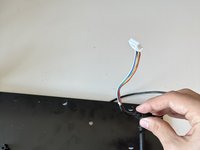
    • Unplug the wire connected to the bottom (the one circled in the image).

  3. Thrustmaster T3PA Cable Replacement: step 3, image 1 of 2 Thrustmaster T3PA Cable Replacement: step 3, image 2 of 2
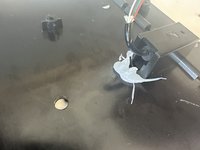
    • Once the bottom is separated, remove the glue holding the wire and pull it out.

Conclusion

For reassembly, simply follow the steps in reverse.

3 other people completed this guide.

John.gmot

Member since: 05/31/23

384 Reputation

2 Guides authored

0 Guide Comments

Add Comment

View Statistics:

Past 24 Hours: 3

Past 7 Days: 10

Past 30 Days: 49

All Time: 1,283