This translation was generated by a machine and has not been reviewed by a person yet. Speak this language? Review it.
Introduction
Thrustmaster sells spare parts through its online store.
You can also contact Thrustmaster technical support to obtain a replacement part if it is not available in your area.
What you need
-
-
-
Unscrew the 4 screws on the front panel.
-
Unscrew the 3 screws under the cover.
-
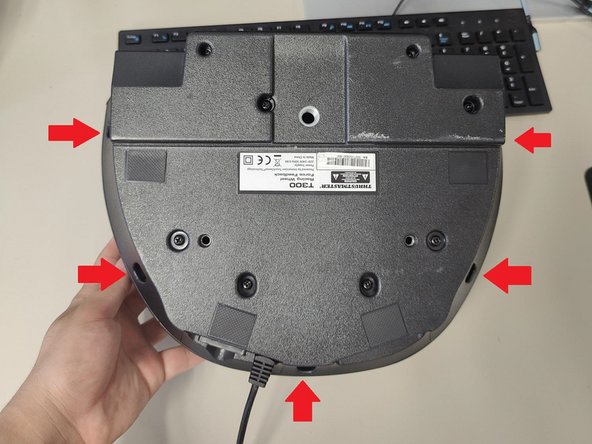
Unscrew the 5 screws under the base.
-
Take off the top cover from your base by lifting it from the back.
 Ask FixBot
-
-
-
-
Disconnect the fan connector from the main PCB.
-
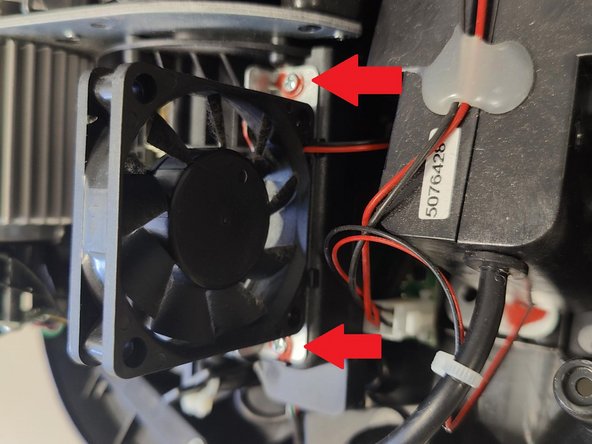
Remove the fan by unscrew 2 screws of the fan.
-
-






To reassemble your unit, follow the instructions in reverse order.
Cancel: I did not complete this guide.
3 other people completed this guide.
Special thanks to these translators:
100%


These translators are helping us fix the world! Want to contribute?
Start translating ›

