Free Shipping on Domestic Orders $75+

This translation was generated by a machine and has not been reviewed by a person yet. Speak this language? Review it.

TRASHWARE

Views: 513

View statistics:

Past 24 Hours:
2
Past 7 Days:
12
Past 30 Days:
41
All Time:
513
Comments: 0

No one has left comments on this guide. Will you be first?

Go to guide comments
Completed: 1

1 person has marked this guide "completed." Will you be next?

Favorites: 0

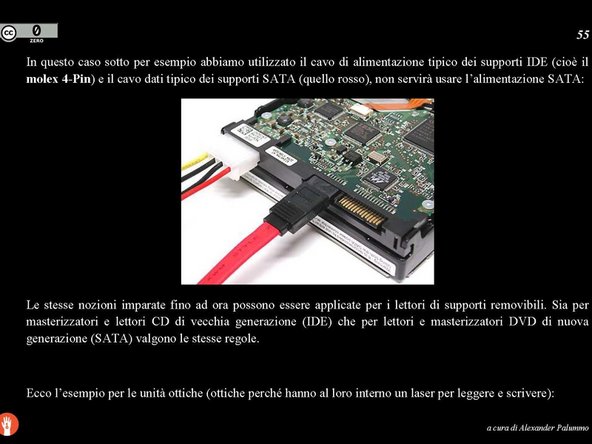
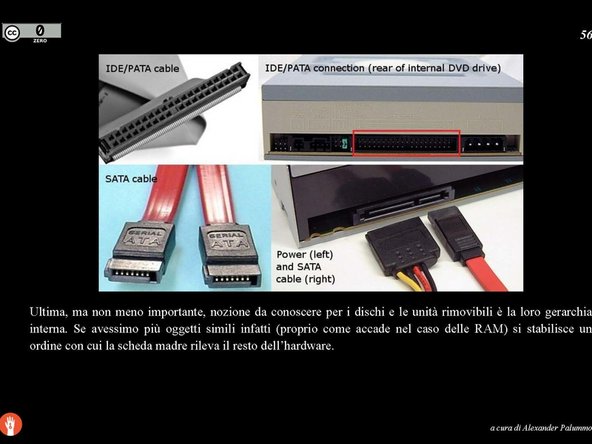
No one has favorited (and subscribed to) this guide. Will you be the first?

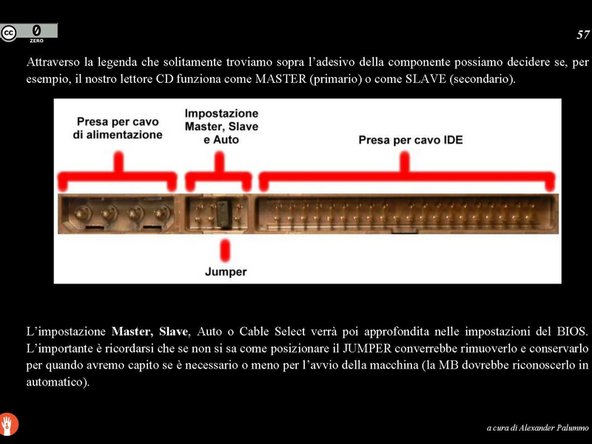
Time Required: 2 hours
Difficulty: Moderate
Community-Contributed Guide

An awesome member of our community made this guide. It was not created by iFixit staff.

TRASHWARE

Introduction

Go to step 1 ↓

The personal computer (PC) is "any general-purpose computer whose size, capabilities, and price make it suitable for the needs of the individual" (wikipedia.org).

Today, there are different types and forms of PCs:

- desktop (also called a fixed computer);

- notebook (laptop);

- netbook (small-sized laptop);

- tablet (portable tablet without a keyboard);

- palmtop (handheld computer);

- etc…

From a functional perspective, every computer can be understood as a combination of: HardWare + SoftWare.

HardWare is the physical part of the device, i.e., the electronic components.

SoftWare is the virtual part of the device, that which cannot be touched (not even when the device is disassembled and broken down into its various parts). The programs that make a computer perform certain calculations under our command are SoftWare. A program is therefore a set of commands that tell the machine what to do (we can use the two words program and software as synonyms).

The parent program of all programs is: the Operating system is a set of SoftWare designed to run simultaneously and to allow the operation of a computer. The main purpose of the operating system is:

- to coordinate the operation of the HardWare;

- to interface the user with the machine.

The Operating system is the foundation for being able to start performing operations on a personal computer; it is a virtual architecture that enables communication between the human and the machine.

While there are a vast, uncountable number of SoftWare currently existing in the world, the Operating systems are few and are organized into families.

We choose to proceed with our work using the family called: LINUX (see the end of the guide).

What you need

    1. TRASHWARE, What is a PC: step 1, image 1 of 3 TRASHWARE, What is a PC: step 1, image 2 of 3 TRASHWARE, What is a PC: step 1, image 3 of 3
      • Insert the expertise here.

      Ask FixBot
      Add Comment

    2. TRASHWARE, The Central Unit: step 2, image 1 of 3 TRASHWARE, The Central Unit: step 2, image 2 of 3 TRASHWARE, The Central Unit: step 2, image 3 of 3
      • Insert the expertise here.

      Ask FixBot

      Add Comment

    3. TRASHWARE, Memory: step 3, image 1 of 2 TRASHWARE, Memory: step 3, image 2 of 2
      • Enter the skill here.

      Ask FixBot

      Add Comment

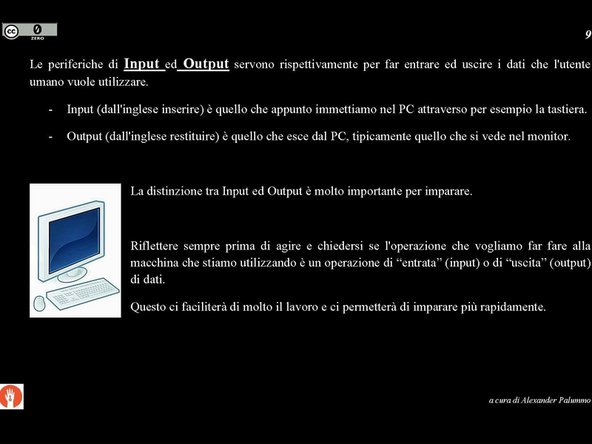
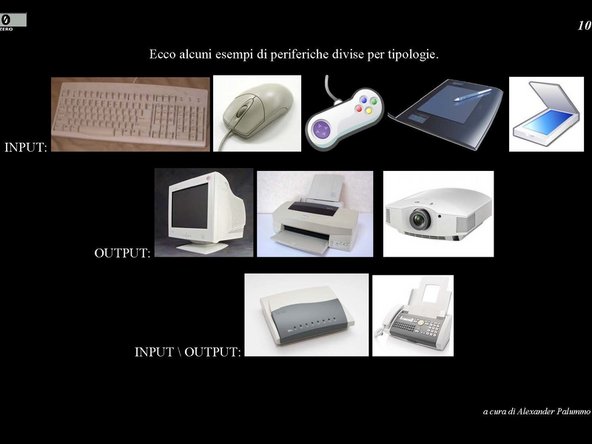
    4. TRASHWARE, Input & Output: step 4, image 1 of 3 TRASHWARE, Input & Output: step 4, image 2 of 3 TRASHWARE, Input & Output: step 4, image 3 of 3
      • Enter the skill here.

      Ask FixBot

      Add Comment

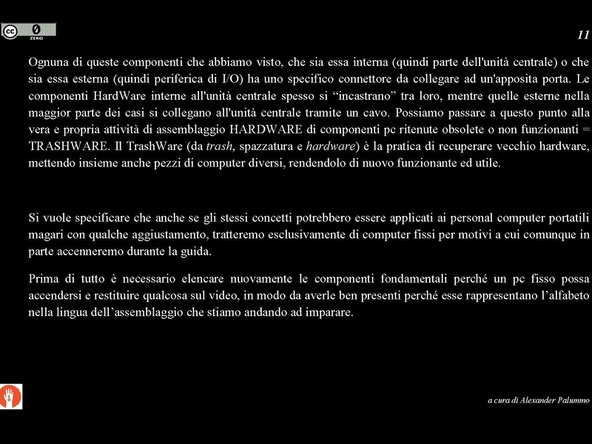
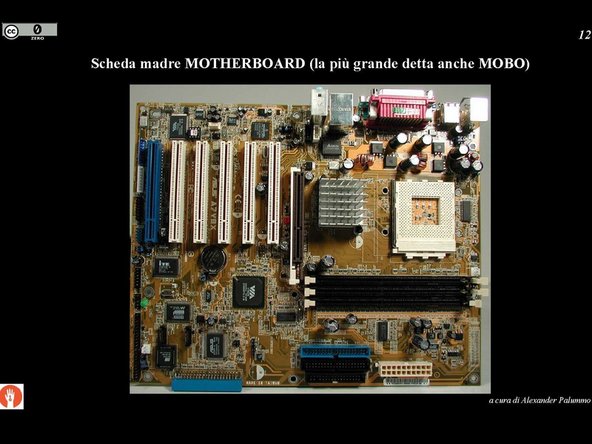
    5. TRASHWARE, Basic components 1: step 5, image 1 of 3 TRASHWARE, Basic components 1: step 5, image 2 of 3 TRASHWARE, Basic components 1: step 5, image 3 of 3
      • Insert skill here.

      Ask FixBot

      Add Comment

    6. TRASHWARE, Basic Components 2: step 6, image 1 of 3 TRASHWARE, Basic Components 2: step 6, image 2 of 3 TRASHWARE, Basic Components 2: step 6, image 3 of 3
      • Insert the skill here.

      Ask FixBot

      Add Comment

    7. TRASHWARE, Beginning of the practical phase: step 7, image 1 of 3 TRASHWARE, Beginning of the practical phase: step 7, image 2 of 3 TRASHWARE, Beginning of the practical phase: step 7, image 3 of 3
      • Enter the skill here.

      Ask FixBot
      Add Comment

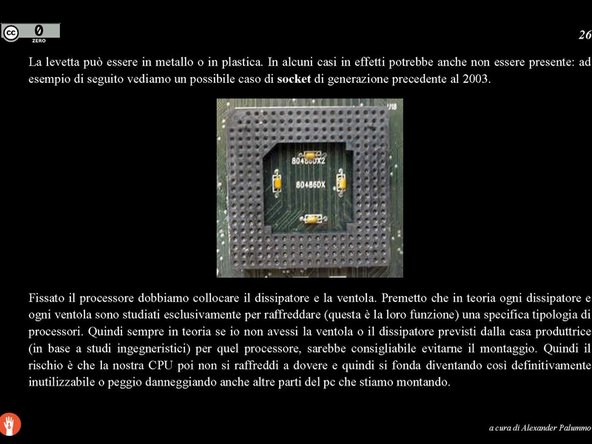
    8. TRASHWARE, Socket/CPU Recognition: step 8, image 1 of 3 TRASHWARE, Socket/CPU Recognition: step 8, image 2 of 3 TRASHWARE, Socket/CPU Recognition: step 8, image 3 of 3
      • Enter the expertise here.

      Ask FixBot
      Add Comment

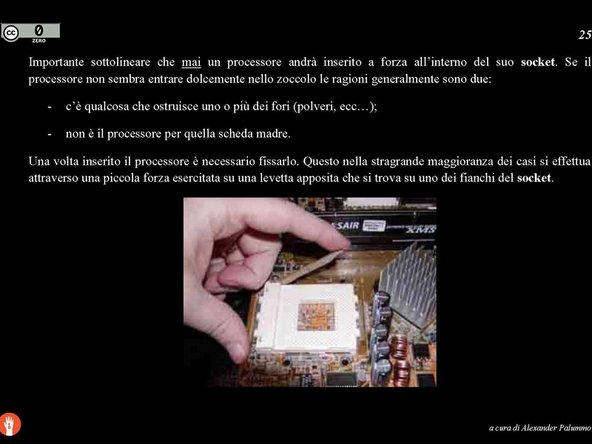
    9. TRASHWARE, CPU Installation: step 9, image 1 of 3 TRASHWARE, CPU Installation: step 9, image 2 of 3 TRASHWARE, CPU Installation: step 9, image 3 of 3
      • Insert the expertise here.

      Ask FixBot
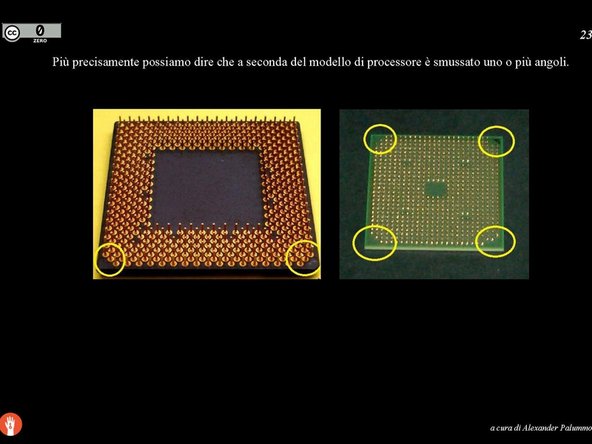
      Add Comment

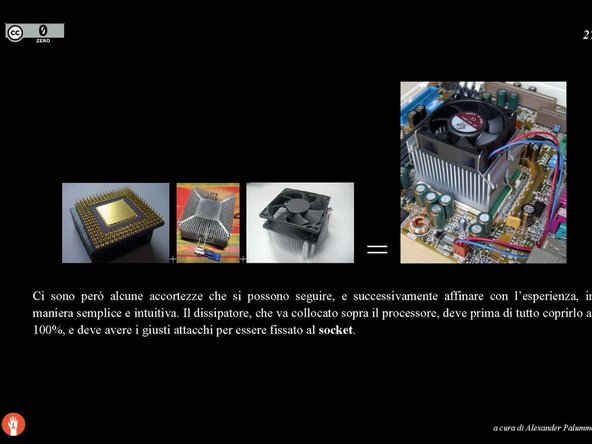
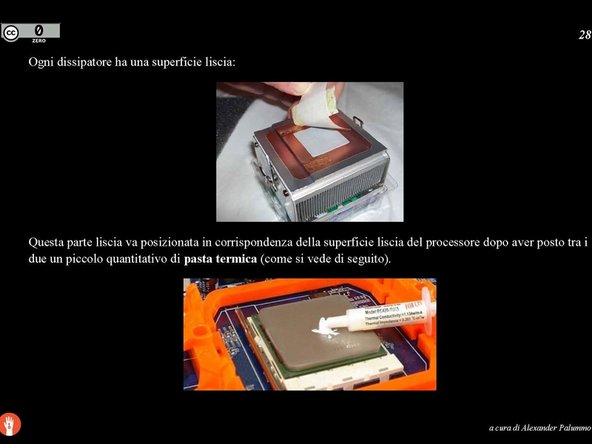
    10. TRASHWARE, Heatsink Installation: step 10, image 1 of 3 TRASHWARE, Heatsink Installation: step 10, image 2 of 3 TRASHWARE, Heatsink Installation: step 10, image 3 of 3
      • Insert expertise here.

      Ask FixBot

      Add Comment

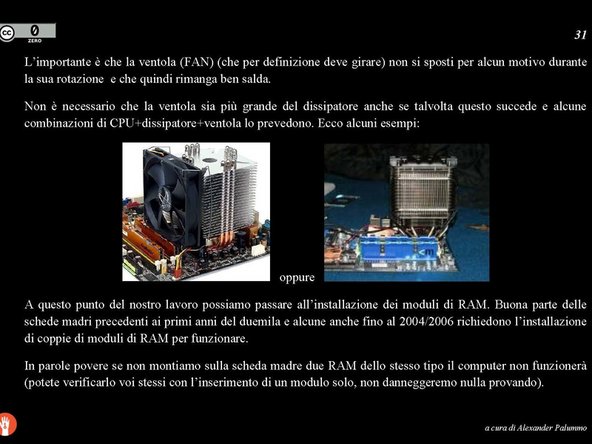
    11. TRASHWARE, CPU fan installation: step 11, image 1 of 2 TRASHWARE, CPU fan installation: step 11, image 2 of 2
      • Enter the skill here.

      Ask FixBot

      Add Comment

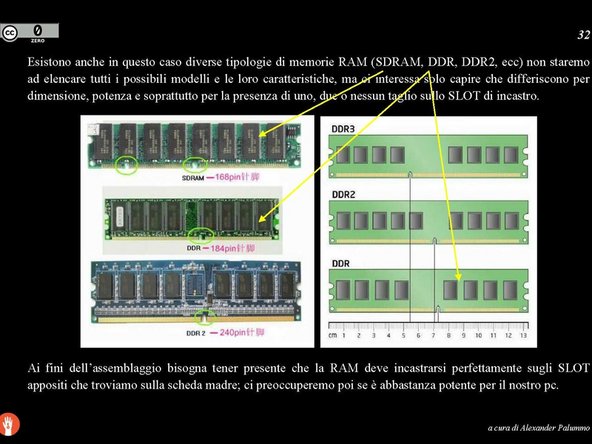
    12. TRASHWARE, RAM Recognition/Installation: step 12, image 1 of 2 TRASHWARE, RAM Recognition/Installation: step 12, image 2 of 2
      • Insert the expertise here.

      Ask FixBot
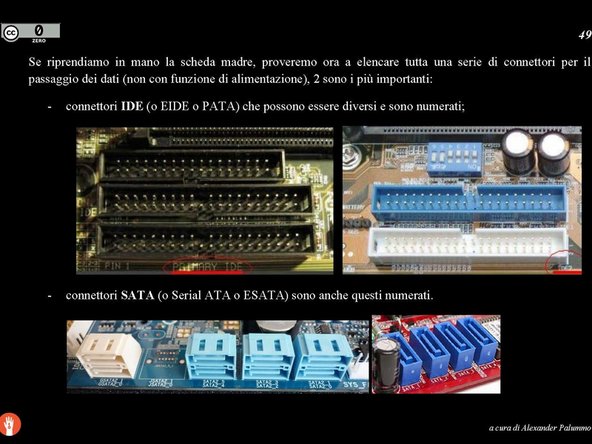
      Add Comment

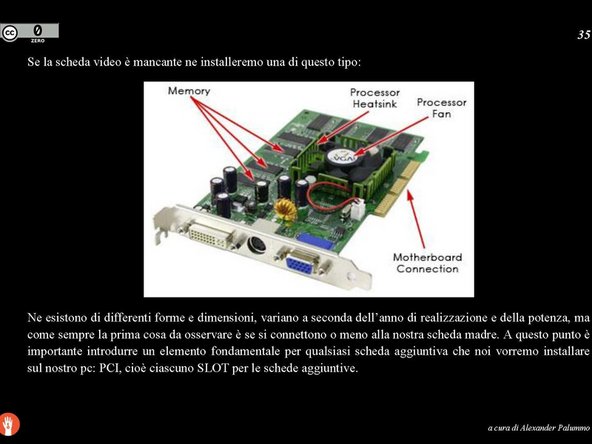
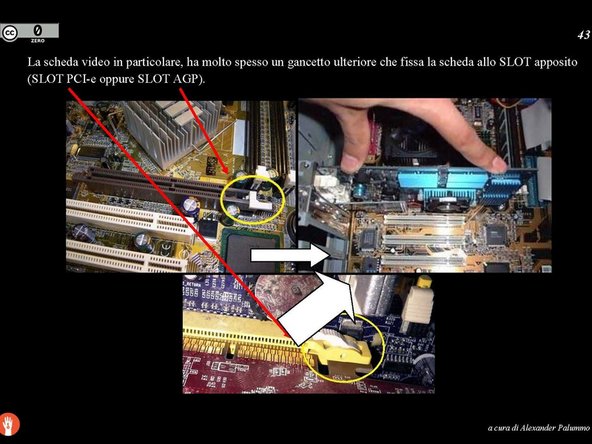
    13. TRASHWARE, Video card/port: step 13, image 1 of 2 TRASHWARE, Video card/port: step 13, image 2 of 2
      • Insert the expertise here.

      Ask FixBot
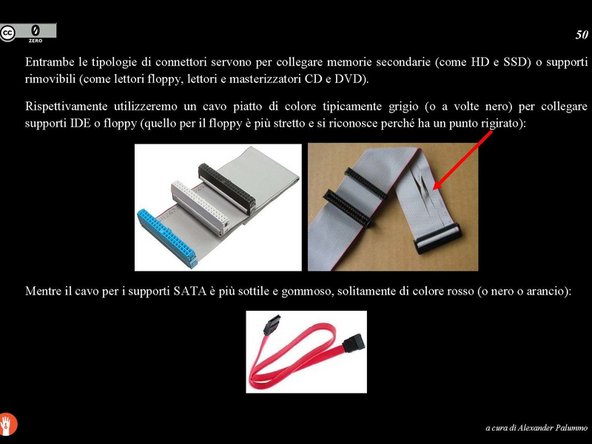
      Add Comment

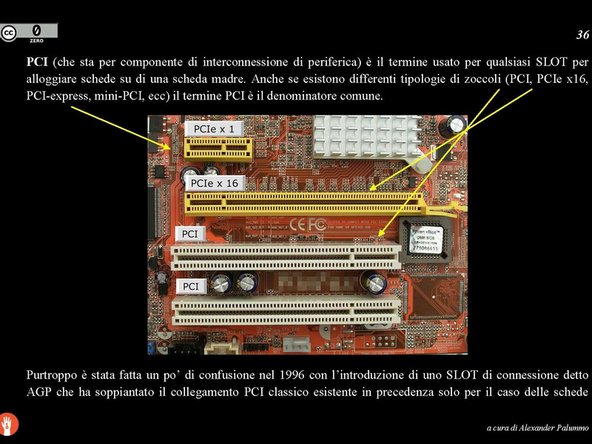
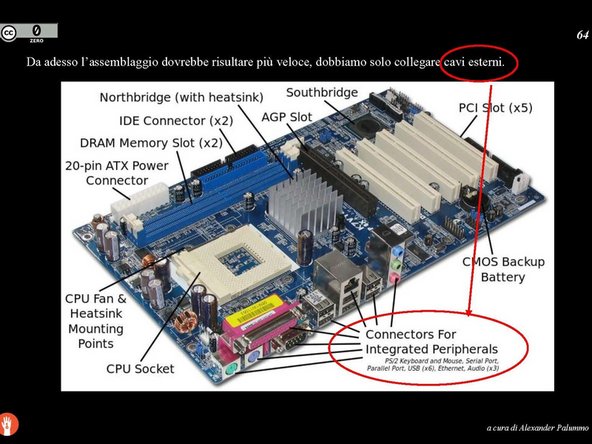
    14. TRASHWARE, Connector identification: step 14, image 1 of 3 TRASHWARE, Connector identification: step 14, image 2 of 3 TRASHWARE, Connector identification: step 14, image 3 of 3
      • Enter the expertise here.

      Ask FixBot
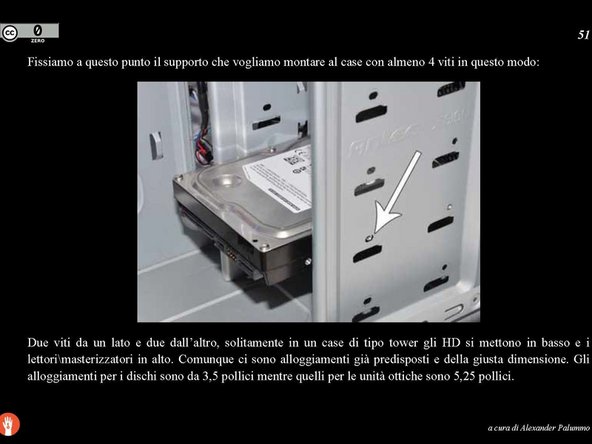
      Add Comment

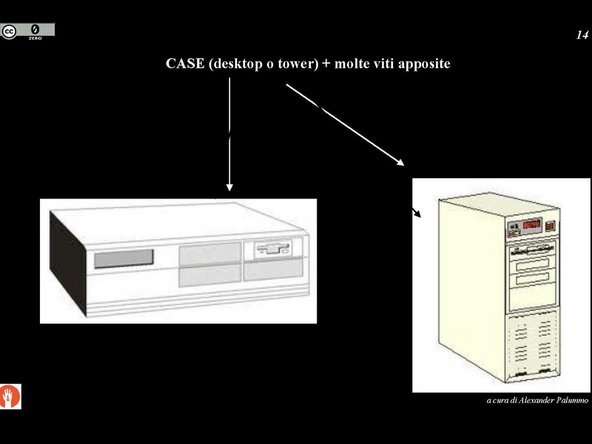
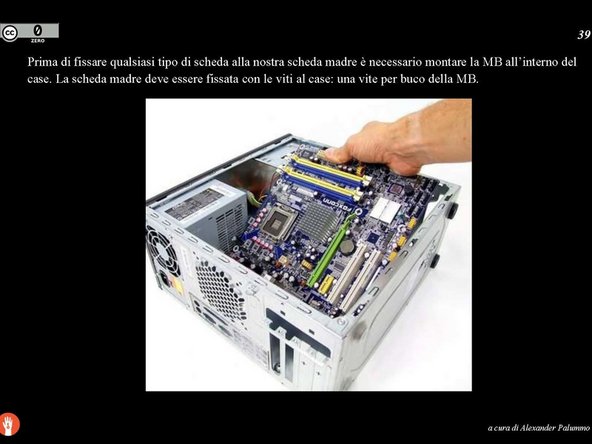
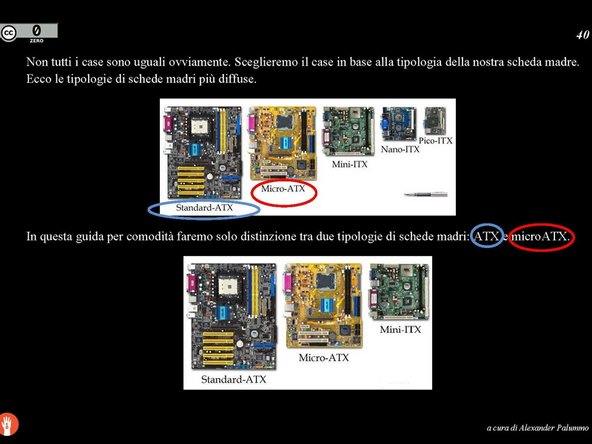
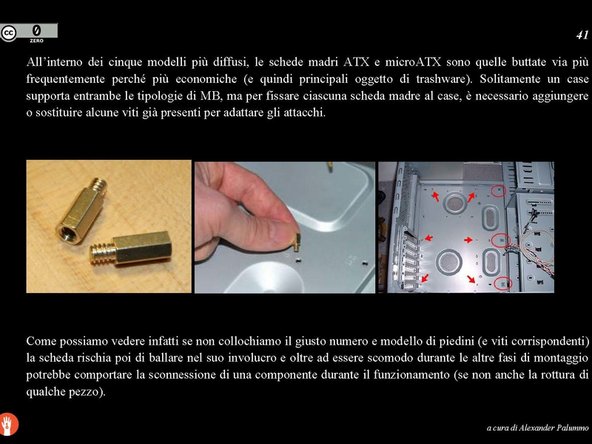
    15. TRASHWARE, Case selection and motherboard installation: step 15, image 1 of 3 TRASHWARE, Case selection and motherboard installation: step 15, image 2 of 3 TRASHWARE, Case selection and motherboard installation: step 15, image 3 of 3
      • Enter expertise here.

      Ask FixBot

      Add Comment

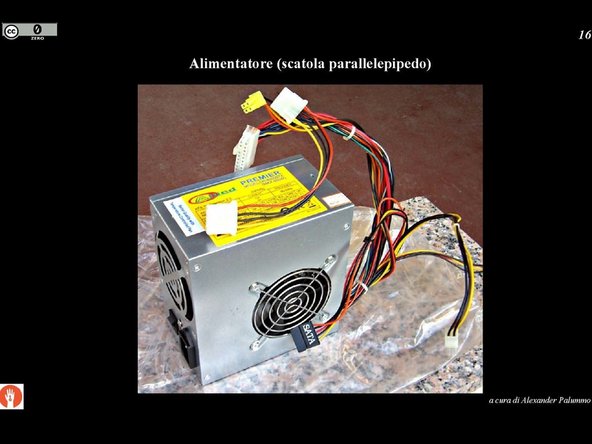
    16. TRASHWARE, Installing boards and power supply: step 16, image 1 of 3 TRASHWARE, Installing boards and power supply: step 16, image 2 of 3 TRASHWARE, Installing boards and power supply: step 16, image 3 of 3
      • Insert expertise here.

      Ask FixBot

      Add Comment

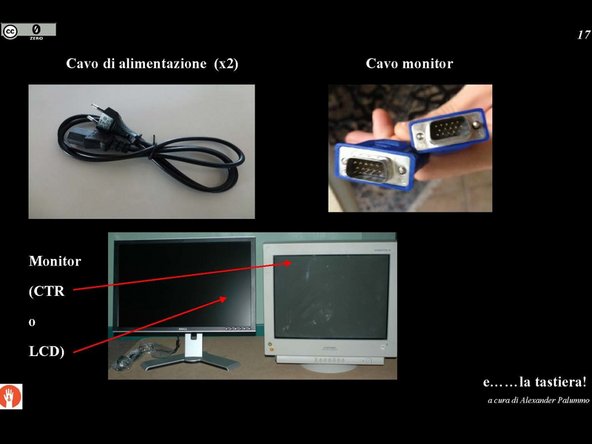
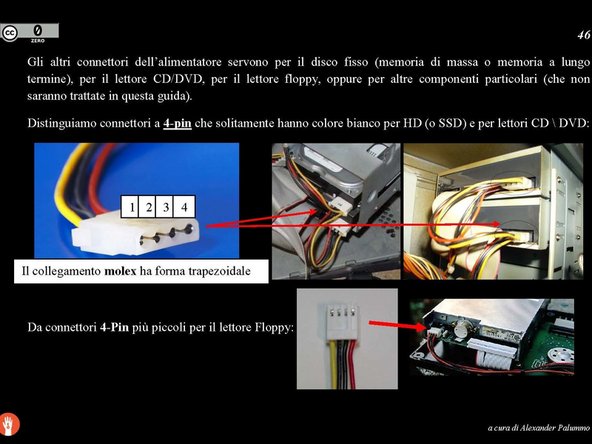
    17. TRASHWARE, Power connectors: step 17, image 1 of 3 TRASHWARE, Power connectors: step 17, image 2 of 3 TRASHWARE, Power connectors: step 17, image 3 of 3
      • Insert the skill here.

      Ask FixBot

      Add Comment

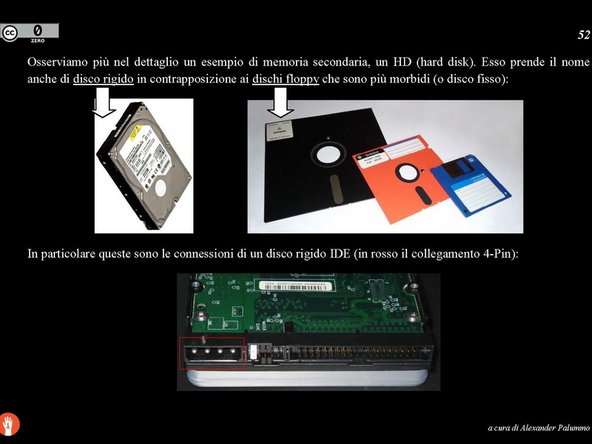
    18. TRASHWARE, Power supply connector summary: step 18, image 1 of 1
      • Insert the expertise here.

      Ask FixBot
      Add Comment

    19. TRASHWARE, Data cables and connectors: step 19, image 1 of 3 TRASHWARE, Data cables and connectors: step 19, image 2 of 3 TRASHWARE, Data cables and connectors: step 19, image 3 of 3
      • Enter the expertise here.

      Ask FixBot

      Add Comment

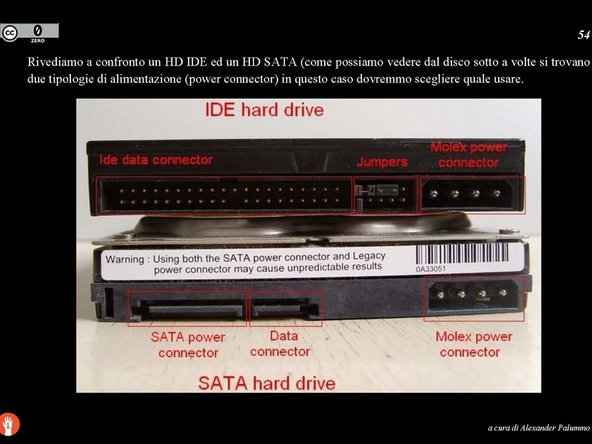
    20. TRASHWARE, IDE/SATA Assembly 1: step 20, image 1 of 3 TRASHWARE, IDE/SATA Assembly 1: step 20, image 2 of 3 TRASHWARE, IDE/SATA Assembly 1: step 20, image 3 of 3
      • Insert expertise here.

      Ask FixBot
      Add Comment

    21. TRASHWARE, IDE/SATA 2 Assembly: step 21, image 1 of 3 TRASHWARE, IDE/SATA 2 Assembly: step 21, image 2 of 3 TRASHWARE, IDE/SATA 2 Assembly: step 21, image 3 of 3
      • Insert the expertise here.

      Ask FixBot

      Add Comment

    22. TRASHWARE, Case-to-Motherboard Connection: step 22, image 1 of 3 TRASHWARE, Case-to-Motherboard Connection: step 22, image 2 of 3 TRASHWARE, Case-to-Motherboard Connection: step 22, image 3 of 3
      • Insert the expertise here.

      Ask FixBot

      Add Comment

    23. TRASHWARE, Other useful tabs: step 23, image 1 of 3 TRASHWARE, Other useful tabs: step 23, image 2 of 3 TRASHWARE, Other useful tabs: step 23, image 3 of 3
      • Insert the skill here.

      Ask FixBot

      Add Comment

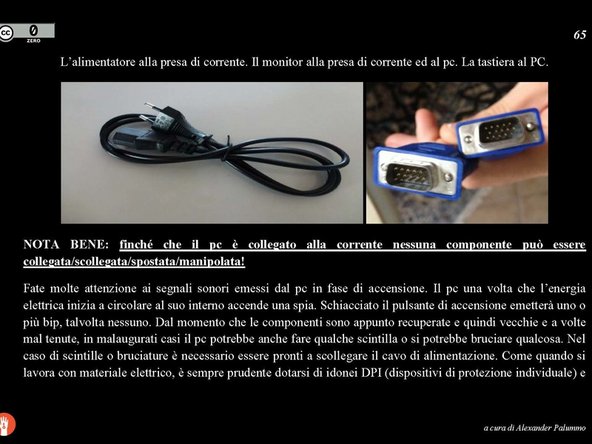
    24. TRASHWARE, Cables Outside the Case: step 24, image 1 of 2 TRASHWARE, Cables Outside the Case: step 24, image 2 of 2
      • Insert expertise here.

      Ask FixBot

      Add Comment

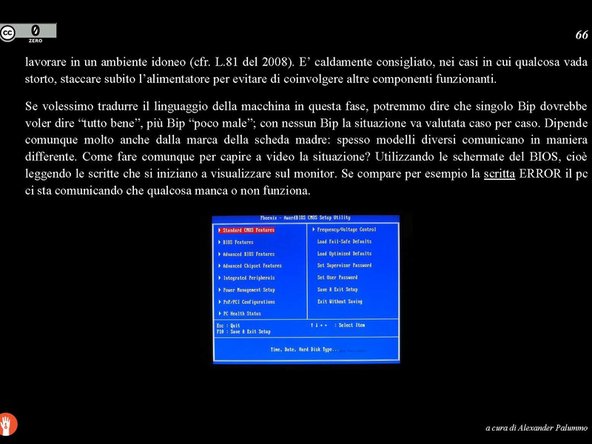
    25. TRASHWARE, BIOS and OS booting: step 25, image 1 of 3 TRASHWARE, BIOS and OS booting: step 25, image 2 of 3 TRASHWARE, BIOS and OS booting: step 25, image 3 of 3
      • Insert the expertise here.

      Ask FixBot

      Add Comment

    26. TRASHWARE, Glossary: step 26, image 1 of 1
      • Insert the expertise here.

      Ask FixBot

      Add Comment

Finish Line

Cancel: I did not complete this guide.

One other person completed this guide.

ander2712

Member since: 03/30/15

403 Reputation

1 Guide authored

0 Guide Comments

Add Comment

View Statistics:

Past 24 Hours: 2

Past 7 Days: 12

Past 30 Days: 41

All Time: 513