
TCL Stylus Battery Replacement

Lee Hunt and
Last updated on May 5, 2023
Views: 3.1K
View statistics:
- Past 24 Hours:
- 5
- Past 7 Days:
- 44
- Past 30 Days:
- 111
- All Time:
- 3,063
Comments: 5
5 guide comments.
Go to guide commentsCompleted: 0 1
No one has marked this guide "completed." Will you be the first?
1 person has marked this guide "completed." It's you — great job!
Favorites: 0 1
No one has favorited (and subscribed to) this guide. Will you be the first?
1 person has favorited (and subscribed to) this guide — and that's you!
Bullets!
Better coordination with markups and the color/type of bullets will help make this guide more clear!
Community-Contributed Guide
An awesome member of our community made this guide. It was not created by iFixit staff.
Introduction
Go to step 1 ↓This is how to replace the battery on a TCL Stylus 5G.
What you need
Parts
Tools


-
-
-
Press and hold the Power button for 2 seconds.
-
Then, select "Power off".
 Ask FixBot
-
-
-
Insert a jimmy tool into the casing to create a gap.
-
Then, put a plastic pick in the gap and remove the jimmy tool.
-
Finally, lift up to remove the panel.
-
-
-
-
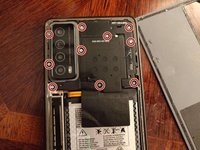
Remove the 10 Phillips screws holding the plastic shielding from the motherboard.
-
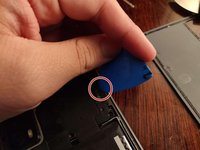
Then, grab a pick and put in in the slot show on picture 2.
-
You should then be able to lift the rest of it off.
-
-
-
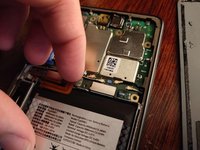
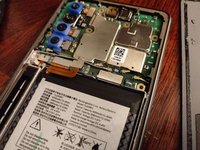
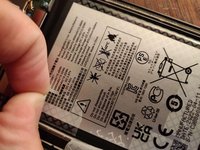
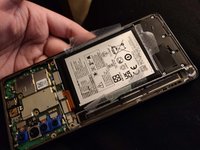
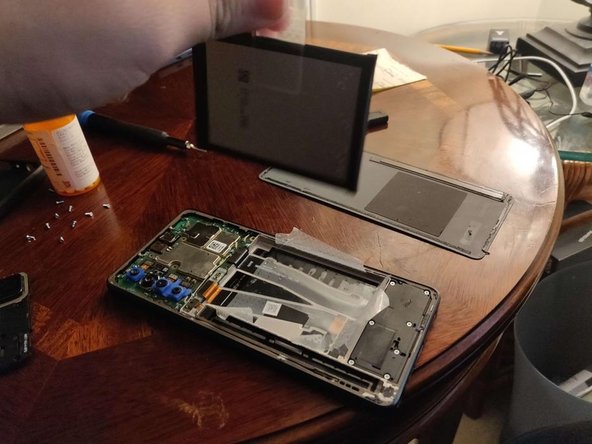
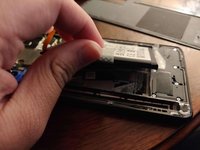
Pull on the sticker located on the middle of the left side (colored green) of the battery to remove it.
-
NOTE: The pull tab may have resistance.
-
-







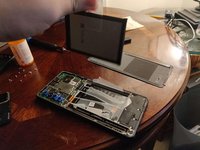
To reassemble your device, follow these instructions in reverse order.

5 Guide Comments
Lg syluis is a non removeable battery
It's just not easily removable. But every battery in every phone is removable if you know what you're doing. That's why the pictures explain. You come in here getting all worked up but your ignorance really shows. Obviously you don't have the intelligence to attempt this kind of repair, so go crochet me some mittens or something.
Its a non removeable battery phone,unless u control it with a chiness &&^&@@ dumb ass move battery
No removeable
