
Supersonic Matrix SC-91MID Back Cover Replacement

Michael Turner and 3 other contributors
Last updated on Aug 8, 2024
Views: 559
View statistics:
- Past 24 Hours:
- 1
- Past 7 Days:
- 12
- Past 30 Days:
- 60
- All Time:
- 559
Comments: 0
No one has left comments on this guide. Will you be first?
Go to guide commentsCompleted: 1 2
1 person has marked this guide "completed." Will you be next?
2 people have marked this guide "completed." Including you — great job!
Favorites: 0 1
No one has favorited (and subscribed to) this guide. Will you be the first?
1 person has favorited (and subscribed to) this guide — and that's you!
Needs Better Images
Better photos will improve this guide. Help out by taking, editing, or uploading new ones!
Introduction
Go to step 1 ↓In this replacement guide, we will show you how to remove the back cover and all of the inside components of your tablet in order to replace the back cover.
What you need
Tools


-
-
-
To begin, insert the plastic opening tool between the display and back cover and apply force until the back cover comes free from the device.
 Ask FixBot
-
-
Tool used on this step:Tweezers$4.99
-
Carefully remove orange ribbons from the motherboard by opening the small plastic flaps and pulling with tweezers.
-
-
-
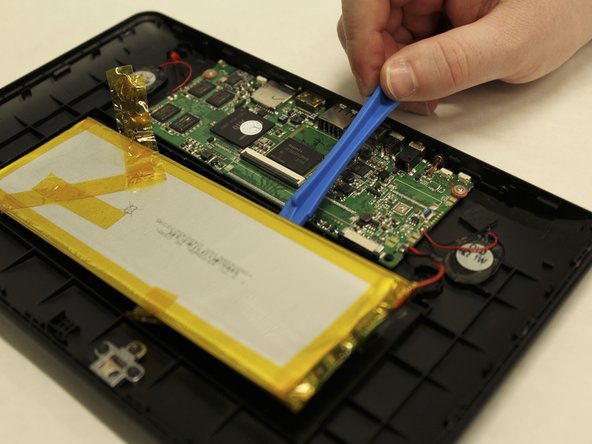
To remove the battery, use the plastic opening tool to pry one corner off of the battery and gently move the opening tool down to pull up one side of the battery.
-
-
-
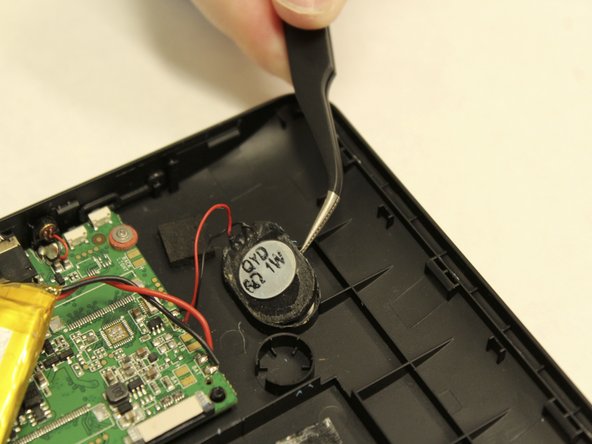
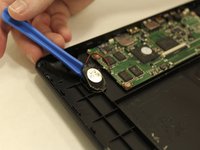
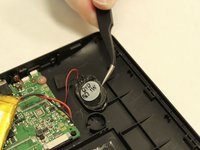
To remove the speakers, use the plastic opening tool to gently pry the speaker from the back cover, then use the tweezers to remove them fully.
-
-
-
-
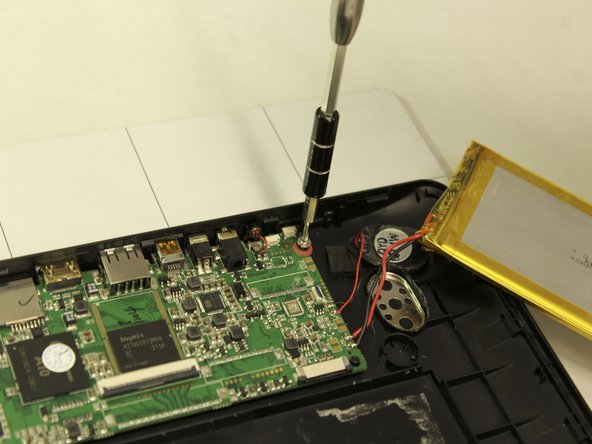
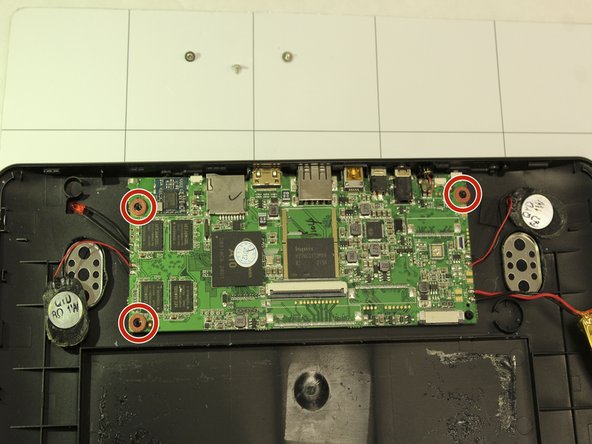
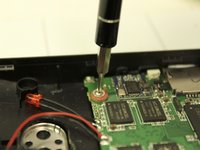
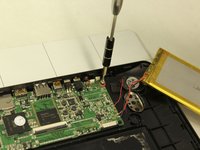
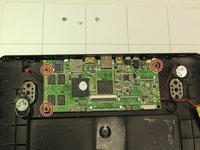
To remove the motherboard, start by unscrewing the three (3) small Phillips head screws using a 1.5 mm Phillips head (Phillips #000) screwdriver.
-
-




To reassemble your device, follow these instructions in reverse order.
Cancel: I did not complete this guide.
One other person completed this guide.

Team

IUPUI, Team S1-G1, Wilson Spring 2018 Member of IUPUI, Team S1-G1, Wilson Spring 2018
IUPUI-WILSON-S18S1G1
5 Members
36 Guides authored
