
Sony Xperia Z5 Compact Buttons Replacement

Grant Conner and 3 other contributors
Last updated on May 7, 2024
Views: 922
View statistics:
- Past 24 Hours:
- 0
- Past 7 Days:
- 12
- Past 30 Days:
- 67
- All Time:
- 922
Comments: 4
4 comments on steps.
Completed: 0 1
No one has marked this guide "completed." Will you be the first?
1 person has marked this guide "completed." It's you — great job!
Favorites: 0 1
No one has favorited (and subscribed to) this guide. Will you be the first?
1 person has favorited (and subscribed to) this guide — and that's you!
Community-Contributed Guide
An awesome member of our community made this guide. It was not created by iFixit staff.
Better Introduction
Improve this guide by completing or revising its introduction.
Introduction
Go to step 1 ↓If the buttons are failing to work on your device, you should consider replacing the buttons. Use this guide to replace the buttons in your phone.
What you need
Parts

Tools


-
-
-
Heat up the back cover to soften the adhesive.
-
Place the suction cup to open a gap from top side, then insert guitar picks and slide it to cut the adhesive underneath.
-
Remove back cover.
-
-
-
-
Release charging port connector.
-
Remove plastic protective bar.
-
Pry up motherboard assembly from this side. There are three flex connectors connecting the motherboard underneath. So pry up the motherboard assembly gently.
-
-
-
Push audio jack out of the slot, no adhesive underneath.
-
Release LCD flex connector and main flex connector. Use a small flat tool to flip up the white edge of the connector to release tension on the end of the flex cable. Then the flex cable should slide out without any resistance.
-
Separate motherboard assembly from middle housing.
-
-
-
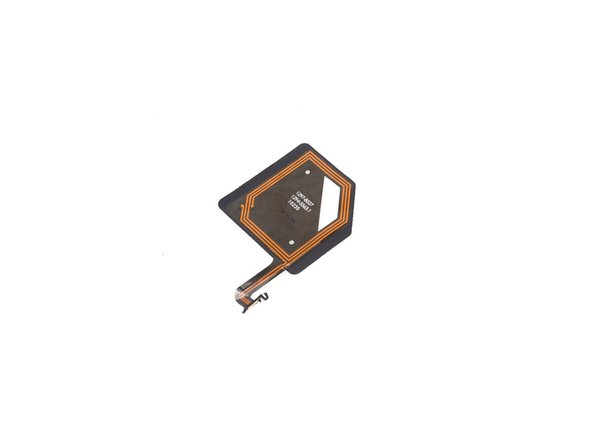
Take away NFC antenna on battery.
-
Be aware that the NFC antenna is held by an adhesive and made of thin plastic. Remove it very carefully.
-
-
-
Release battery connector.
-
Pull straight out on the black ends of the battery adhesive strips until they come off.
-
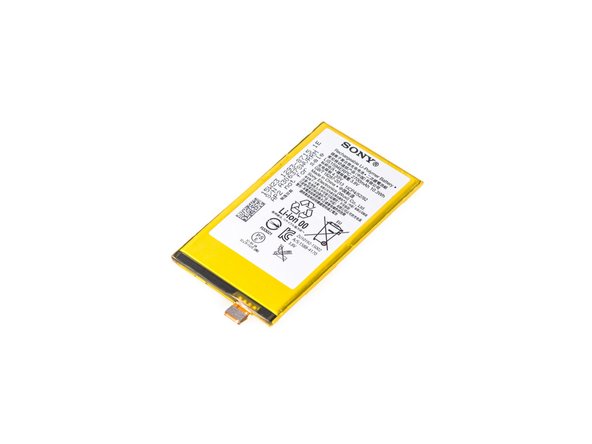
Pry up and remove battery.
-
-
-
Place the new battery adhesive strips on the motherboard
-
Press the new battery in place
-
Follow all the steps in reverse to reassemble your phone
-
-
-
Tool used on this step:Tweezers$4.99
-
Use the tweezers to push the buttons from the outside to the inside of the phone.
-
Use the tweezers to gently remove from the connector.
-
-


 Ask FixBot






To reassemble your device, follow these instructions in reverse order.

Team

The Citadel Military College of South Carolina, Team S2-G9, Eggleston Spring 2020 Member of The Citadel Military College of South Carolina, Team S2-G9, Eggleston Spring 2020
CMCSC-EGGLESTON-S20S2G9
3 Members
36 Guides authored
