Free Shipping on Domestic Orders $75+

Sony Xperia Z1 Compact Rear Camera Replacement

What you need

  1. Sony Xperia Z1 Compact Rear Camera Replacement, Back Cover: step 1, image 1 of 1
    • Heat along the edges of the back cover using a heat gun to soften the glue.

    Ask FixBot

    Add Comment

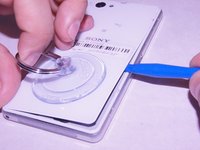
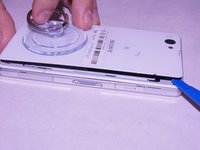
  2. Sony Xperia Z1 Compact Rear Camera Replacement: step 2, image 1 of 1
    • Attach the small suction cup to the back cover near the bottom of the phone.

    • Pull up on the suction cup and insert the plastic opening tool in between the back cover and the rest of the phone.

    Ask FixBot

    Add Comment

  3. Sony Xperia Z1 Compact Rear Camera Replacement: step 3, image 1 of 2 Sony Xperia Z1 Compact Rear Camera Replacement: step 3, image 2 of 2
    • Move the spudger around the edge of the back cover to separate it from the black adhesive.

    • Separating the back cover from the rest of the phone ruins the adhesive which makes it no longer waterproof.

    Ask FixBot

    Add Comment

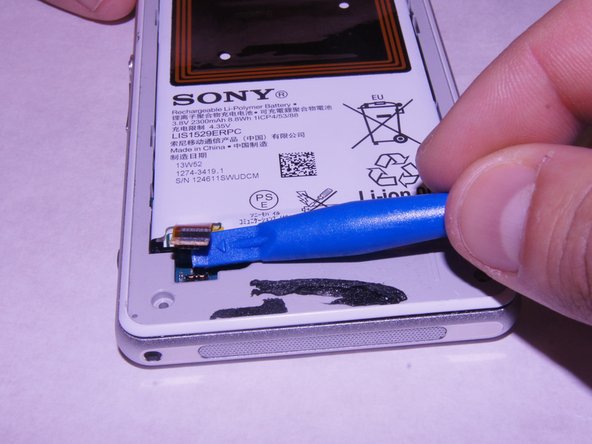
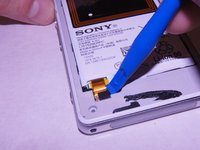
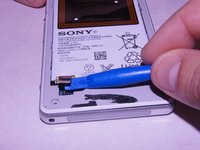
  4. Sony Xperia Z1 Compact Rear Camera Replacement, Battery: step 4, image 1 of 2 Sony Xperia Z1 Compact Rear Camera Replacement, Battery: step 4, image 2 of 2
    • Carefully disconnect the battery from the logic board by using the plastic spudger as a lever.

    Ask FixBot

    Add Comment

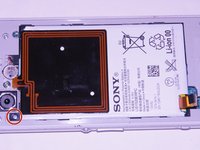
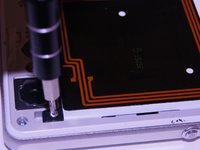
  5. Sony Xperia Z1 Compact Rear Camera Replacement: step 5, image 1 of 2 Sony Xperia Z1 Compact Rear Camera Replacement: step 5, image 2 of 2
    • Remove the single 1 x 3.0 mm screw holding the battery in using the JIS #00 screwdriver.

    Ask FixBot

    Add Comment

  6. Sony Xperia Z1 Compact Rear Camera Replacement: step 6, image 1 of 1
    • Pry the battery up from the ends using the plastic spudger until the battery pops out of the enclosure.

    Ask FixBot

    Add Comment

  7. Sony Xperia Z1 Compact Rear Camera Replacement: step 7, image 1 of 1
    • Remove the battery from the device

    Ask FixBot

    Add Comment

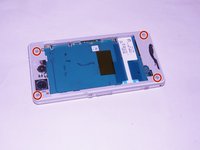
  8. Sony Xperia Z1 Compact Rear Camera Replacement, External Speaker: step 8, image 1 of 2 Sony Xperia Z1 Compact Rear Camera Replacement, External Speaker: step 8, image 2 of 2
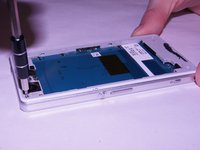
    • Unscrew the four screws on the corners of the back frame using the JIS #00 screwdriver.

    Ask FixBot

    Add Comment

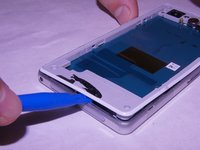
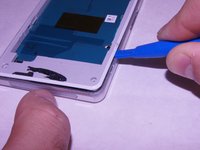
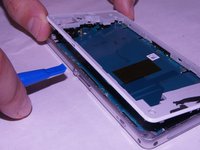
  9. Sony Xperia Z1 Compact Rear Camera Replacement: step 9, image 1 of 3 Sony Xperia Z1 Compact Rear Camera Replacement: step 9, image 2 of 3 Sony Xperia Z1 Compact Rear Camera Replacement: step 9, image 3 of 3
    • Wedge the plastic opening tool under the back frame. Move the plastic opening tool around the entire frame to separate it from the adhesive.

    Ask FixBot

    Add Comment

  10. Sony Xperia Z1 Compact Rear Camera Replacement: step 10, image 1 of 1
    • Remove the back frame.

    Ask FixBot

    Add Comment

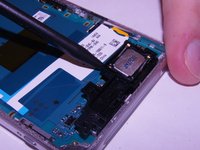
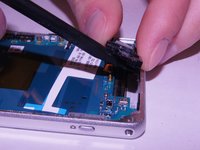
  11. Sony Xperia Z1 Compact Rear Camera Replacement: step 11, image 1 of 2 Sony Xperia Z1 Compact Rear Camera Replacement: step 11, image 2 of 2
    • Wedge the spudger underneath the external speaker. Pull up on the external speaker using the spudger.

    Ask FixBot

    Add Comment

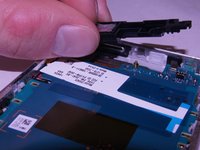
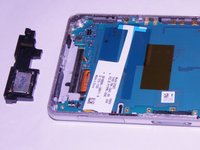
  12. Sony Xperia Z1 Compact Rear Camera Replacement: step 12, image 1 of 2 Sony Xperia Z1 Compact Rear Camera Replacement: step 12, image 2 of 2
    • Remove the external speaker.

    Ask FixBot

    Add Comment

  13. Sony Xperia Z1 Compact Rear Camera Replacement, Motherboard: step 13, image 1 of 2 Sony Xperia Z1 Compact Rear Camera Replacement, Motherboard: step 13, image 2 of 2
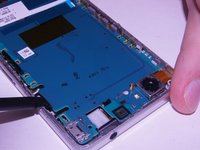
    • Remove the square rubber gasket from the camera using the plastic spudger.

    Ask FixBot

    Add Comment

  14. Sony Xperia Z1 Compact Rear Camera Replacement: step 14, image 1 of 2 Sony Xperia Z1 Compact Rear Camera Replacement: step 14, image 2 of 2
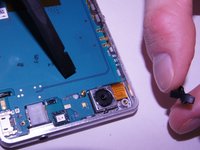
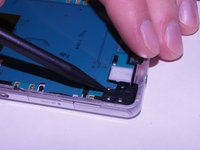
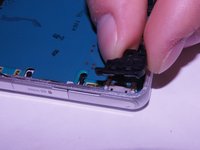
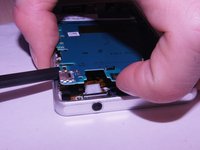
    • Remove the black plastic corner still holding in the motherboard.

    Ask FixBot

    Add Comment

  15. Sony Xperia Z1 Compact Rear Camera Replacement: step 15, image 1 of 3 Sony Xperia Z1 Compact Rear Camera Replacement: step 15, image 2 of 3 Sony Xperia Z1 Compact Rear Camera Replacement: step 15, image 3 of 3
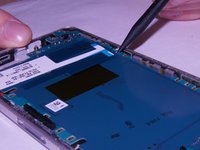
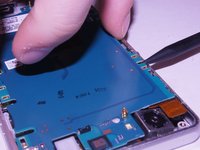
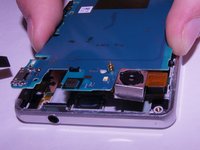
    • Carefully pry up on the four sides of the motherboard using the plastic spudger til it separates from the base of the phone.

    Ask FixBot

    Add Comment

  16. Sony Xperia Z1 Compact Rear Camera Replacement: step 16, image 1 of 3 Sony Xperia Z1 Compact Rear Camera Replacement: step 16, image 2 of 3 Sony Xperia Z1 Compact Rear Camera Replacement: step 16, image 3 of 3
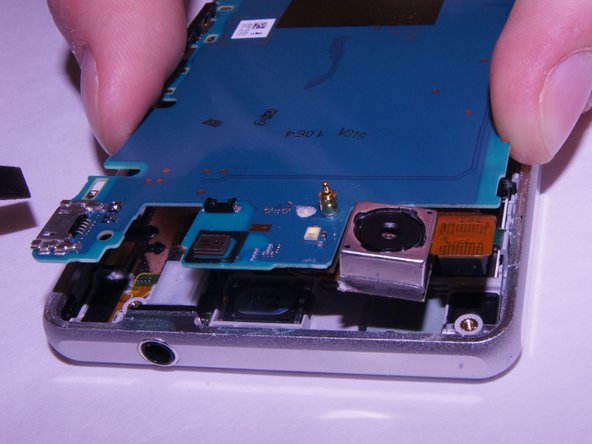
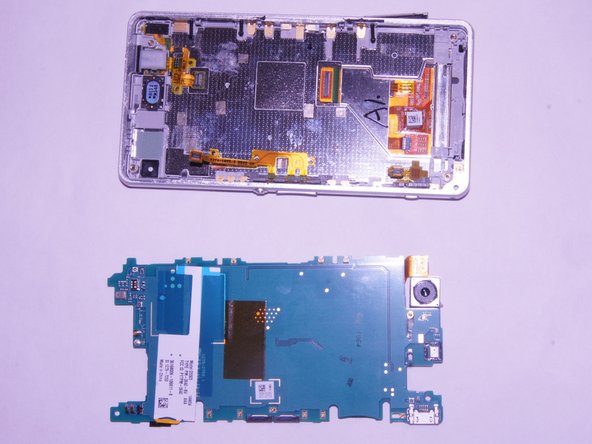
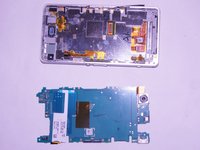
    • Remove the motherboard from the device.

    • There may be a small yellow adhesive underneath the motherboard still holding it in. Slide the tip of the spudger through it to sever it.

    Ask FixBot

    Add Comment

  17. Sony Xperia Z1 Compact Rear Camera Replacement, Rear Camera: step 17, image 1 of 2 Sony Xperia Z1 Compact Rear Camera Replacement, Rear Camera: step 17, image 2 of 2
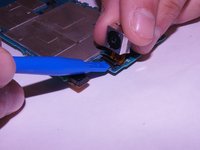
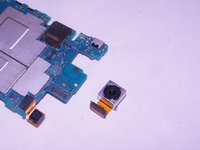
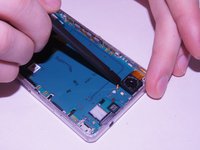
    • Disconnect the camera from the motherboard using a spudger.

    Ask FixBot

    Add Comment

Conclusion

To reassemble your device, follow these instructions in reverse order.

Cancel: I did not complete this guide.

One other person completed this guide.

Kevin Bergstrom

Member since: 09/21/17

383 Reputation

3 Guides authored

1 Guide Comment

The trouble is that the headphones jack and the monitor cables are unplugged when removing the motherboard and I do not think it is possible to plug them back in from the back side of the phone. I think the monitor needs to be removed for them to be plugged from the front.

natuk - Reply Share
Add Comment

View Statistics:

Past 24 Hours: 2

Past 7 Days: 18

Past 30 Days: 45

All Time: 1,260